2-4 BBP
®
85 Label Printer
User’s Manual
Unpacking and Setting up Printer
Setting up the Printer
Install or Change Supplies
The media and ribbon supply cartridges use a “smart cell” to define and track the
supply information. The system automatically recognizes the supply information
for the installed media and ribbon.
Note: The printer can be either on or off when changing supplies.
Install Ribbon and Media
This procedure assumes you are at the side of the printer, facing the media and
ribbon rolls.
Note: An illustrations on the inside of the cover shows how to install the tape and
ribbon. The two steps on the left refer to loading the ribbon. The four steps on the
right refer to loading the media (tape).
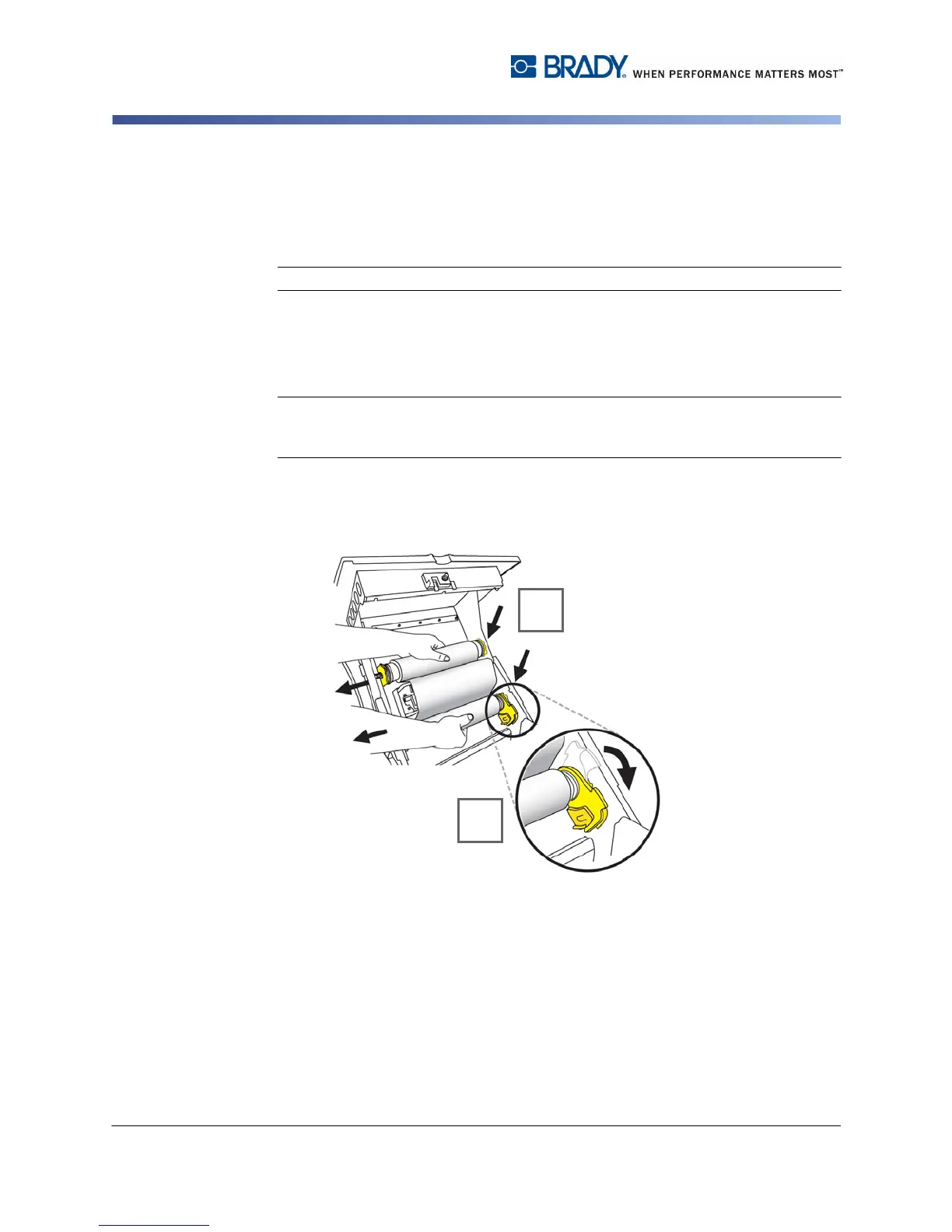
1. Press yellow cover release button and raise printer cover.
2. Place ribbon roll inserts over yellow drive cones on left, then right sides [2].
3. Snap yellow flag into yellow memory cell [3].



 To Next Page