BBP
®
85 Label Printer
User’s Manual
2-5
Unpacking and Setting up Printer
Setting up the Printer
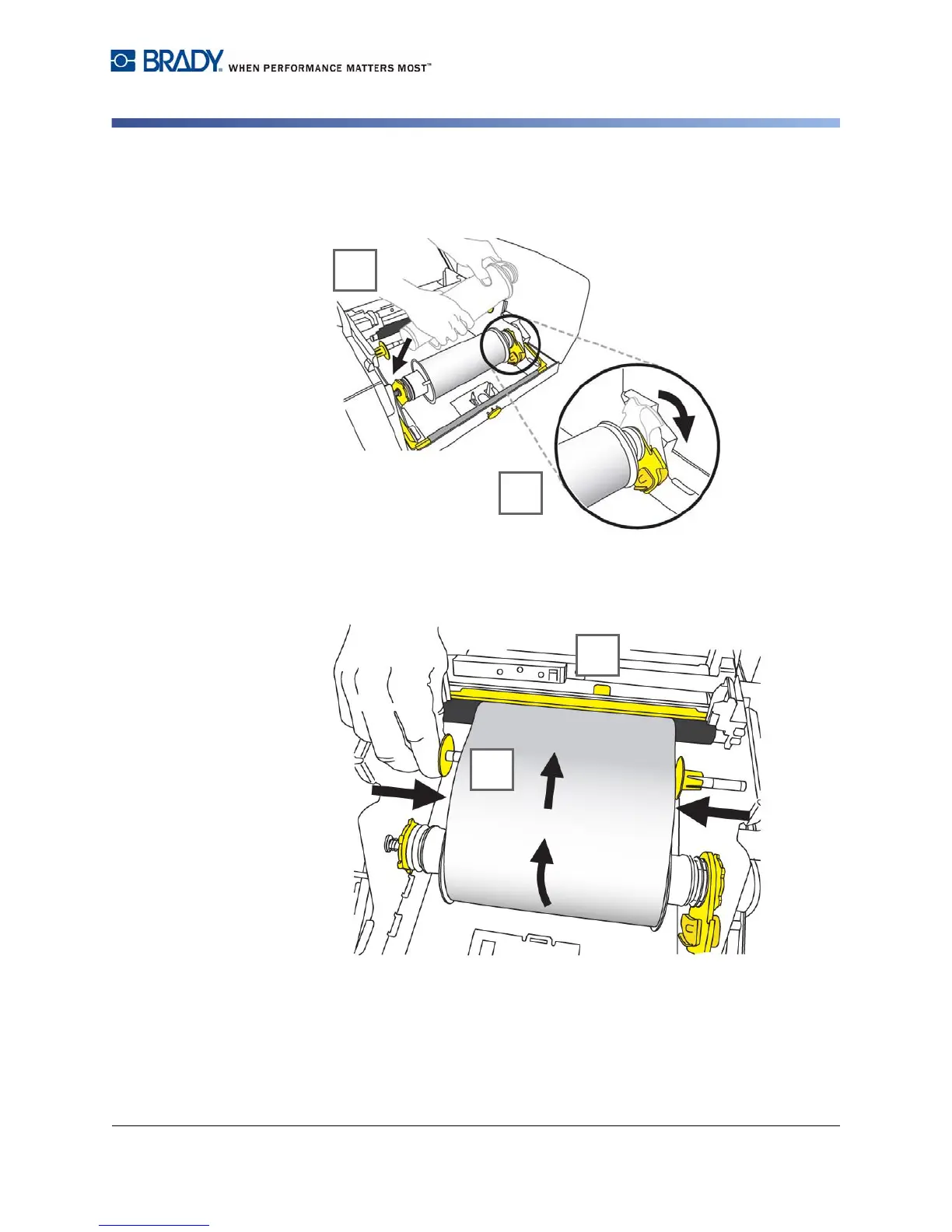
4. Place left side of media roll insert over yellow drive cone, pull toward left, then
insert end of roll over opposite drive cone [4].
5. Snap yellow flag into yellow memory cell [5].
6. Place leading edge of media between yellow media guide and black media
roller [6].
7. Slide yellow media guides so they fit against media [7].



 To Next Page