ENGLISH 70 / 78 CAP. 15 - REPLACEMENT INTERVENTIONS
• Gas scale load cell (J1 W. TANK)
• New oil load cell (J2 W. NEW OIL)
•
Exhausted oil load cell (J4 W. EXAUST OIL)
• LP pressure sensor (J8 P. LP)
• Printer serial communication (J16 RS232 PRN)
• Power board connection (J3 I/O INTERFACE)
• Printer power supply (J17 PWR PRN)
• Programming serial connector (J18 RS232 PRG)
• Keypad connector (J15)
• Insert a CR2032 battery on the new board.
In case less than 5 years have passed since the machine manufacturing date (see technical
data label) it is possible to reuse the battery present on the replaced board.
• Reprogram the machine with the updated software.
o Before starting programming through the CLIMAUPDATE programming software
(available in the reserved area of the website www.brainbee.com), the type/model of
the CLIMA station (Machine Type) shall be set on the printed circuit board received as
spare part.
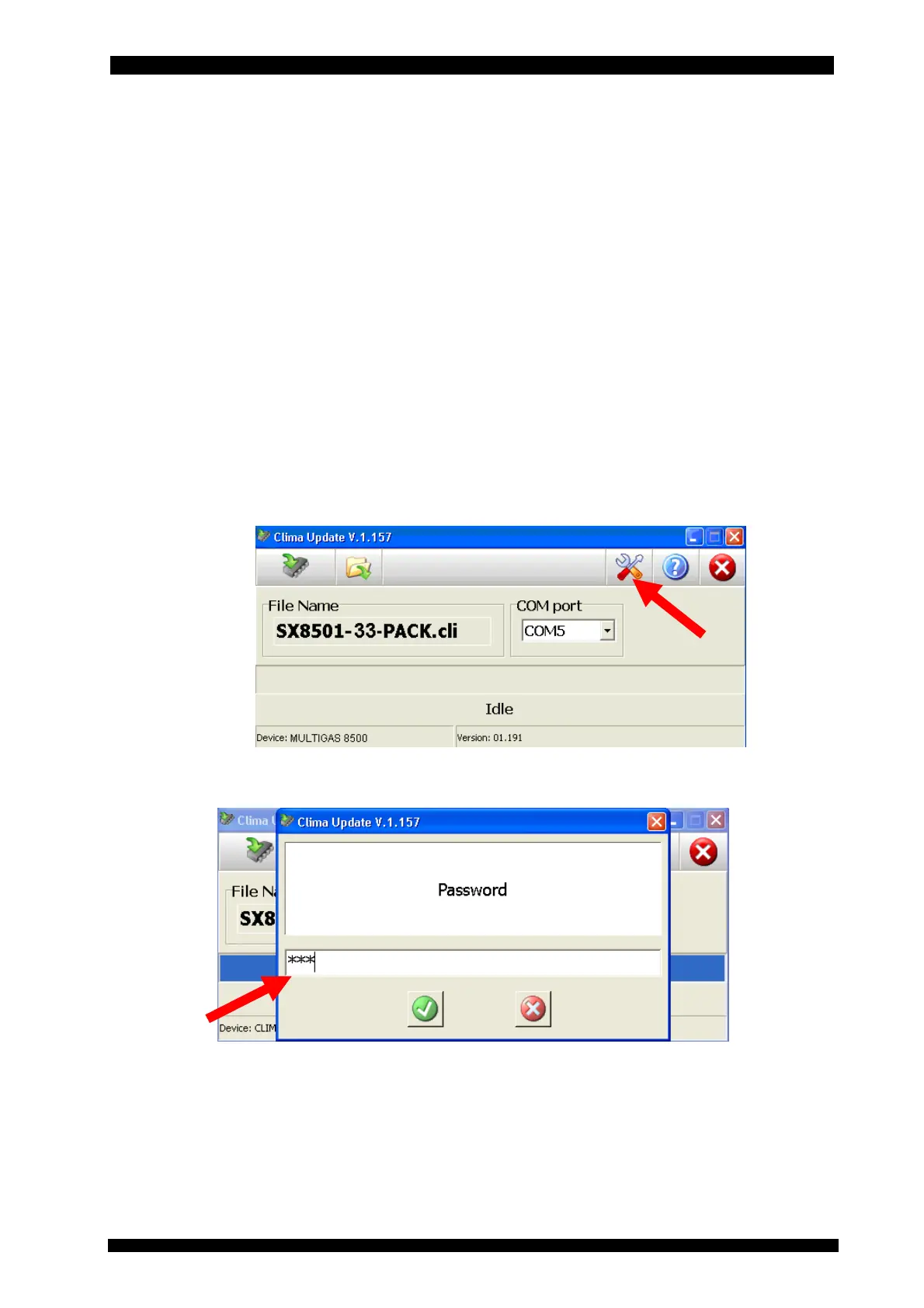
Connect the CLIMA station to the PC via the serial cable included in the service kit (ref.
chap. 7.1), start the CLIMAUPDATE software and press the “tools” icon; right after that,
switch on the CLIMA station.
Enter the same “BRN” password to access the service menu reserved to maintenance
activities on the device which is communicated by Brain Bee to the Assistance Centres.



 To Next Page