Controls and Features
14 Controls and Instruments
RIGHT HANDLEBAR
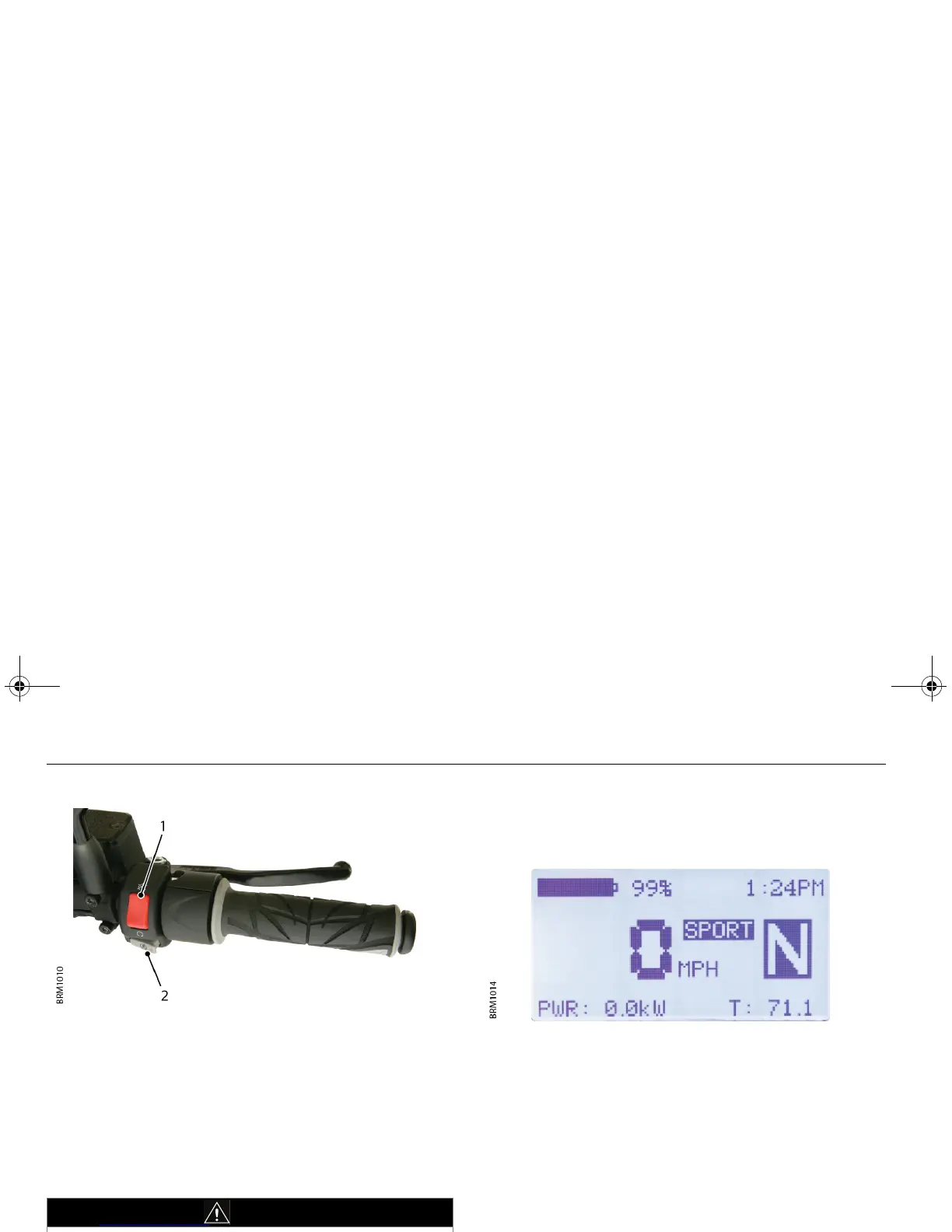
1. On/Off switch
The On/Off switch is used to turn the motor controller On and Off.
Before powering up the Empulse, ensure that the switch is in the Off
position.
2. Start button/Operating mode
With the ignition in the On position and the On/Off switch in the On
position, press and hold the Start button for approximately two
seconds to put the Empulse in Drive mode. The drive indicators on
the instrument panel will flash green.
OPERATING MODE
With the Empulse stationary and in Drive mode, press and hold the
Start button for two seconds to change the operating mode
between NORMAL and SPORT modes.
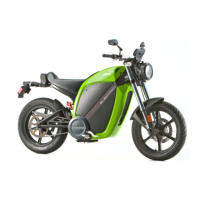
When the Empulse is in SPORT Mode, the LCD will display the SPORT
indicator. There is no indicator shown on the LCD when the Empulse
is in NORMAL mode.
Brammo recommends that you spend some time riding in both
NORMAL and SPORT modes to become fully familiar with the how
the bike handles in each mode. This will help you can best determine
which mode is suitable for your riding conditions.
As a guideline:
• NORMAL mode provides a smoother transition in to regenerative
braking. Ideal for city riding.
• SPORT mode provides more regenerative braking with a
different transition point from off throttle to regenerative
braking. Sport mode is perfect for canyon or more aggressive
riding.
WARNING
Once the Empulse is in Drive mode, the throttle is live; use extreme
caution if the Empulse is not in N (Neutral).
Empulse.book Page 14 Thursday, June 27, 2013 11:03 AM


 To Next Page