Setting the Time
Controls and Instruments 15
Setting the Time
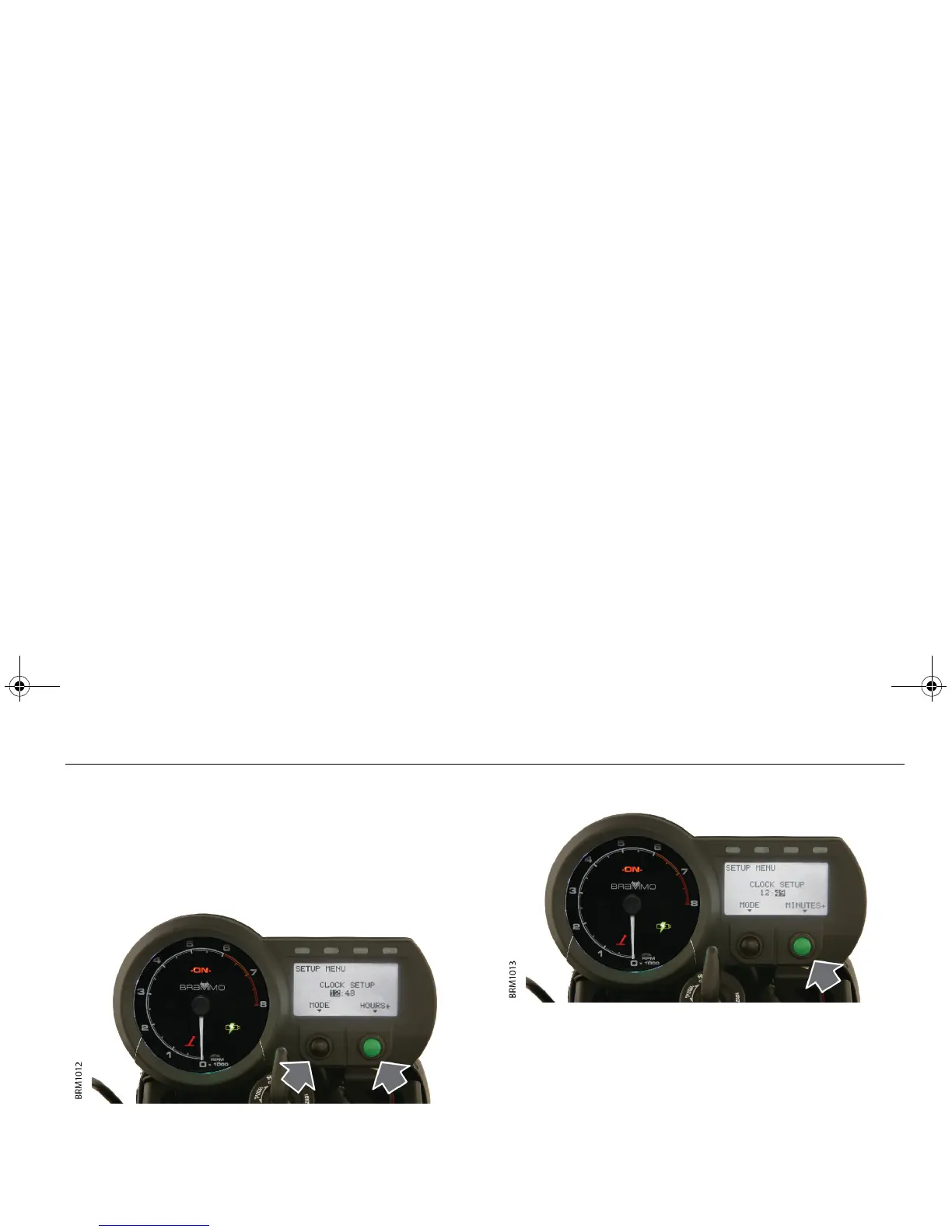
SETTING THE TIME
The time and date on your Empulse were set at the factory to Pacific
Standard Time. If you need to adjust the time on your Empulse:
1. Connect the charging connector to the Empulse and a wall
outlet. This will put the Empulse in charging mode.
2. Press and hold the Mode and Trip buttons simultaneously for
approximately two seconds to enter Setup mode.
3. Press the Mode button to select either HOURS or MINUTES.
4. Press the Trip button to increase the selected setting.
5. Once you have finished adjusting the time, press the MODE
button to select EXIT and then press the Trip button to confirm.
Note: If no button is pressed for more than 30 seconds, the Empulse
will revert back to Charging mode.
6. Disconnect the charging connector from the Empulse.
Empulse.book Page 15 Thursday, June 27, 2013 11:03 AM


 To Next Page