English
5 Functions and controls
HandyStep® touch, HandyStep® touch S 997486
Operating manual
65
5 Functions and controls
1
2
3
4
5
6
7
8
9
10
11
12
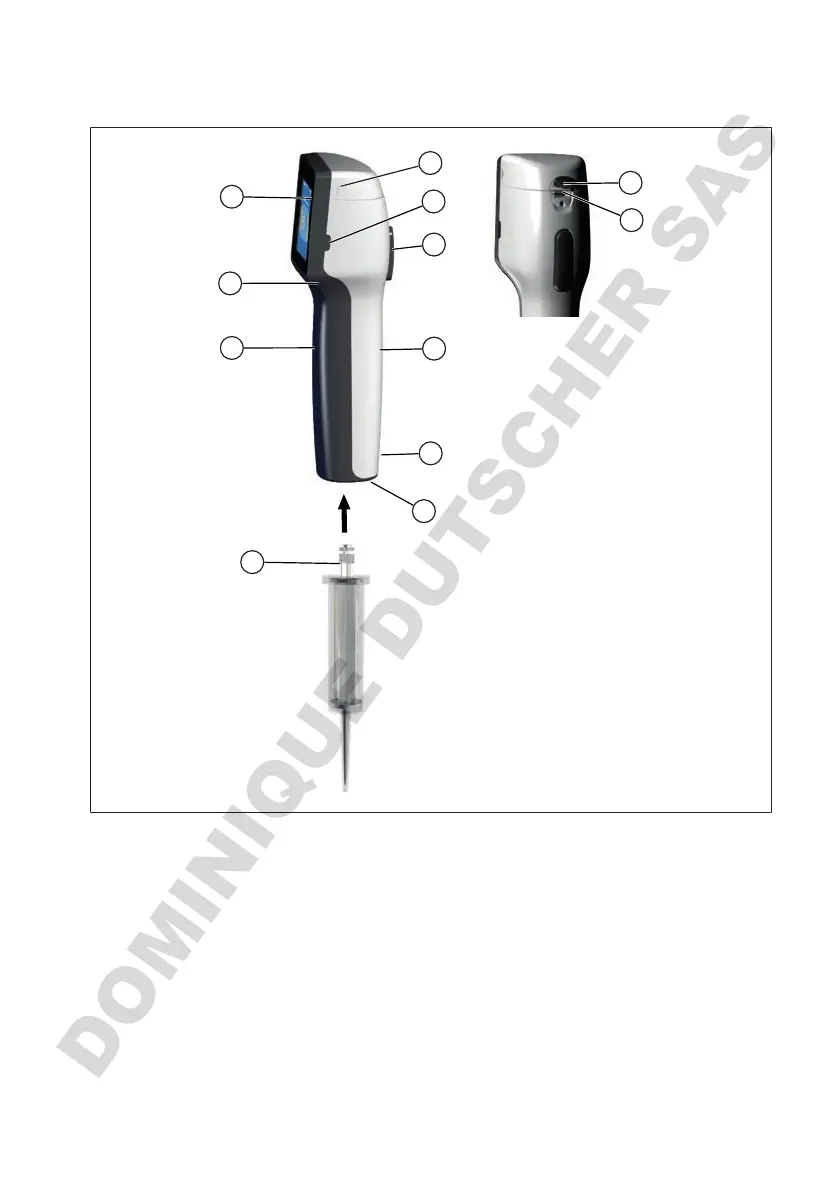
1 Battery compartment cover 2 Power button
3 STEP button 4 Cover
5 Multifunction jack 6 Handle piece, rear side
7 Markings 8 Tip adapter
9 Precision dispenser tip 10 Handle piece, front side
11 Grip recess 12 Touchscreen display
5.1 STEP button
Depending on the mode, the STEP button initiates liquid dispensing and liquid aspiration. The device
outputs messages to the touchscreen display on how to operate the STEP button. Operation of the
STEP button can vary depending on which operating mode you have chosen. The STEP button can be
pressed across the entire surface. The following actions can be distinguished:



 To Next Page