7 Operation
78
Operating manual HandyStep® touch, HandyStep® touch S 997486
a. Place the tip on the vessel wall.
b. Hold the device at an angle of 30 ... 45° to the vessel wall.
c. Press the STEP button.
ð
Depending on the operating mode selected, either one STEP or the entire volume is dispensed.
To stop dispensing, tap on the button.
7.11.2 Switching to emptying
a. Switch to emptying.
b. Hold the device at an angle of 30 ... 45 ° to the vessel
wall.
c. Press and hold the STEP button.
ð
Liquid is dispensed; the tip is drained completely.
ð
The operating mode appears again. Your can aspirate
new liquid or eject the tip.
7.11.3 Discarding the residual volume
After dispensing all of the available STEPs, liquid with a volume of less than 1 STEP remains in the tip.
The device automatically switches into the mode, in which you can discard the remaining volume.
a. Press and hold the STEP button.
ð
The tip is drained completely.
7.12 Setting the volume
Prerequisite:
>
An operating mode has been selected.
a. Tap on the button.
ð
The volume setting appears.
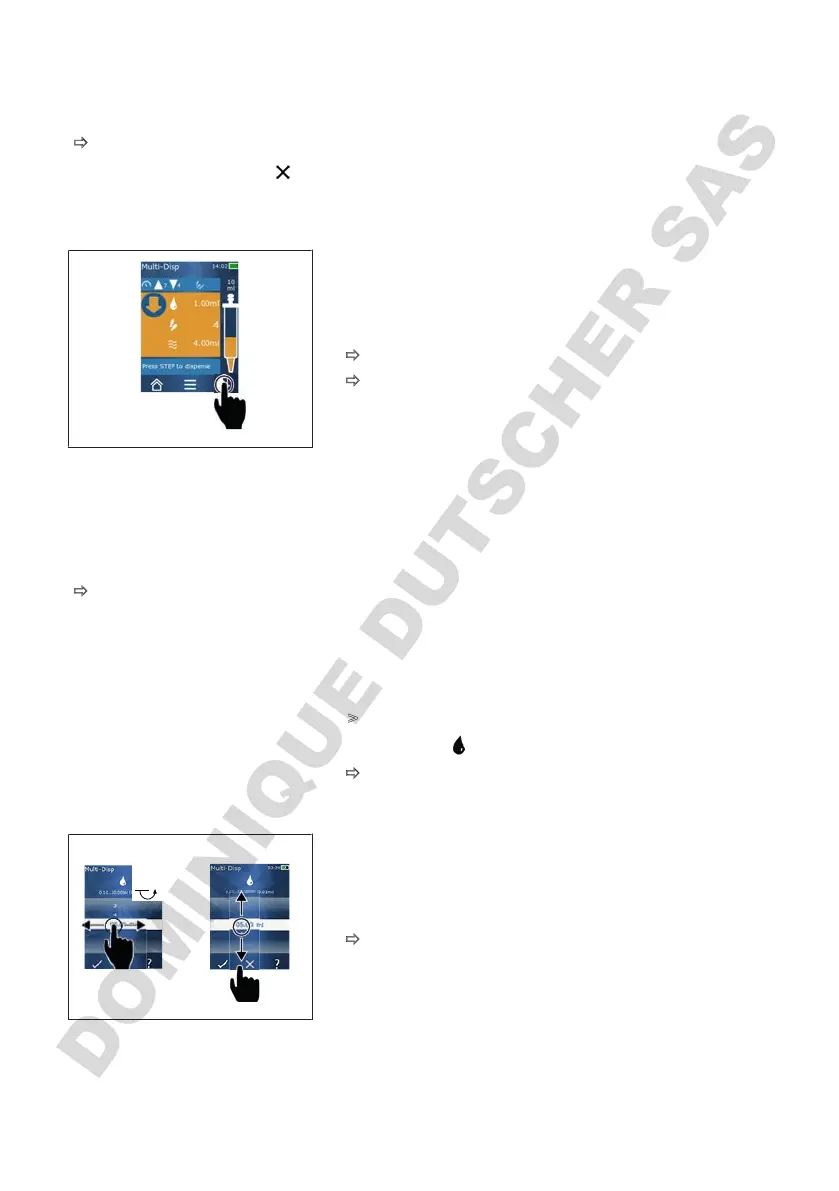
b. Select the volume by setting a volume from the range of
values.
01.00
c. Swipe to the left or right to change the position.
d. Swipe upward or downward to set the value.
e. Confirm the setting by tapping the button. Discard the
setting by pressing the X button.
ð
The operating mode appears.
7.13 Setting the aspiration and dispensing speed
Adjust the speed to your respective application.



 To Next Page