English
11 Pipetting (PIP)
HandyStep® touch, HandyStep® touch S 997486
Operating manual
87
11.1 Setting the volume
Prerequisite:
>
The operating mode has been selected.
a. Tap on the button.
b. Set the volume.
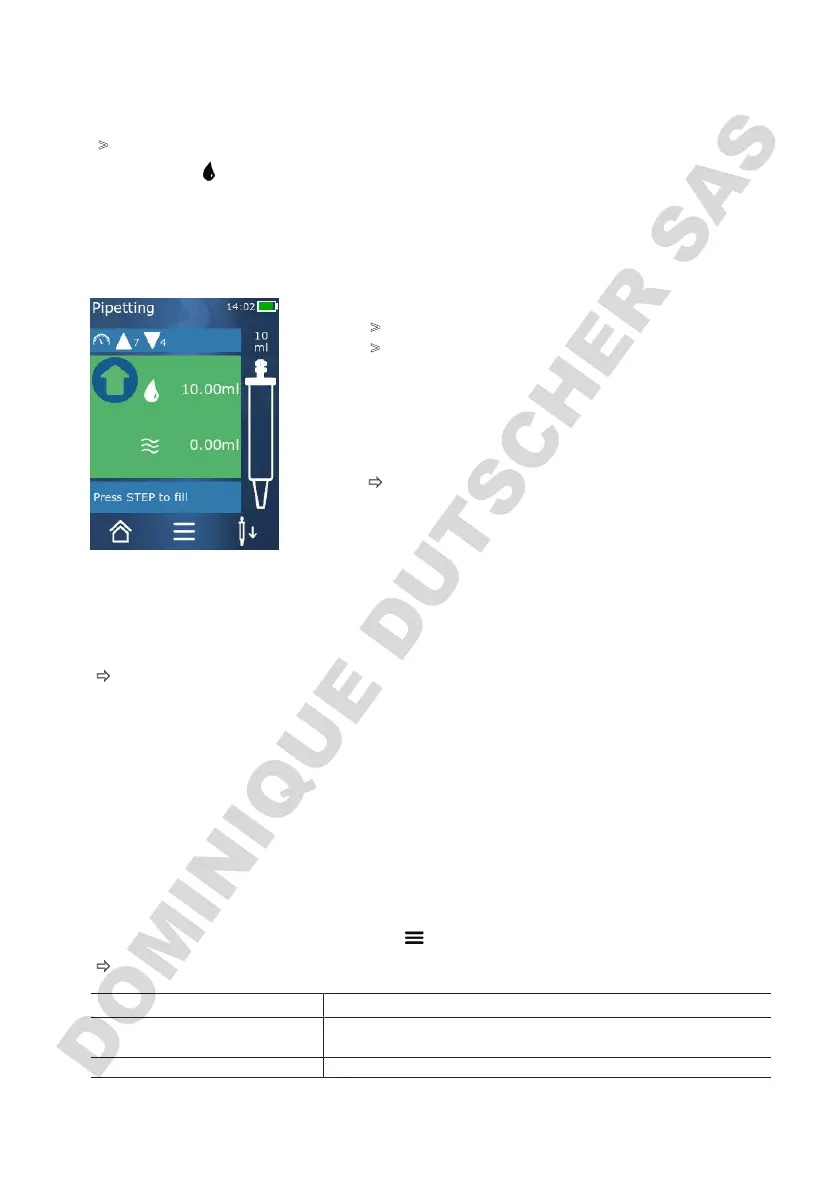
11.2 Filling a tip
Prerequisite:
>
The volume is set.
>
On the touchscreen display, the message ‘STEP to fill’
appears.
a. Hold the tip vertically in the vessel. During aspiration,
make sure that the tip opening is always covered by liq-
uid, in order to prevent air bubbles in the tip.
b. Press the STEP button.
ð
The tip is filled until the set STEP volume or the nominal
volume of the tip is reached.
To stop filling the tip, press the STEP button.
11.3 Dispensing liquid and stopping liquid dispensing
a. Press the STEP button.
ð
The tip is drained.
To stop dispensing liquid, tap on the X button.
11.4 Handling residual volumes
For information on handling residual volumes, see Switching to emptying,p.78 and Dispensing liq-
uid,p.77.
11.5 Options
a. In the operating mode, tap on the symbol .
ð
The Options menu appears.
Option Meaning
Add to Favorites Adds the selected settings to the Favorites menu. You can open
the settings again from the main menu under ‘Favorites’.
Operating mode Shows the help text for the mode.



 To Next Page