108
Operating manual HandyStep® touch, HandyStep® touch S 997486
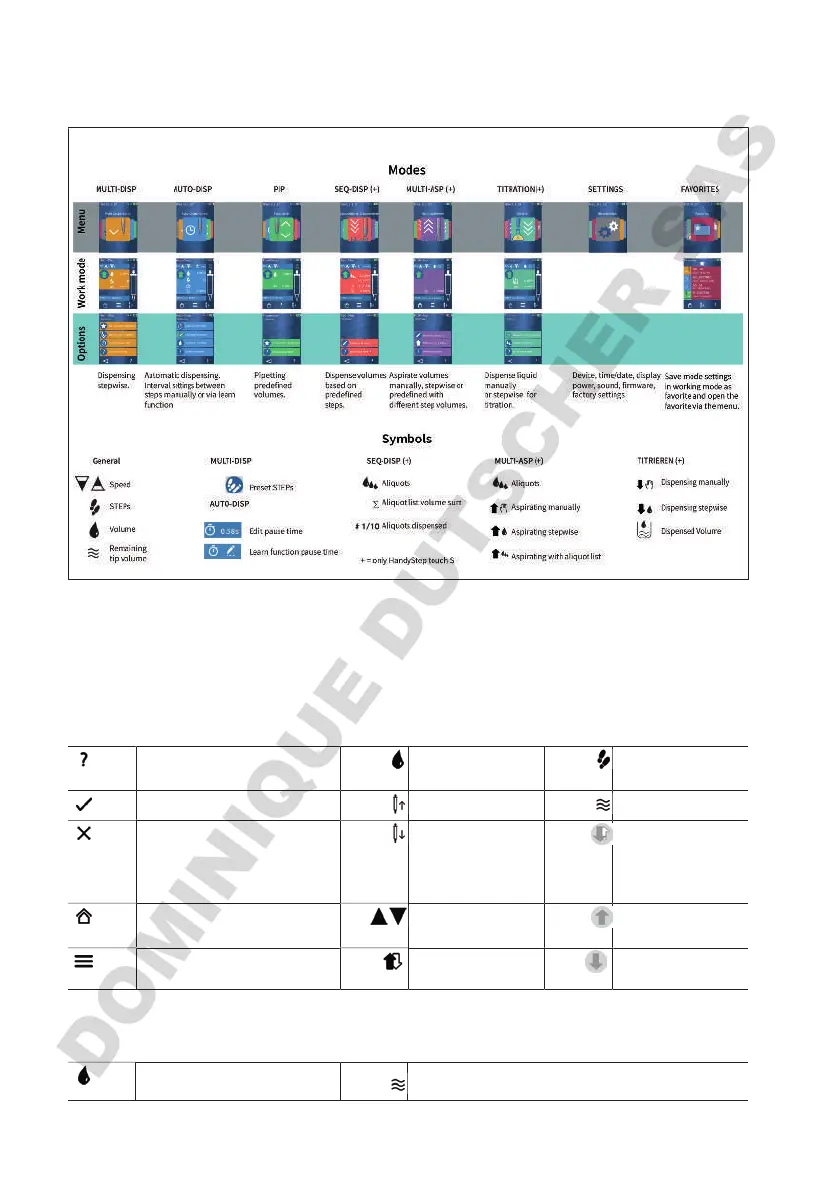
26 Device navigation
27 Symbol reference
Recurring symbols in all modes
Open help Set the volume of a
STEP
Available STEPs
Confirm entries Insert a tip Remaining volume
Cancel Ejecting a tip The device is be-
tween liquid aspi-
ration and liquid
dispensing.
Open main menu Set speeds Device ready for
aspiration.
Open options Drain or fill tip Device ready for
dispensing.
Pipetting
Set volume to be aspirated
Remaining volume


 To Next Page