English
12 Sequential Dispensing (SEQ-DISP)
HandyStep® touch, HandyStep® touch S 997486
Operating manual
89
12.2 Creating an aliquot list
You can create 1 ... 10 aliquots.
Prerequisite:
>
You are in the operating mode.
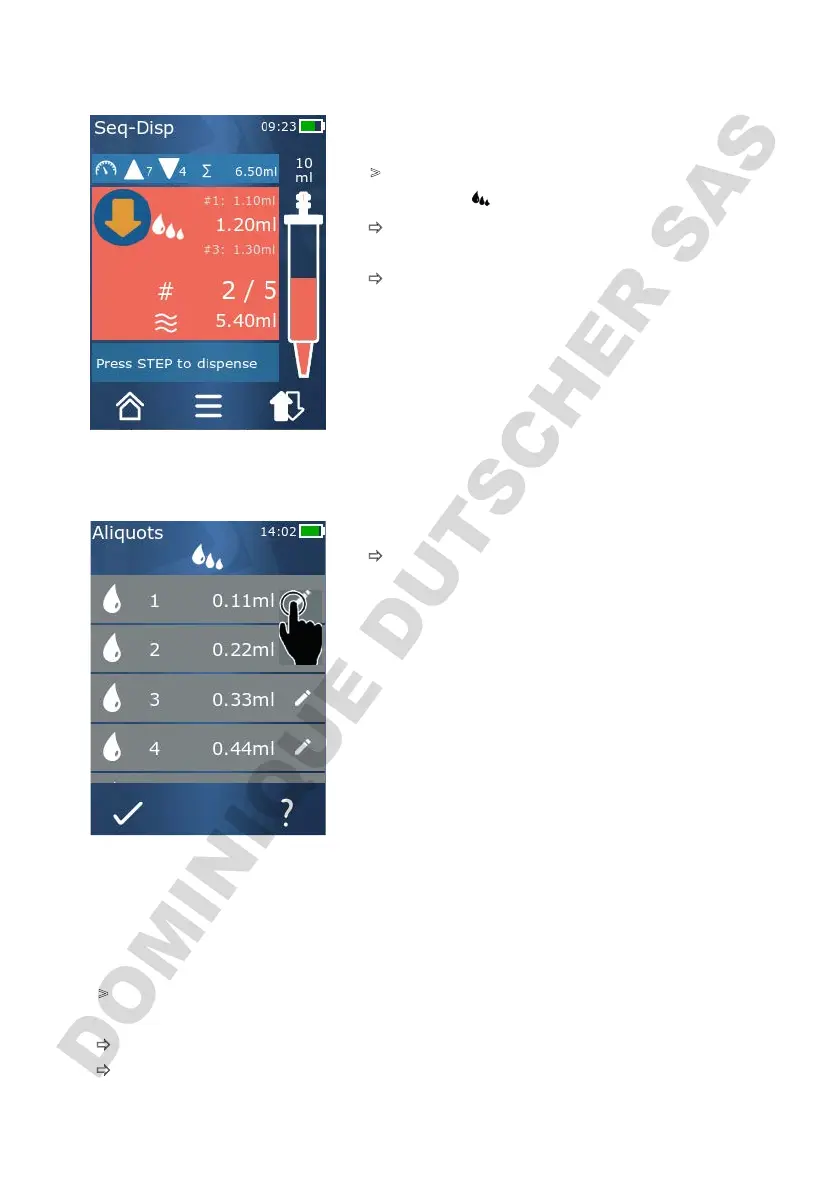
a. Tap on the button.
ð
The aliquot list appears.
b. Tap on the '+' symbol.
ð
One aliquot is added to the list.
12.3 Editing an aliquot list
a. Tap on a list entry.
ð
The context menu appears.
Edit Edits the selected list entry. Operation
similar to Setting the volume,p.78.
Add Add a list entry to the end of the list.
The value of the previous list entry is
preset as the aliquot value.
Insert Insert a list entry in place of the se-
lected list entry. The list entry is in-
serted above the selected list entry.
The value of the selected list entry is
preset as the aliquot value. This value
can be added via the ‘Edit’ function.
Delete Deletes the selected list entry. You can
delete all but one of the entries in the
list.
12.4 Dispensing liquid
Prerequisite:
>
You are in the operating mode.
a. Press the STEP button.
ð
The volume from the first aliquot list entry is dispensed.
ð
Simultaneously, the next volume is selected from the aliquot list. This volume is dispensed the
next time you press the STEP button.



 To Next Page