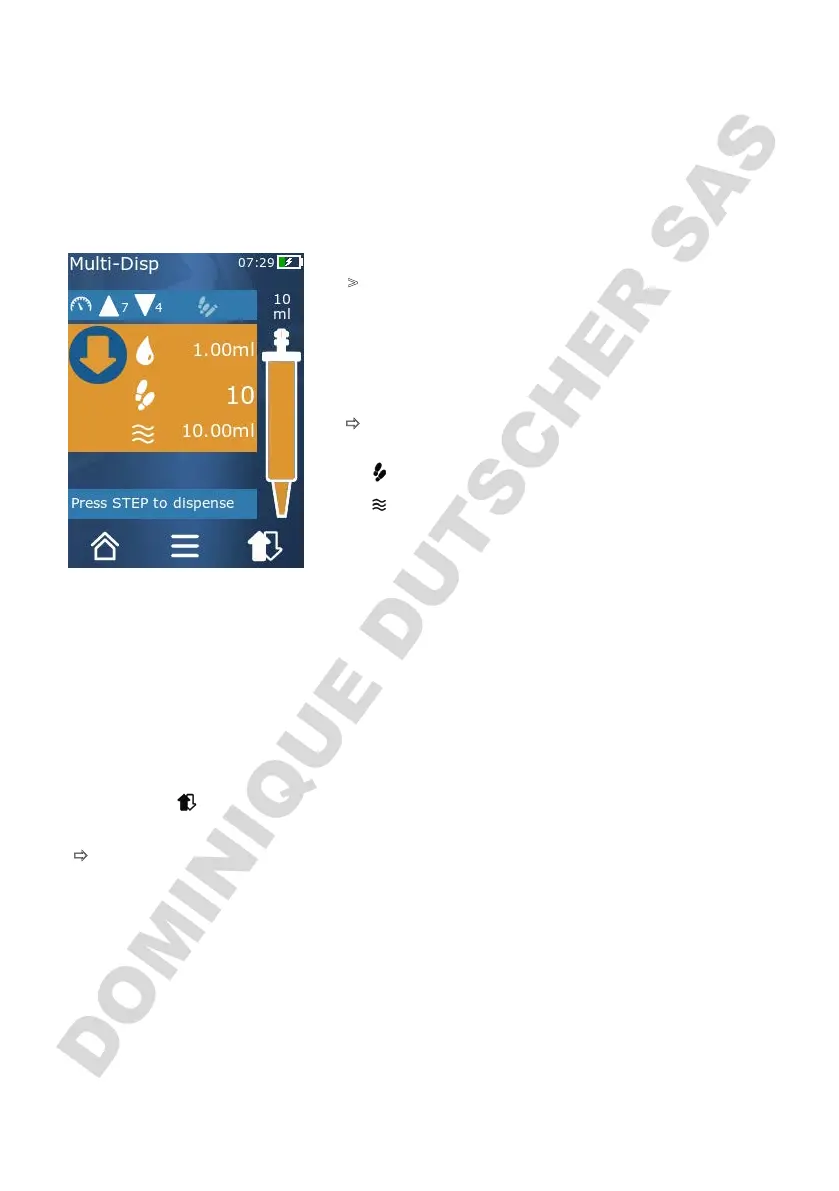
9 Multi-Dispensing (MULTI-DISP)
82
Operating manual HandyStep® touch, HandyStep® touch S 997486
9 Multi-Dispensing (MULTI-DISP)
For information on the function of this mode, see Overview of modes,p.72. For information on setting
the volume, speed, and other steps found in all modes, see Operation,p.73.
9.1 Aspirating liquid
Prerequisite:
>
The STEP volume has been set via the button.
a. Hold the tip vertically in the vessel.
b. During aspiration, make sure that the tip opening is al-
ways covered by liquid, in order to prevent air bubbles
in the tip.
c. Press the STEP button.
ð
The device aspirates the liquid until the set volume or
the nominal volume is reached.
The symbol displays the number of possible STEPs.
The symbol displays the available volume.
9.2 Interrupting and resuming liquid aspiration
9.2.1 Interrupting liquid aspiration
a. To stop liquid aspiration, briefly press the STEP button.
9.2.2 Resuming liquid aspiration
a. Tap on the button.
b. Press the STEP button 2 times in quick succession.
ð
The device aspirates liquid.



 To Next Page