B Series Degreaser Installation
Rev G Page 49
3.15 Single Axis Lift Setup
3.15.1 Changing Setpoints – General
All setup parameters are made in the LIFT SETTINGS screen on the operator interface (OIT).
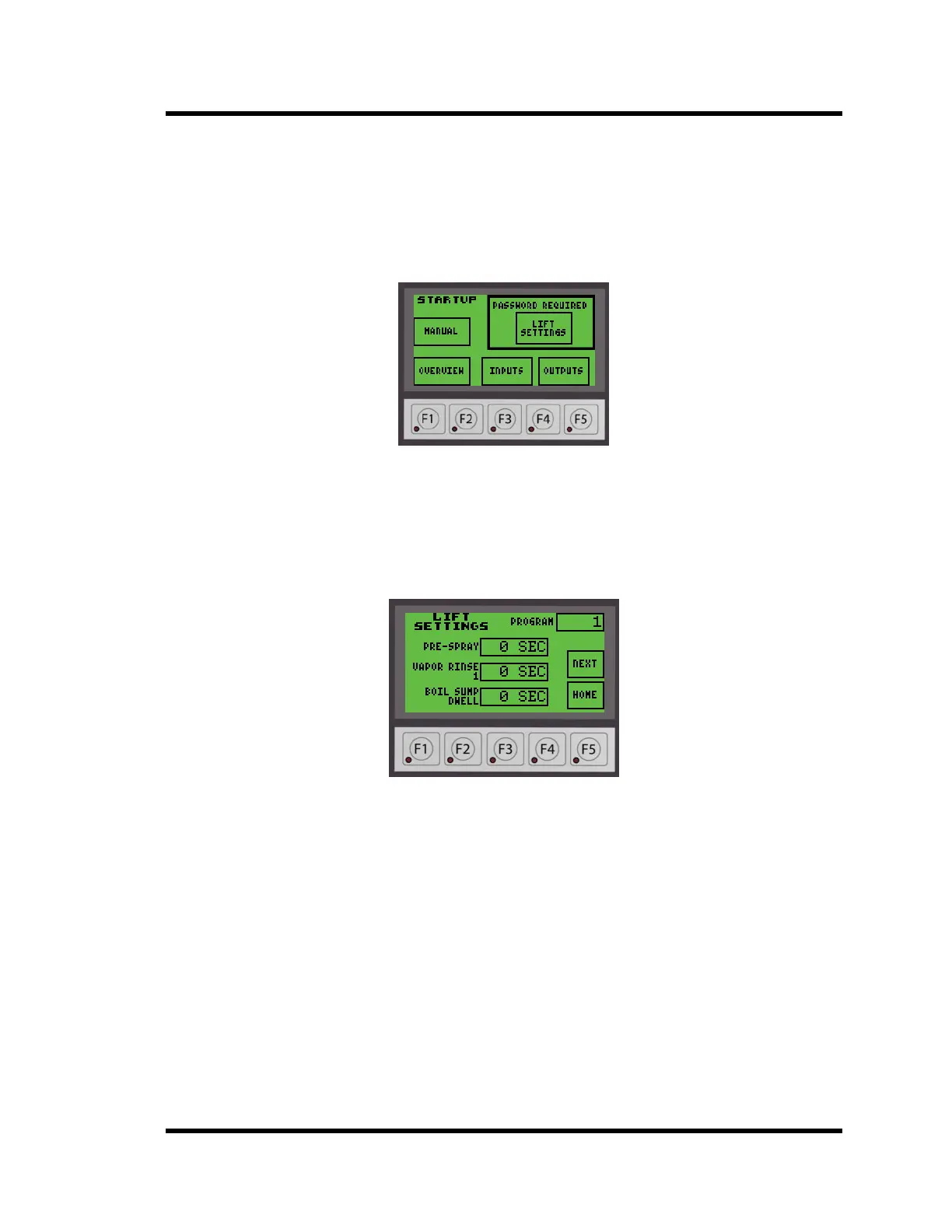
To enter the LIFT SETTINGS screen from the Startup screen, press the LIFT SETTINGS
button in the upper right corner on the STARTUP interface screen.
Figure 3-8 Startup Screen
Note: A password is required to change the Lift Settings
The screen will look similar to Figure 3-9. The setpoints and program number may be
different from the displayed values.
Figure 3-9 Lift Settings Screen
There are too many parameters to fit on one screen so they have been divided between three
screens. Depending on the screen you are on, pressing BACK will return you to the previous
screen or pressing NEXT will advance you to the next screen. HOME will return you to the
Startup screen.
All of the setpoints may be changed. To change a setpoint:
• Press the time display next to the setpoint you wish to change. A screen will open with a
numeric input display.
• Enter the setpoint time in seconds.
• Press BS to backspace one character, CL to clear the entire line, or ESC to exit without
changing.
• Enter a value of 0 (zero) to skip that operation.
• Press the ENT (Enter) button to accept the entry and return to the screen you were on.



 To Next Page