FT800 Series Programmer Guide
Version 2.1
Document Reference No.: BRT_000030 Clearance No.: BRT#037
134
Product Page
Document Feedback Copyright © Bridgetek Limited
4.37 SCISSOR_XY
Specify the top left corner of the scissor clip rectangle
Encoding
Parameters
x
The x coordinate of the scissor clip rectangle, in pixels. The initial value is 0
y
The y coordinate of the scissor clip rectangle, in pixels. The initial value is 0
Description
Sets the top-left position of the scissor clip rectangle, which limits the drawing area.
Examples
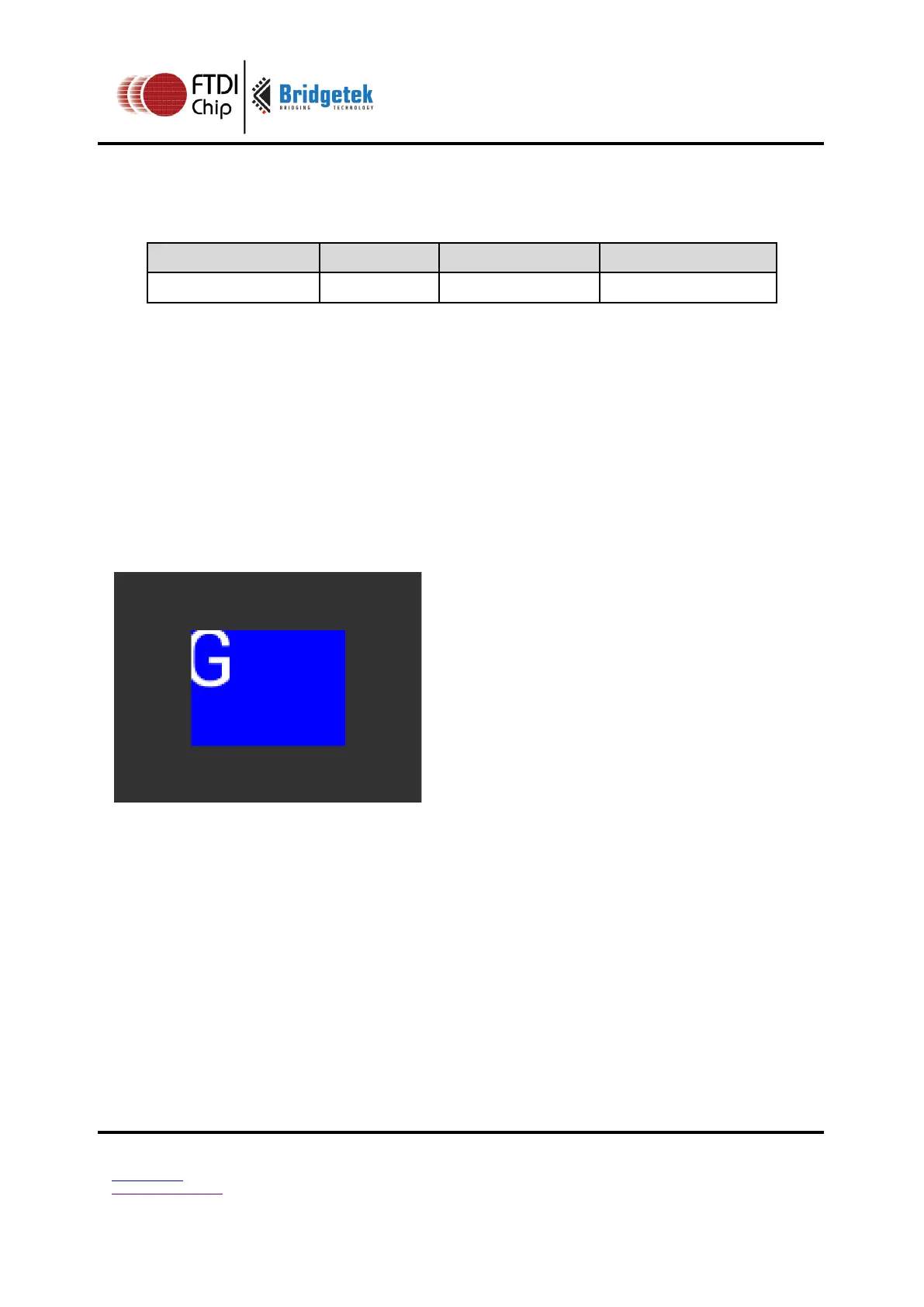
Setting a 40 x 30 scissor rectangle clips the clear and bitmap drawing:
dl( SCISSOR_XY(40, 30) );
dl( SCISSOR_SIZE(80, 60) );
dl( CLEAR_COLOR_RGB(0, 0, 255) );
dl( CLEAR(1, 1, 1) );
dl( BEGIN(BITMAPS) );
dl( VERTEX2II(35, 20, 31, 0x47) );
Graphics context
The values of x and y are part of the graphics context 4.1
See also
None



 To Next Page