Interfacing Polycold Cryochiller
Human Machine Interface - HMI Installation and Operation Manual
Brooks Automation
5-4
214072 Revision B
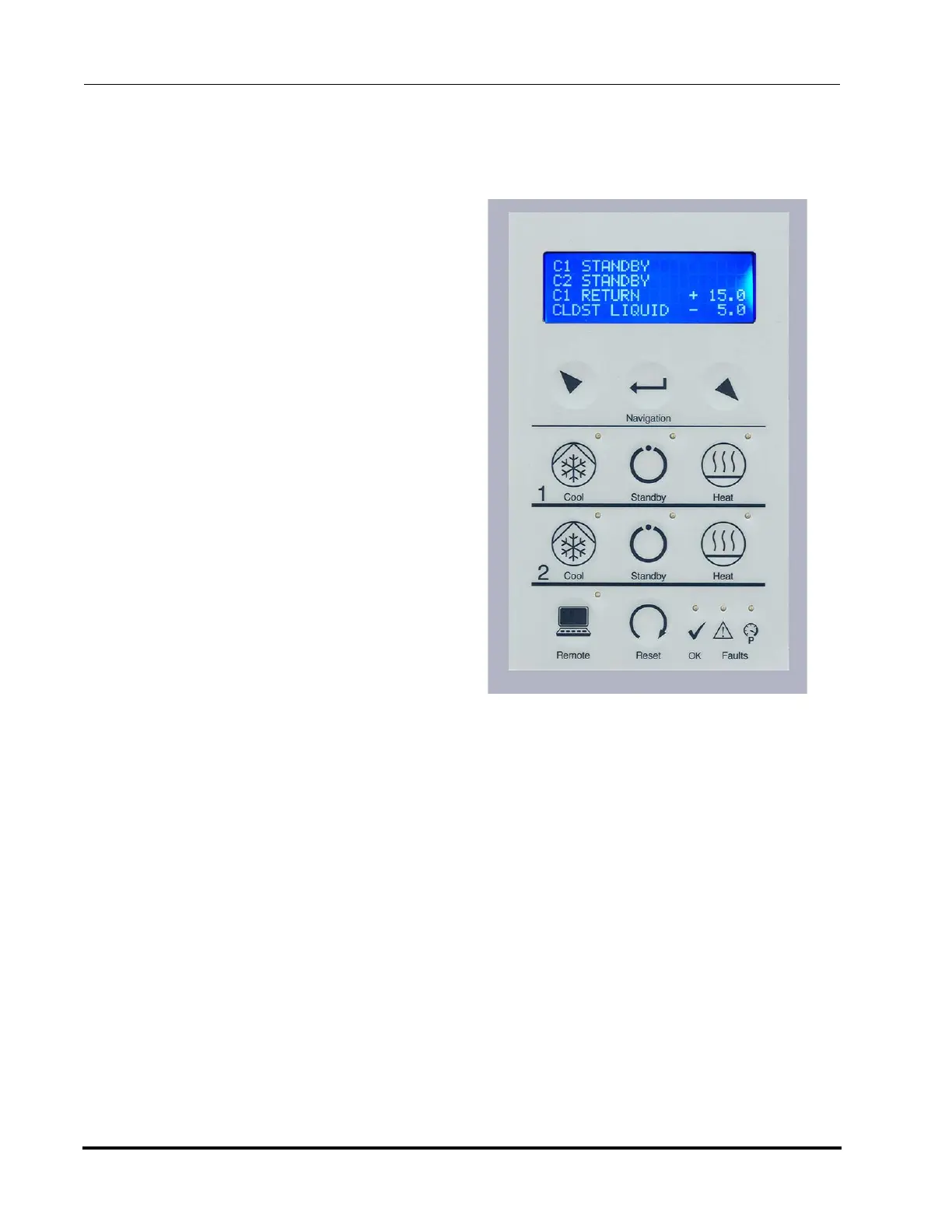
Human Machine Interface - HMI
The HMI consists of a 4-line display and a keypad for navigation and selection.
Navigation Keys
Use Navigation keys to select the display
menus.
• Use Arrow keys to move the cur-
sor up and down to scroll through
screen menus
• Use Enter key to select the high-
lighted item.
• Use Arrow keys to increase or
decrease the selected screen
value.
• Use Enter key to increment
through the characters of a dis-
played value.
• Use Enter key to save the value
after the incrementing past the last
character.
Cool/Standby/Heat Keys
Press the Cool, Heat, or Standby mode
keys to set the mode for each circuit.
The default mode for Cool and Heat mode
set by the Cool and Heat keys is set by
OPERATING_MODE_DEF_COOL and
OPERATING_MODE_DEF_DEFROST or
by the HMI input.
Each Mode has a green LED which is illuminated when the mode is active.
Remote Key
Remote key allows Remote / Local interface control
• When Remote LED is lit, the remote interface is active.
Remote interface is set by the SYSTEM_CONTROL_MODE_DEF command.
• When Remote LED is NOT lit, the controlling interface is the HMI Local interface keypad.
• HMI Local must be active to change modes and change values using the keypad and the HMI
display.
• HMI Local is not required to be active in order to browse the HMI screens.
OK LED
• If OK LED is lit, indicates compressor contactor is closed. (compressor on)
• If OK LED is not lit, indicates compressor contactor is not closed.
Figure 5-4: HMI Display and Keyboard



 To Next Page