Interfacing Polycold Cryochiller
Ethernet Installation and Operation Manual
Brooks Automation
5-14
214072 Revision B
Ethernet
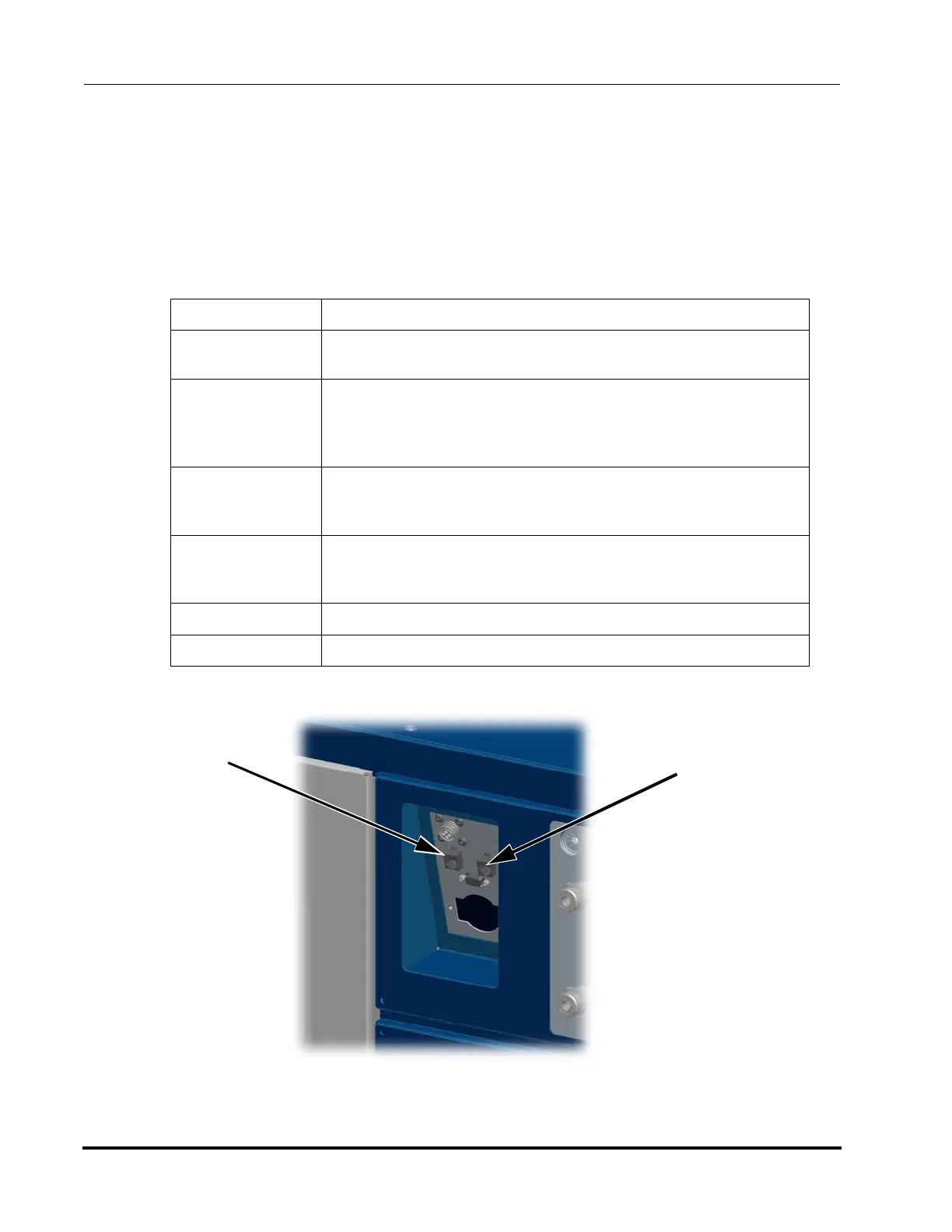
Host and Service Ethernet communication is an available option on some packages. Ethernet connec-
tion requires specific protocols for setting IP and Mask addresses. Set the Cryochiller Ethernet settings
using the HMI - Configuration - Set Comm Params - Ethernet menus. Set PC settings as stated below.
The Cryochiller is a non DHCP connection. The host or service PC will not automatically set the IP
address. If the IP address is changed, a new connection using the new IP address must be made.
Port Host or Service port RJ45 on the Communications Panel
Cable Crossover CAT5 / 6 cable with RJ45 connector
Standard CAT5 / 6 is OK if computer supports auto crossover.
IP Address (nnn.nnn.nnn.nnn) First 3 fields same as Cryochiller.
4th field must be different
Host command IP_ADDRESS
HMI “Set Comm Params - Ethernet Host”
Network Mask
(Subnet Mask)
(Subnet)
(nnn.nnn.nnn.nnn) Same mask as Cryochiller - recommended
Host command NETWORK_MASK
HMI “Set Comm Params - Ethernet Host”
Default Gateway (nnn.nnn.nnn.nnn) May be left blank or all zeros
Host command DEFAULT_GATEWAY
HMI “Set Comm Params - Ethernet Host”
Speed 10/100 Mbps
Protocol IEEE 802.3 10Base-T, IEEE 802.3u 100Base-TX
Figure 5-5: Ethernet Host and Ser-
Ethernet
Service
Connection
Ethernet
Host
Connection



 To Next Page