Polycold Cryochiller Operation
Installation and Operation Manual Local Controls and Indicators
Brooks Automation
214072 Revision B
6-3
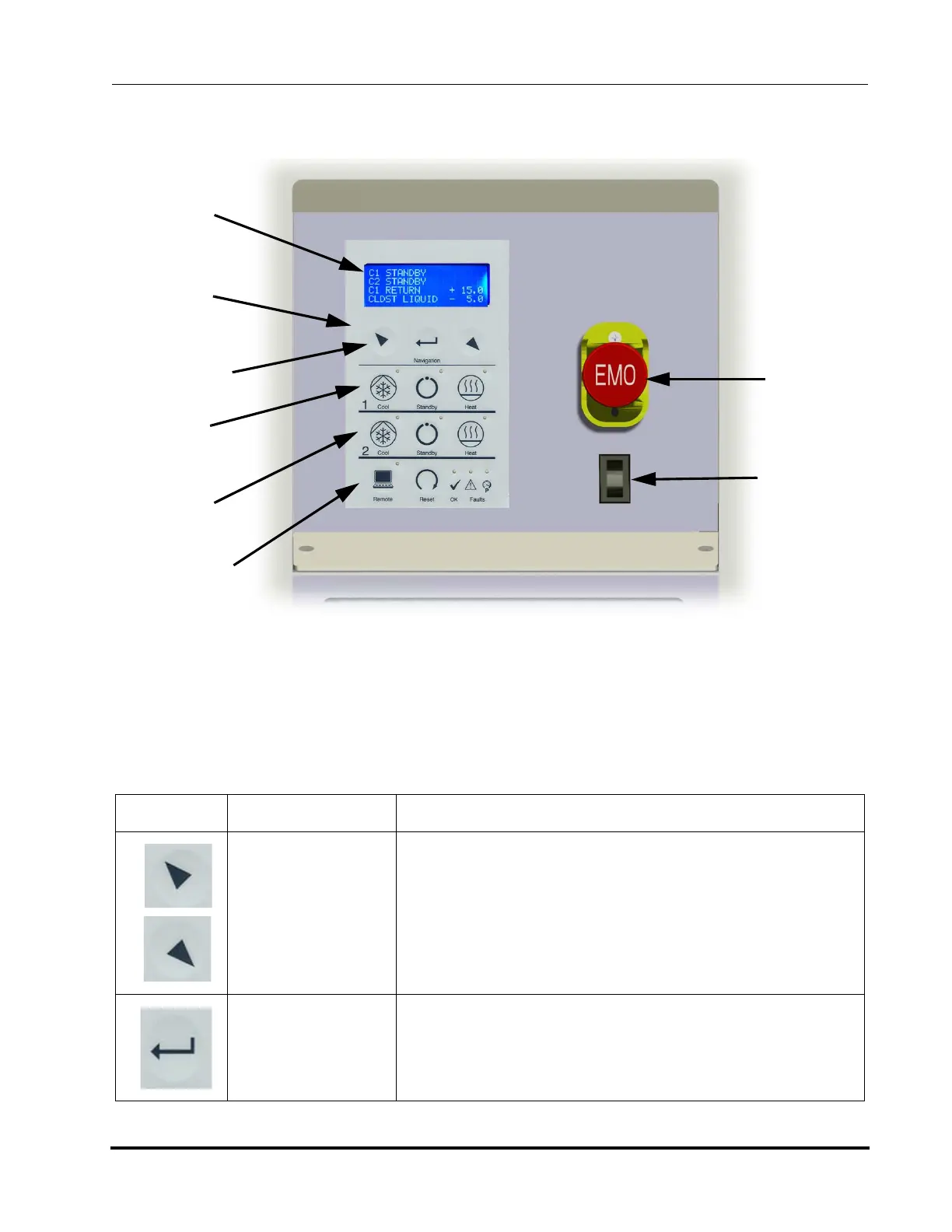
Local Controls and Indicators
HMI Keypad
Table 6-1: Polycold Cryochiller Key Descriptions
Switch or Indicator Function
Up or Left
Arrow
Down or Right
Arrow
Move cursor up or down or left or right.
Increase or decrease the value of a highlighted field.
Enter Selects the current highlighted field.
Enters the current submenu designated by > character
Advances to next character in a selected field.
Saves the current value after last character is selected
Note: Cannot go backwards. Enter and redo if an error is created.
Figure 6-2: HMI Keyboard and Display
Navigation
Keys
Communication
and Status
CKT 2
Control
(optional)
Compressor
On / Off
Switch
Optional
EMO
Switch
CKT 1
Control
System
Keypad
Control
System
Display



 To Next Page