Confidential
2-86
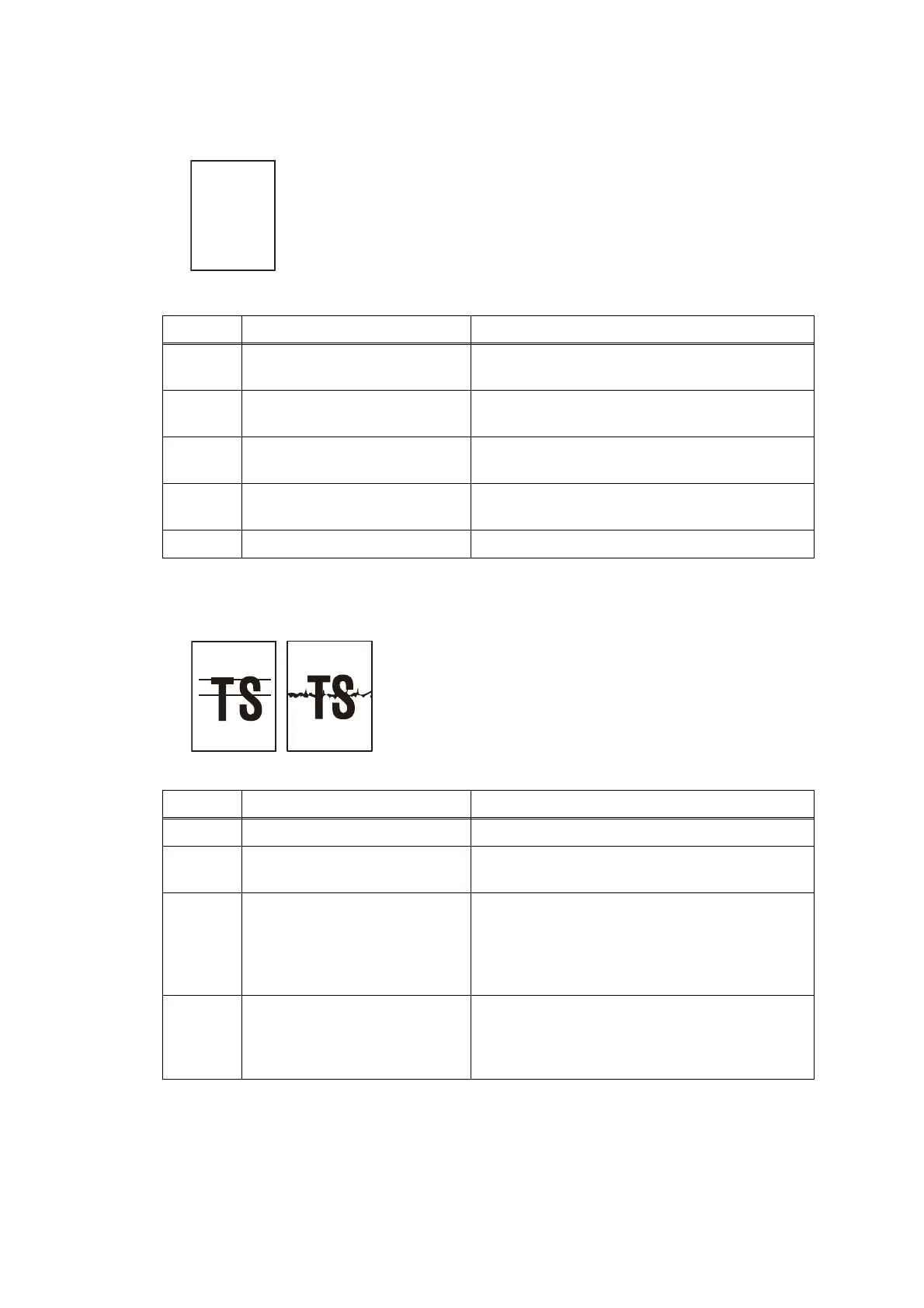
■ Completely blank
■ Horizontal streaks
< User Check >
- Check that documents are not reversed.
- Check that they are set in the ADF unit securely.
Step Cause Solution
1 White level correction data
failure
Carry out maintenance 55.
2 First side or second side CIS
flat cable connection failure
Reconnect the first side or second side CIS flat
cable.
3 First side or second side CIS
flat cable defective
Replace the first side or second side CIS flat
cable.
4 First side or second side CIS
unit defective
Replace the first side or second side CIS unit.
5 Main PCB defective Replace the main PCB.
< User Check >
-
Clean the document cover glass or second
side CIS glass.
-
Clean the document pressure bar.
Step Cause Solution
1 Foreign materials on CIS lens Remove foreign materials.
2 First side or second side CIS
unit defective
Replace the first side or second side CIS unit.
3 White reference film of
document pressure bar of ADF
cover damaged, broken (in the
case of problem in second
side)
Replace the ADF unit.
4 White reference film of
document scanner unit
damaged, broken (in the case
of problem in first side)
Replace the document scanner unit.



 To Next Page
 Loading...