VISIT BAOFENGTECH.COM AND MIKLOR.COM FOR DOWNLOADS AND HELP
Chapter 10. - Customization
The BTECH GMRS-V2 allows for customization of both the power-on message (via computer link
only), and the backlight color during the three states of the transceiver (Transmit, Receive and
Standby).
Display
The LCD on the BTECH GMRS-V2 is backlit by multi-color LEDs, the color of which can be pre-set
from the menu system into a variety of colors.
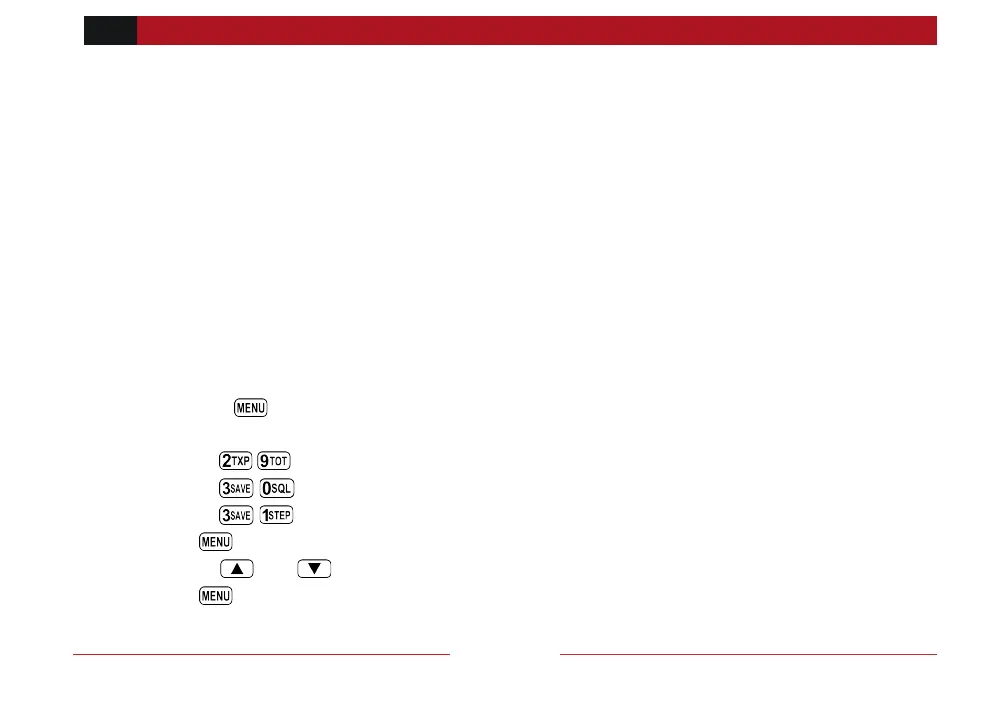
To change the colors, follow these steps:
Procedure 10.1. Changing the backlight color
1. Press the key to enter the menu.
2. Enter one of the following on your numeric keypad:
a. to change the standby color.
b. to change the receive color.
c. to change the transmit color.
3. Press key to select.
4. Use the and keys to pick the desired color.
5. Press to confirm and save.



 To Next Page