VISIT BAOFENGTECH.COM AND MIKLOR.COM FOR DOWNLOADS AND HELP
3. Press to select.
4. Use the and keys to select an empty memory channel or enter it directly on
the numerical keypad.
5. Press the key to confirm
6. Display will show “NOAA _ _” at which point you enter the NOAA channel number (for
example 02 for NOAA02).
7. Press the key to confirm.
8. Press the key to exit the menu.
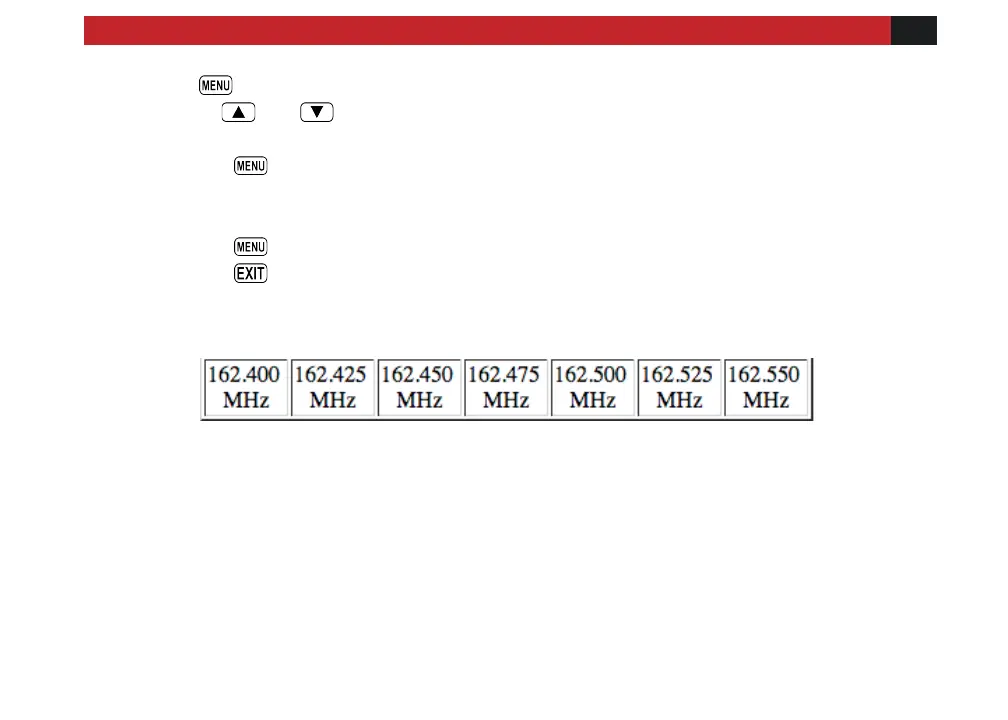
NOAA Weather Channels
NOAA No. 01 02 03 04 05 06 07
If you would like to rename your channel you will need to do that from a computer. More on that
in the section called “Computer programming”
Deleting Channels



 To Next Page