Application Selection
SMART MATRIX FEEDER 2-12
Application Selection
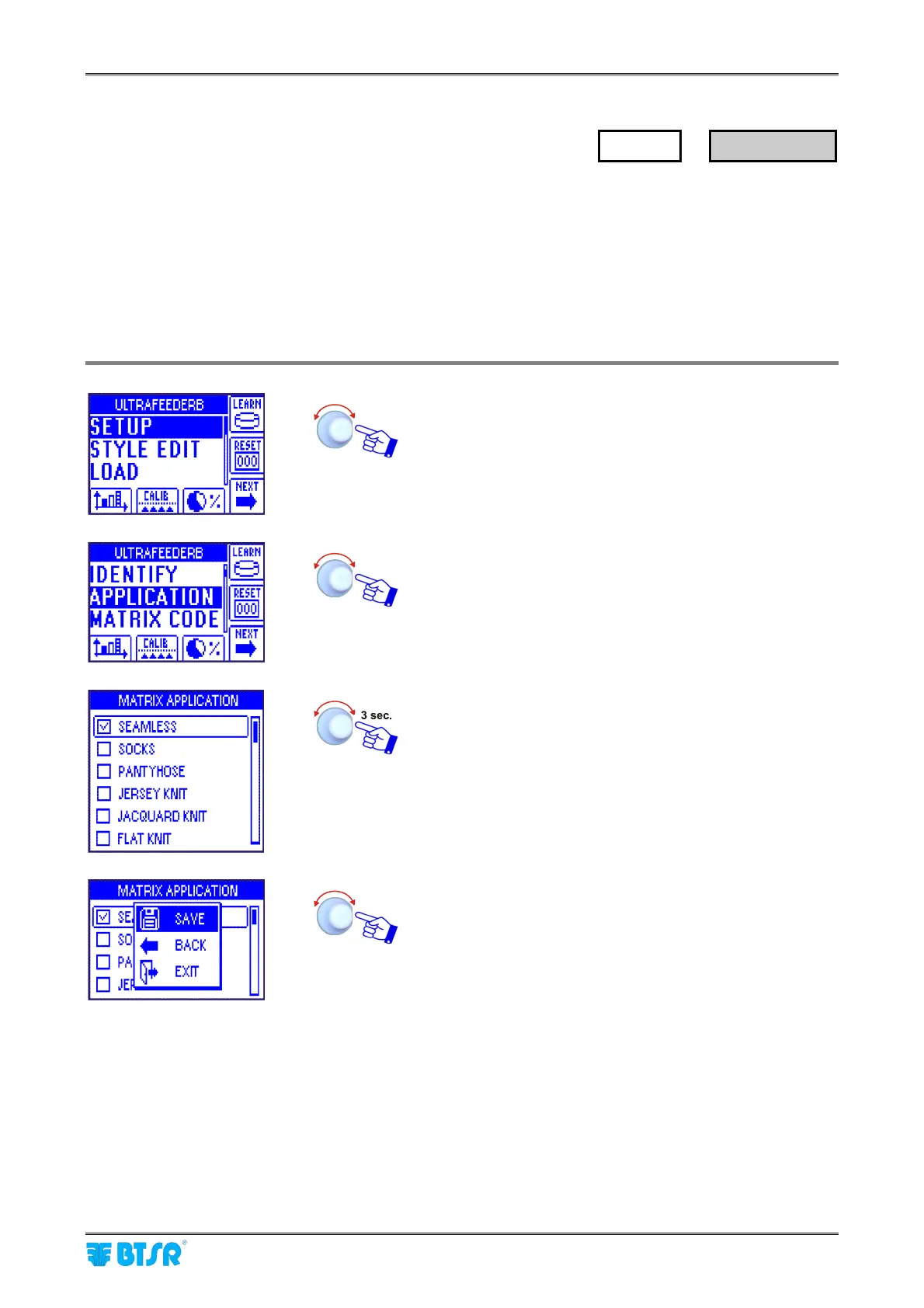
This function allows you to choose one of the applications, among those available on SMART MATRIX
FEEDER terminal database (SEAMLESS, SOCKS, PANTYHOSE, JERSEY KNIT, JACQUARD KNIT and
FLAT KNIT).
The default parameters of the styles configured by means of the STYLE EDIT function will be defined
depending on the selected application.
Some system operating modes too (for instance the LEARN function), will change according to the
application selected.
Enter the SETUP menu.
Select MATRIX CODE.
Choose the desired application and activate the saving
function.
SAVE to save the choice, BACK to return to the previous
screen without saving, EXIT to return to main menu.
SETUP
→
APPLICATION



 To Next Page