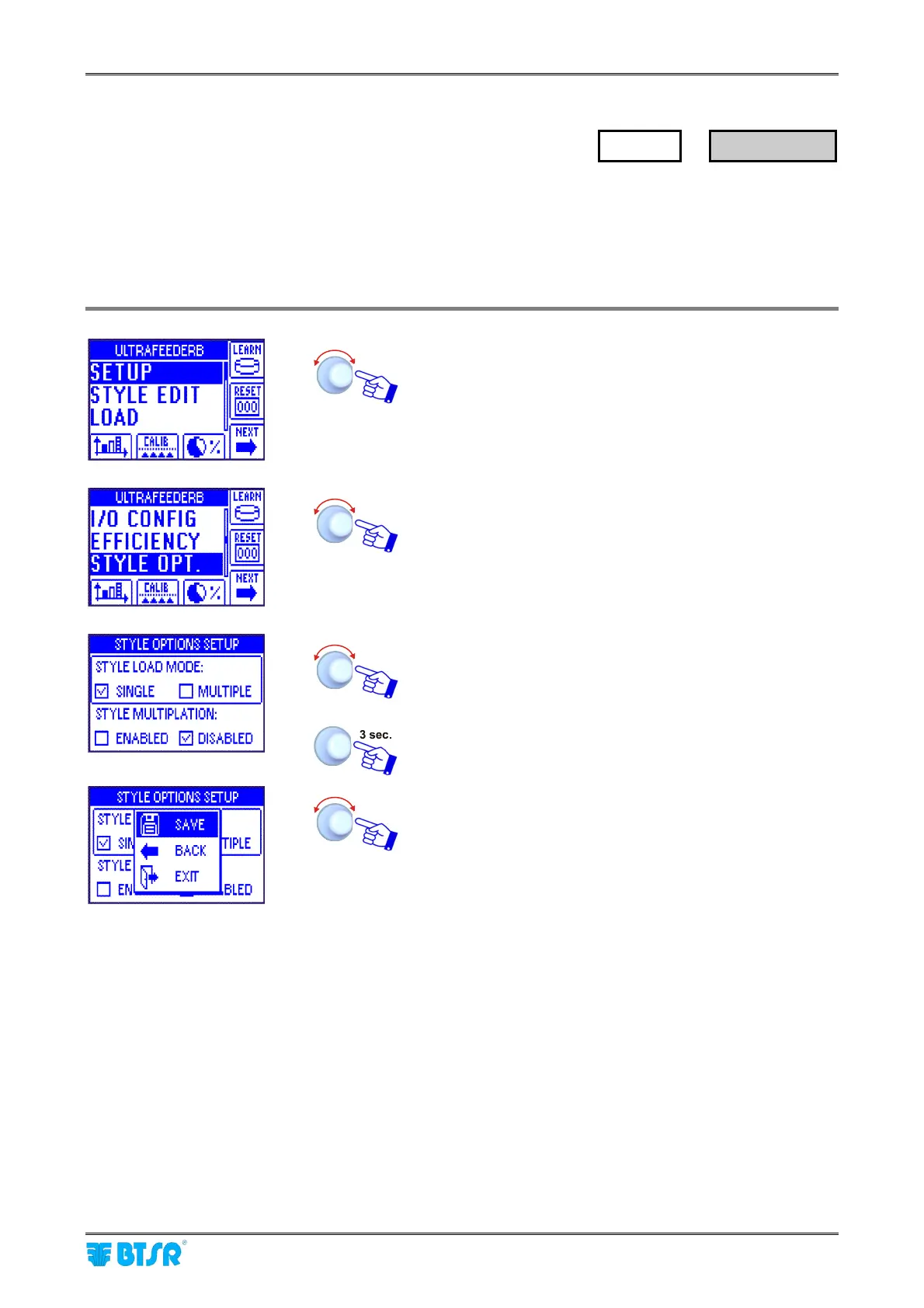
Selecting the Style Loading Options
SMART MATRIX FEEDER 2-17
Selecting the Style Loading Options
This function allows you to choose the Style Loading Mode (either SINGLE or MULTIPLE). In addiction, it
allows you to either enable or disable the automatic multiplation of style parameters (STYLE
MULTIPLATION).
The STYLE MULTIPLATION option allows you to speed-up the programming of style parameters on Circular
Knitting machines. For more details, please refer to section 3.
Enter the SETUP menu.
Select STYLE OPT.
Choose the desired options.
To activate the saving function.
SAVE to save the choice, BACK to return to the previous
screen without saving, EXIT to return to main menu.
If in STYLE LOAD MODE you choose the SINGLE option, then, upon every “LOAD” command only one style
will be loaded; if on the contrary you choose the MULTIPLE option, then you will have the possibility of
defining multiple styles (up to 5) which will be loaded selectively depending on the number of STC signal
switching occurrences.
If the Smart Matrix system receives only one switching occurrence of STC signal, after a waiting time of
about 500 ms, it will load the style # 1; if it receives 2 switching occurrences of STC signal, after a waiting
time of about 500 ms, it will load the style # 2 and so on; this means that the time between two STC signal
switching occurrences shall not exceed 500 ms.
The example shown on next page explains the operation principle described above.
When you choose the MULTIPLE option, it will be necessary to specify the names associated with the
various styles during the first activation of the LOAD function.
SETUP
→
STYLE OPT.



 To Next Page