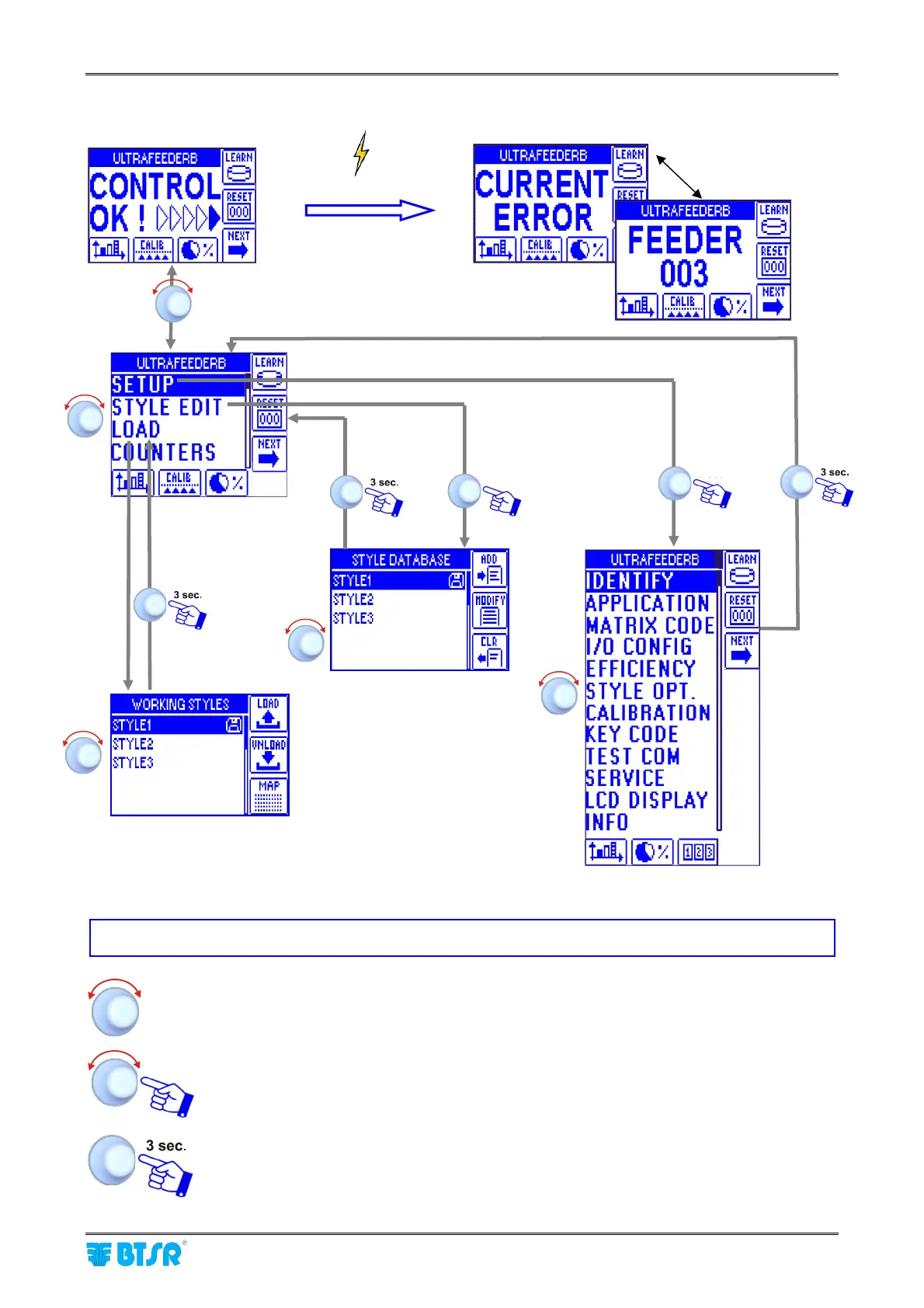
SMART MATRIX FEEDER Menu Structure
SMART MATRIX FEEDER 2-9
SMART MATRIX FEEDER Menu Structure
In the description of the various functions, the following graphic symbols will be used:
Turn the selector to point the desired option.
Select the desired option and click to confirm.
Press and hold down the button (3 sec.) to return to previous menu and/or to activate
the data saving function.
Error
Alternate
Error details
Main
Menu
Style
Configuration
Style Loading
System
Configuration



 To Next Page