Device Offset
SMART MATRIX FEEDER 2-23
Device Offset
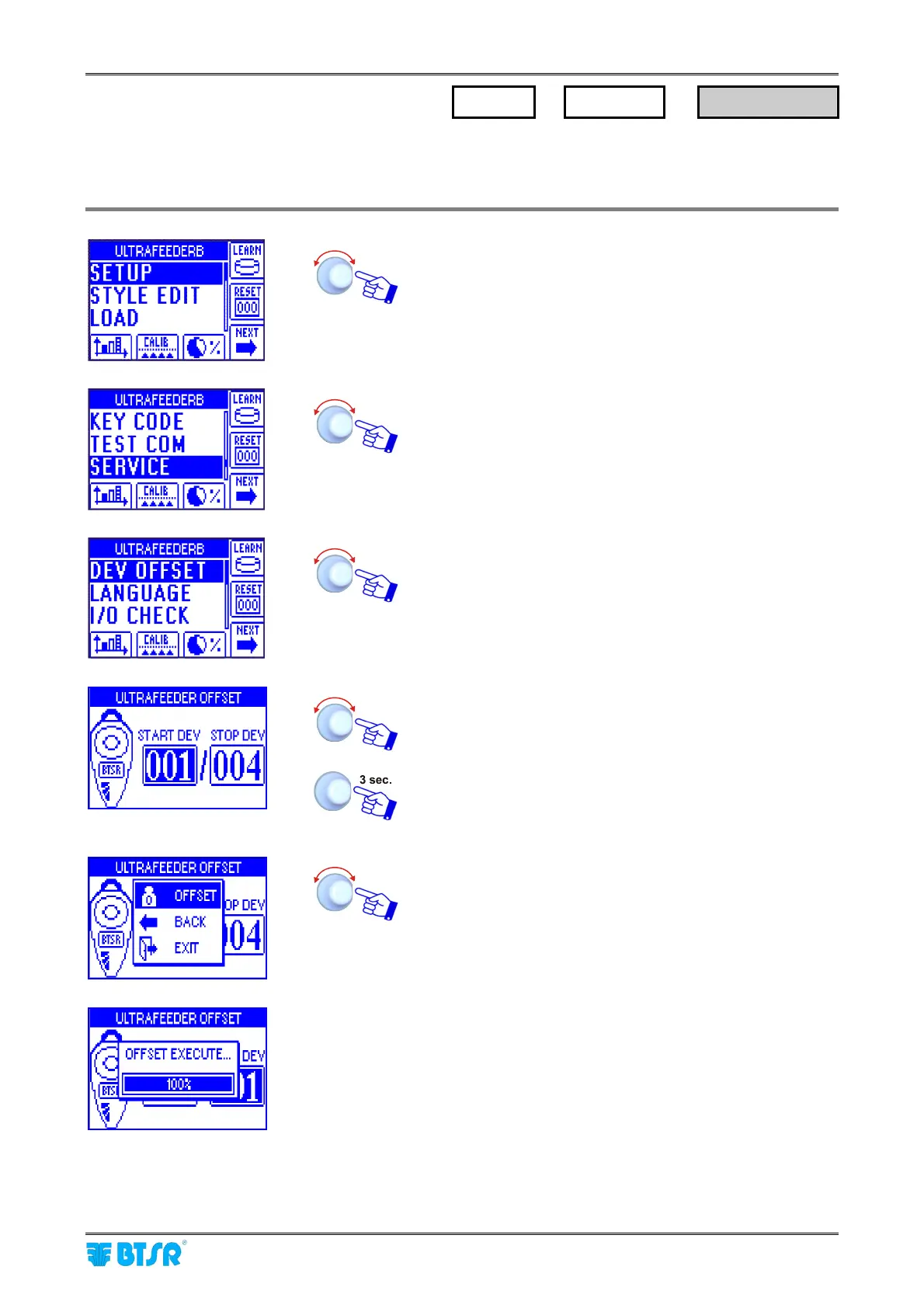
This function allows you to carry out the Offset operation on all the connected ULTRAFEEDER/ROLLING
FEEDER/UNIFEEDER devices, or on a specific device range.
Enter the SETUP menu.
Select SERVICE.
Select DEV OFFSET
Select the device range on which you want to carry out the
offset operation.
Confirm the selection.
OFFSET to carry out the operation on selected device
range,
BACK to return to previous screen without performing the
offset operation,
EXIT to return to setup menu.
A temporary OFFSET EXECUTE window, will appear, then
you will have the possibility to select another device range
(if desired) on which to carry out the offset operation.
We remind that, prior to confirm the offset execution, it is necessary to remove the yarn from the
loading cell.
SETUP
→
SERVICE
→
DEV OFFSET



 To Next Page