SMART MATRIX FEEDER Operation
SMART MATRIX FEEDER 2-8
Interpretation of Operating Screens
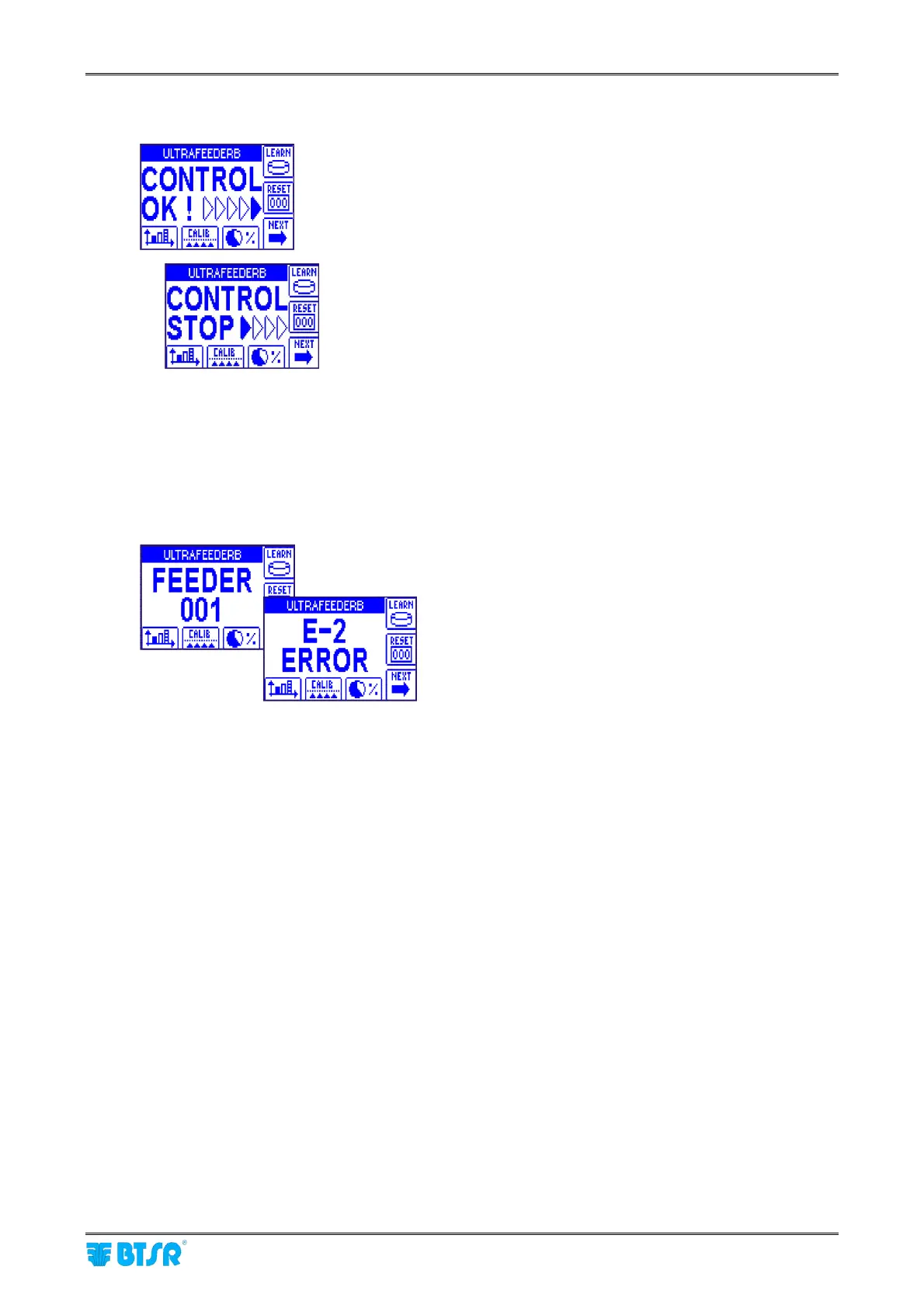
• System working in Control status
• LEARN functions disabled (*)
• No errors detected!
• At least one ULTRAFEEDER/ROLLING
FEEDER/UNIFEEDER device running
• System working in Control status
• LEARN functions disabled (*)
• No errors detected!
• All ULTRAFEEDER/ROLLING FEEDER/UNIFEEDER
devices stopped
• Error E2 on ULTRAFEEDER device 001.
For detailed information about error messages, please refer to Section 3.
The wording of title bar (ULTRAFEEDERB on the examples above) indicates the style name currently
loaded on the devices.
In case of no style loaded, the title bar will shows “SMART MATRIX FEEDER”.
(*) When the LEARN functions are enabled, the indications shown on display change depending on several
factors.
• Type of LEARN enabled (LFA, AUTOLFA, ….)
• Operating step of the cycle (LEARN reservation, LEARN in progress, failure detected, etc.).
+ For more details, please refer to Section 3.



 To Next Page