Style Programming
SMART MATRIX FEEDER 2-36
Parameters for FLAT KNIT application – ULTRAFEEDER and UNIFEEDER
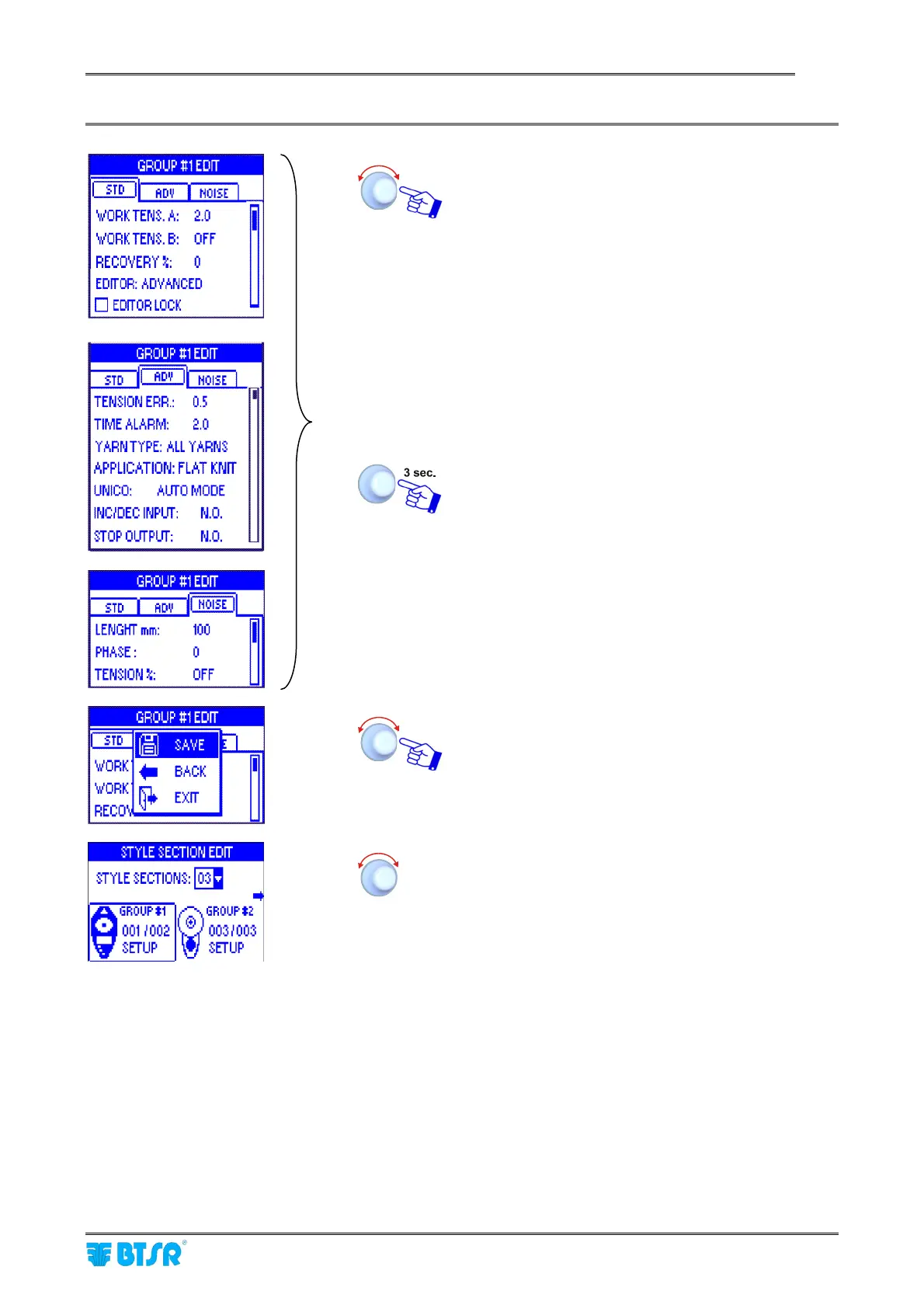
Set the operation parameters of device Group #1
within the STD, ADV and NOISE windows,
operating as described on paragraph – Navigation
throughout the Display windows.
For the meaning of the individual parameters,
please refer to the ULTRAFEEDER or
UNIFEEDER Manual and to the Cross
Reference Table shown on Section 3 of this
manual
In the NOISE window, you may setup three
parameters: LENGTH mm, PHASE and TENSION%,
which allow you to modulate the tension with a
predefined behavior with respect to the set point
value configured in WORK TENS.A/B.
Once you have setup all the relevant parameters
inside the STD, ADV and NOISE windows.
SAVE to save the set parameters and return to the
STYLE SECTION EDIT screen.
Select GROUP #2 and then GROUP #3 to change
the settings
The FLAT KNIT application does not provide LEARN and CALIBRATION functions.



 To Next Page