Calibration
SMART MATRIX FEEDER 3.12
ULTRAFEEDER/UNIFEEDER calibration procedure
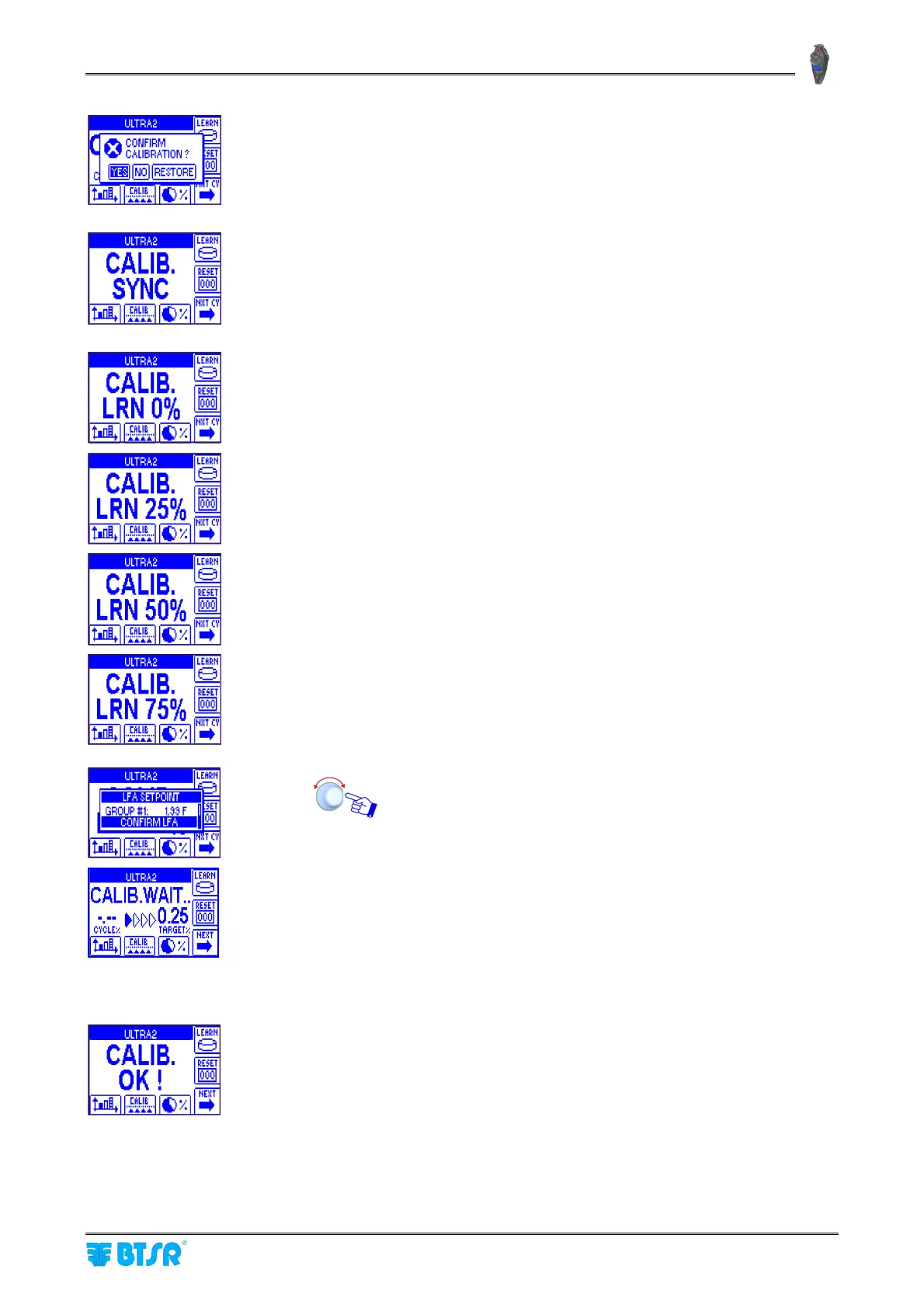
YES to confirm.
RESTORE to restore the original parameters of the style
Start of Calibration procedure; waiting for PRX synchronization signal.
First PRX pulse.
Second PRX pulse.
Third PRX pulse.
Fourth PRX pulse (end of Learning).
In this example, the Learn process ends after the fourth PRX pulse (LEARN
CYCLES = 4)
At this point, the system will calculate the average absorption value of all
feeds.
Confirm the acquired values or modify them manually.
Start of calibration process! Upon every PRX pulse, the CYCLE% field will
show the highest deviation percentage (among all the Ultrafeeder/Unifeeder
devices being calibrated) with respect to the TARGET% value (0.25% in the
example shown to the left). As soon as the deviation between CYCLE% and
TARGET% is < 4%, the correction provided by the calibration process will
not be carried out every PRX pulse, but rather every N PRX pulses, where
N is the number setup in CAL PRESCALER (SETUP CALIBRATION
window).
The CALIB OK! message indicates that the calibration procedure has been
correctly completed.
If, on the contrary, after the number of PRX pulses setup in MAX
CAL.CYCLES (SETUP CALIBRATION window), the tolerance indicated in
TARGET% has not been reached, then a CALIB ERROR message will be
generated.
The calibration procedure can be interrupted at any time, pressing
the RESET button.



 To Next Page