16
Publicaon 5423-020-REV 1.0 • www.btxonline.com
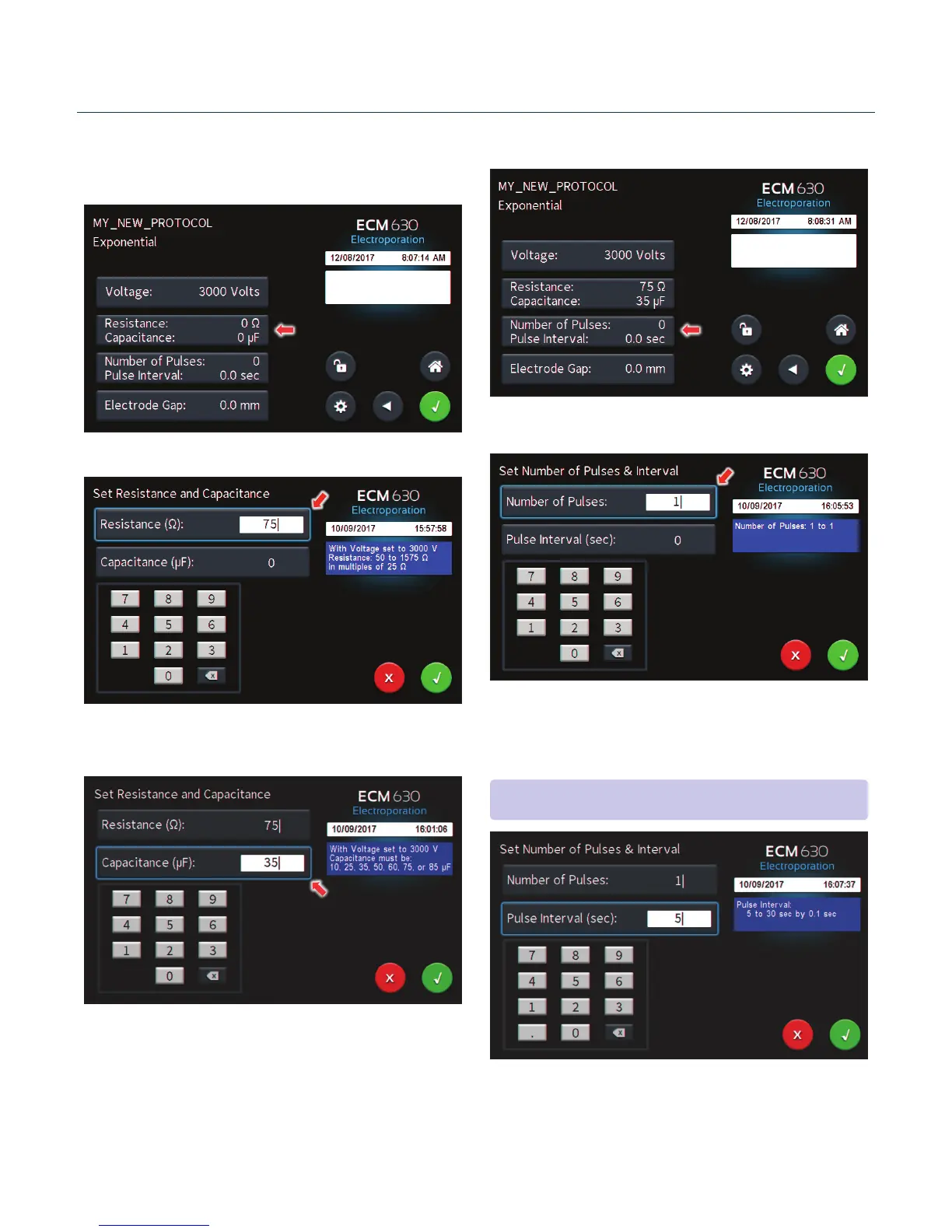
Use the numeric keypad to set resistance.
Tap the Capacitance (µF) icon.
Use numeric keypad to set Capacitance.
Tap Green Check icon to accept values.
Tap the Number of Pulses / Pulse Interval icon.
Use the numeric keypad to set the number of pulses.
Creang New Protocols (connued)
Tap the Resistance / Capacitance icon.
Tap the Pulse Interval (sec) icon.
Use the numeric keypad to set the interval between pulses.
Tap the Green Check icon to save.
Performing Experiments
NOTE: Intervals must only be set when performing mulple pulsing.


 To Next Page