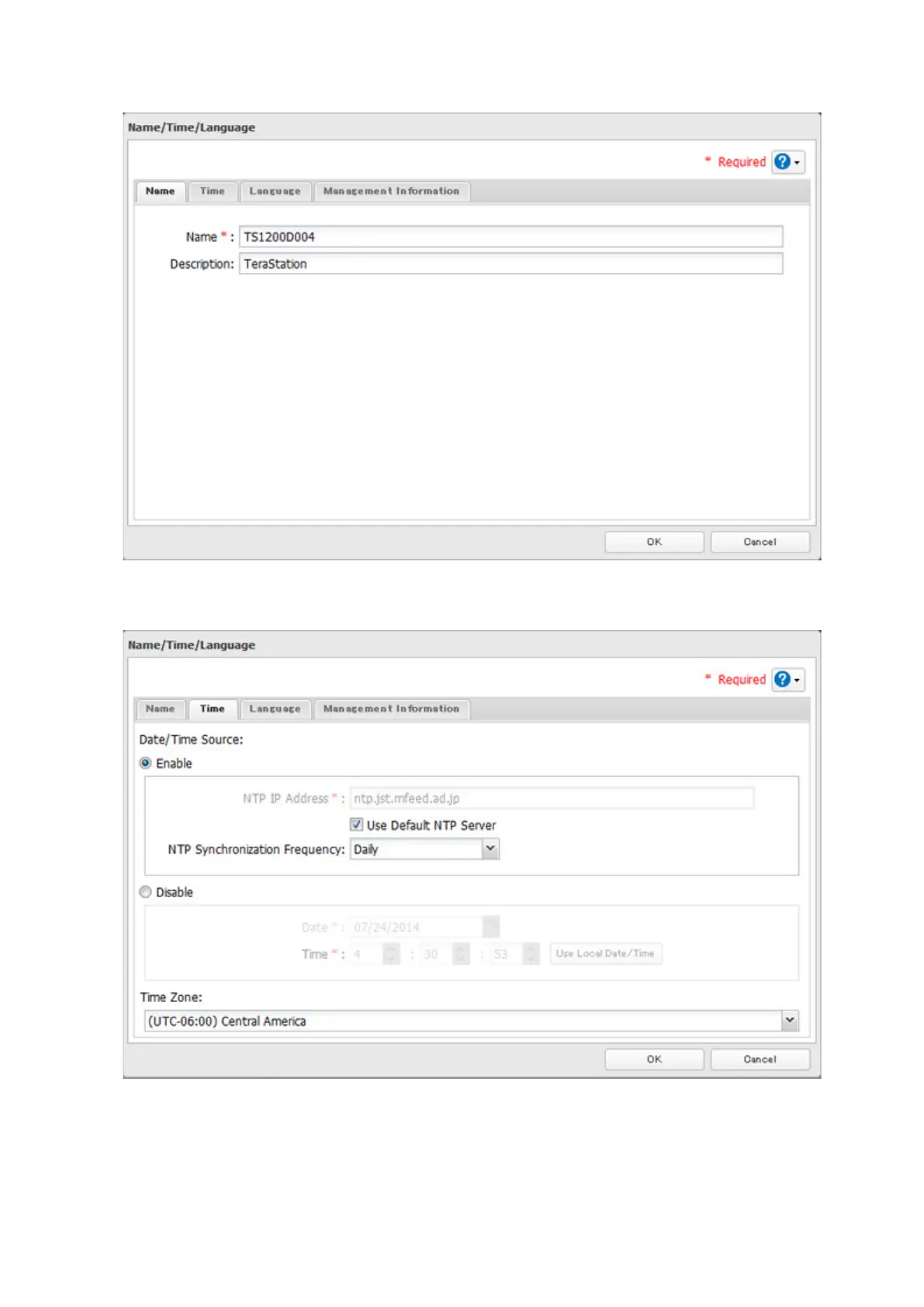
4 Click the Name tab, then configure the TeraStation's name and description.
5 Click the Time tab. Enable the NTP server and select the "Use Default NTP Server" checkbox.
Click Use Local Date/Time to use your computer's time settings for the TeraStation.
By default, the TeraStation adjusts its clock automatically by using a default NTP server. This NTP server belongs
to Internet Multi Feed Inc. For more information, visit http://www.jst.mfeed.ad.jp.
To use a different NTP server, clear the "Use Default NTP Server" checkobx and enter a new NTP IP address
or its hostname. If an NTP server is specified by name instead of IP address, make sure that a DNS server is
configured for the TeraStation.
105



 To Next Page