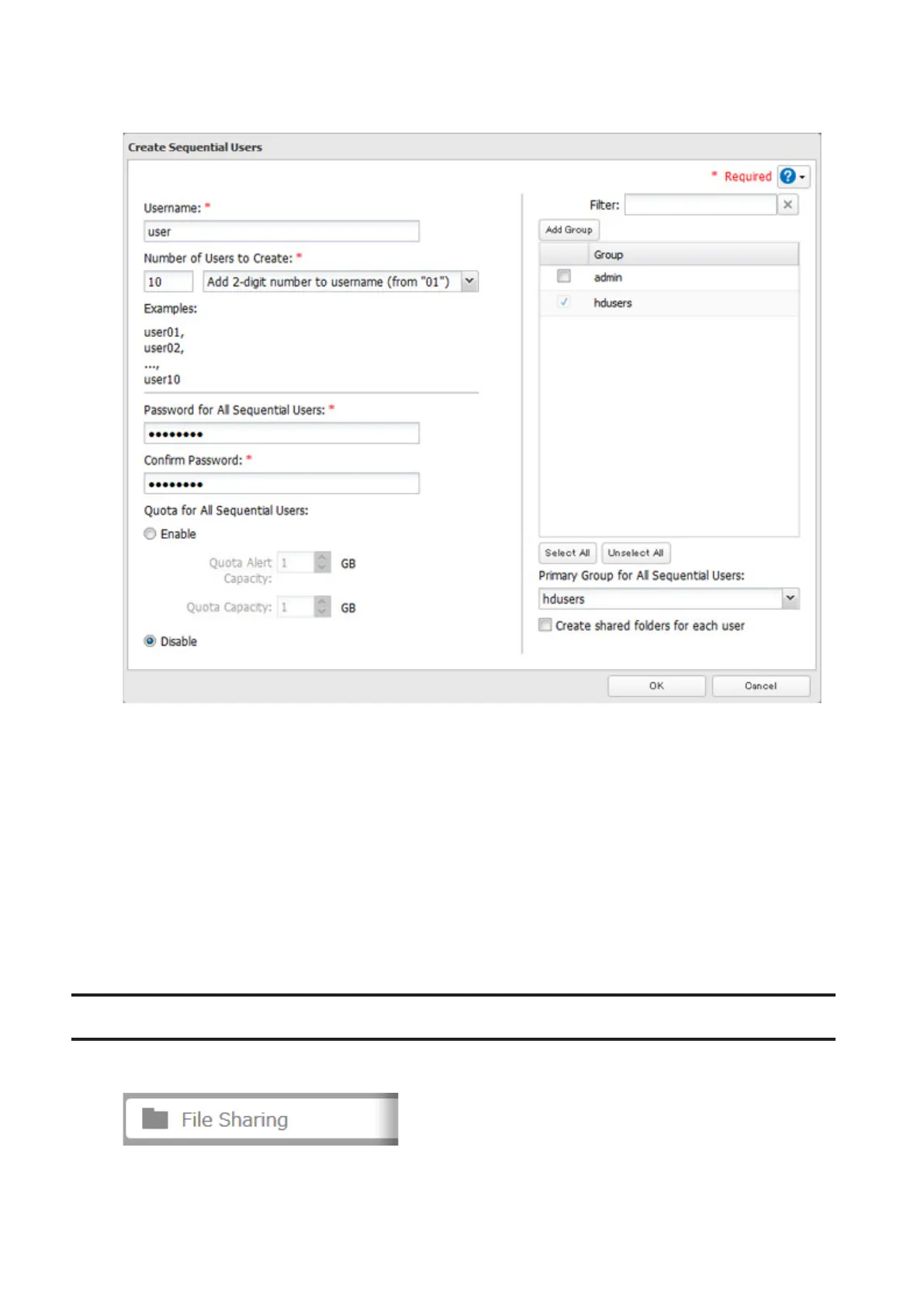
5 Enter a username, password (twice), number of users to create, and select the digit to add after each username
from the drop down menu.
6 Click OK. The number of users you specified are created.
Notes:
• The username for sequential users may contain up to 24 alphanumeric characters, hyphens (-), and underscores
(_). Do not use hyphens (-) and underscores (_) as the first character. A two or three-digit number will be added
after the username.
• If "Create shared folders for each user" is checked, a shared folder will be created for each sequential user. This
folder will have the same name as the sequential user, and only be accessed by the sequential user with the same
name.
• Do not use any of the following words as a username: root, bin, daemon, sys, adm, tty, disk, lp, sync, shutdown,
halt, operator, nobody, mail, news, uucp, ftp, kmem, utmp, shadow, users, nogroup, all, none, hdusers, admin,
guest, man, www, sshd, administrator, ftpuser, apache, mysql, splx
Adding a Group
1 In Settings, click File Sharing.
23



 To Next Page