2 Click to the right of "Groups".
3 Click Add Group.
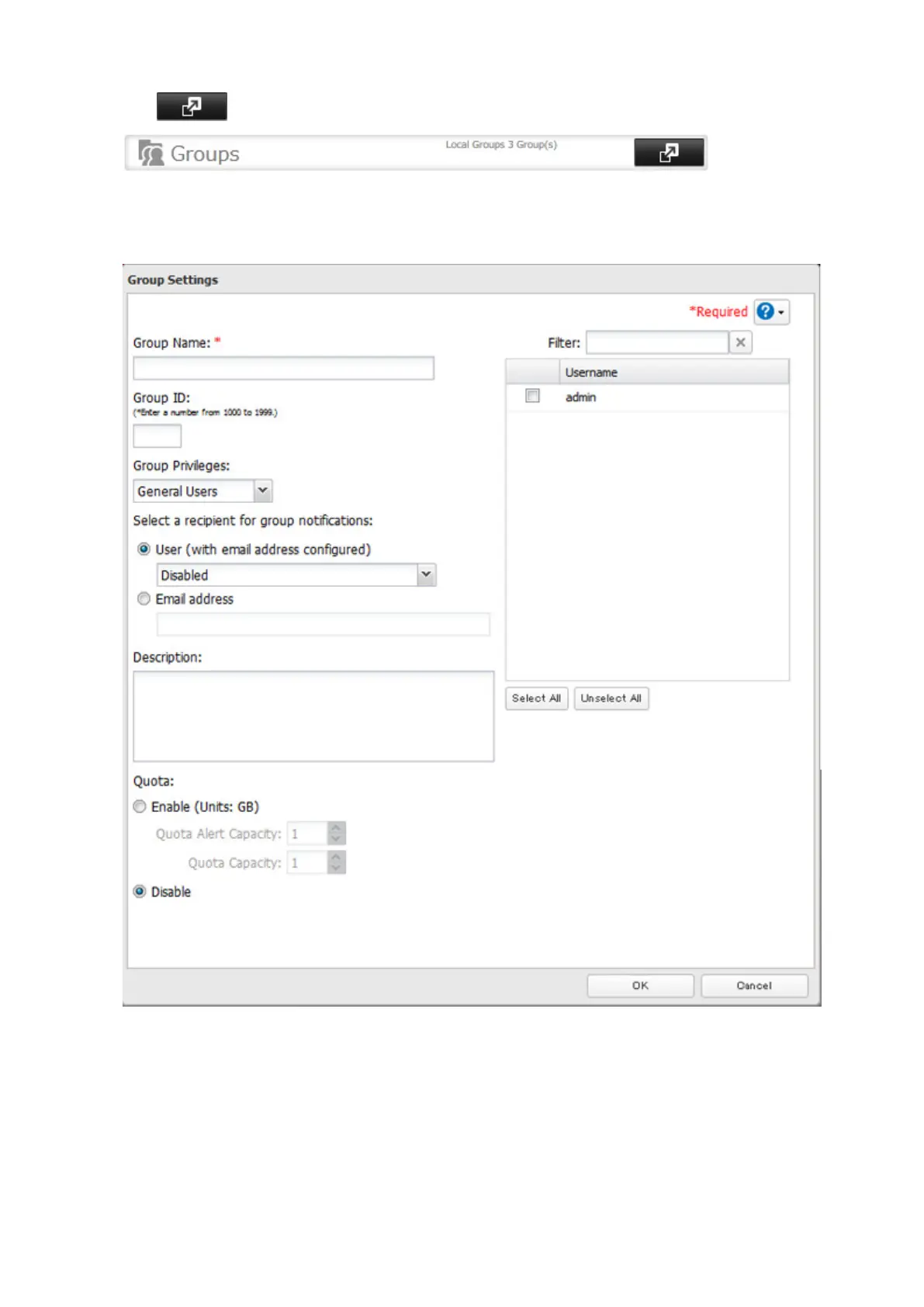
4 Enter the desired settings, then click OK.
Notes:
• Group names may contain up to 20 alphanumeric characters, hyphens (-), underscores (_), and periods (.). Do not
use a symbol other than an underscore (_) as the first character.
• Group descriptions may contain up to 75 alphanumeric characters, hyphens (-), underscores (_), and spaces. Do
not use a symbol or space as the first character.
• If the group ID field is left blank, a group ID is automatically assigned. Use numbers between 1000 and 1999 to set
a group ID manually. Don't use duplicate group IDs.
• You may register up to 300 groups with the TeraStation.
24



 To Next Page