server.key (SSL Private Key)
This file is used as a pair with server.crt (server certificate). This is required for decrypting the data that was
encrypted by the server certificate, and this is normally not revealed.
Note: The passphrase for the private key must be removed before importing to the TeraStation.
Updating SSL Key Files
To update a server certificate and a private key for SSL, follow this procedure.
1 In Settings, click Management.
2 Click SSL.
3 Register "server.key" for "Secret Key" and "server.crt" for "Server Certificate (.crt)", then click Import.
Notes:
• Place the SSL key files (server.key, server.crt) directly below the C root drive. The SSL key files may not be able to
be updated if it is placed in folders or paths that contain multi-byte characters.
• If Settings cannot be displayed after updating, initialize the TeraStation settings.
• Updating the firmware initializes an SSL key.
Web Server
The TeraStation can be used as a web server. In addition to HTML files, images, and JavaScript, the TeraStation also
allows installation of Perl script and PHP script files.
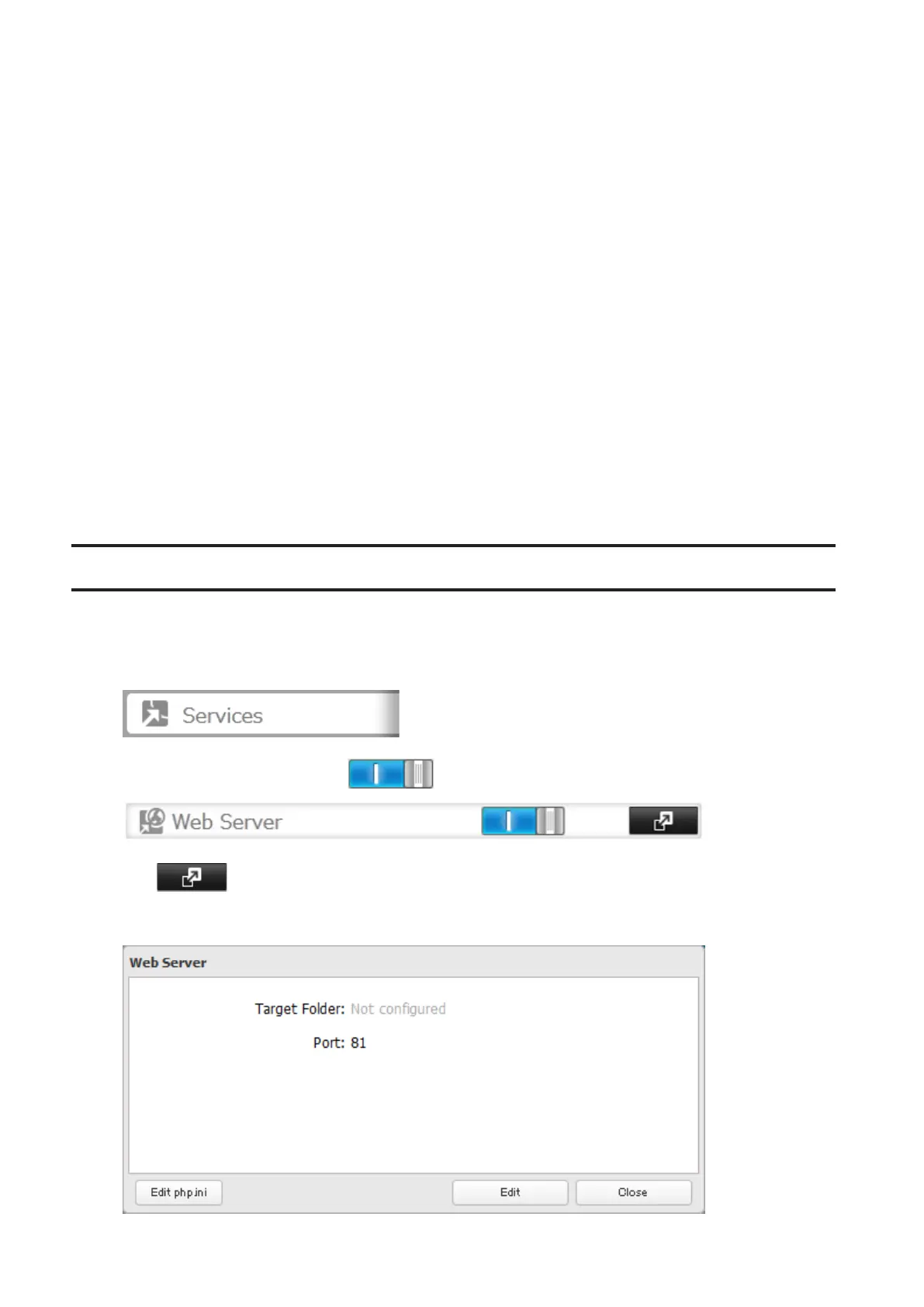
1 In Settings, click Services.
2 Move the web server switch to the position to enable the web server.
3 Click to the right of "Web Server".
4 Click Edit.
96



 To Next Page