Username Password Settings Available
Your username Your password
If a user is assigned as an administrator, all settings
are available. If assigned as a general user, the user
can only access read-only system information and
change their own password, If assigned as a power
user, the user can create and edit shared folders,
users, and general users groups.
• Click to open Easy Admin.
• The TS1400D and TS1400R supports the "I'm here" function for easy location. Click the icon in Settings and
the TeraStation will start to beep.
Opening Easy Admin
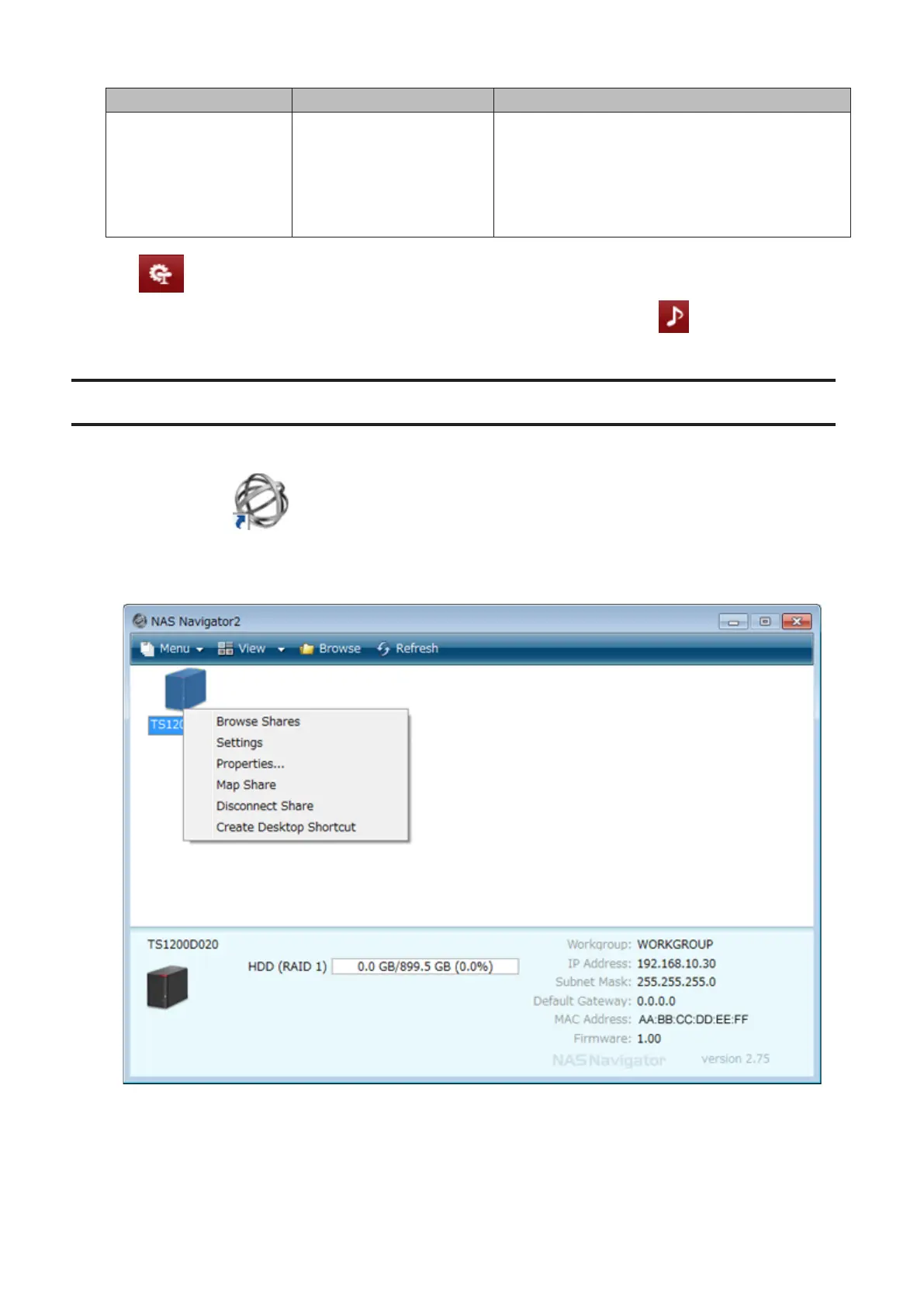
The Easy Admin page makes it easy to change common settings. Follow the steps below to open Easy Admin.
1 Double-click the icon to start NAS Navigator2.
2 Right-click on your TeraStation's icon and choose Settings. For macOS, click the TeraStation icon while holding
down the control key, then select Settings.
13



 To Next Page