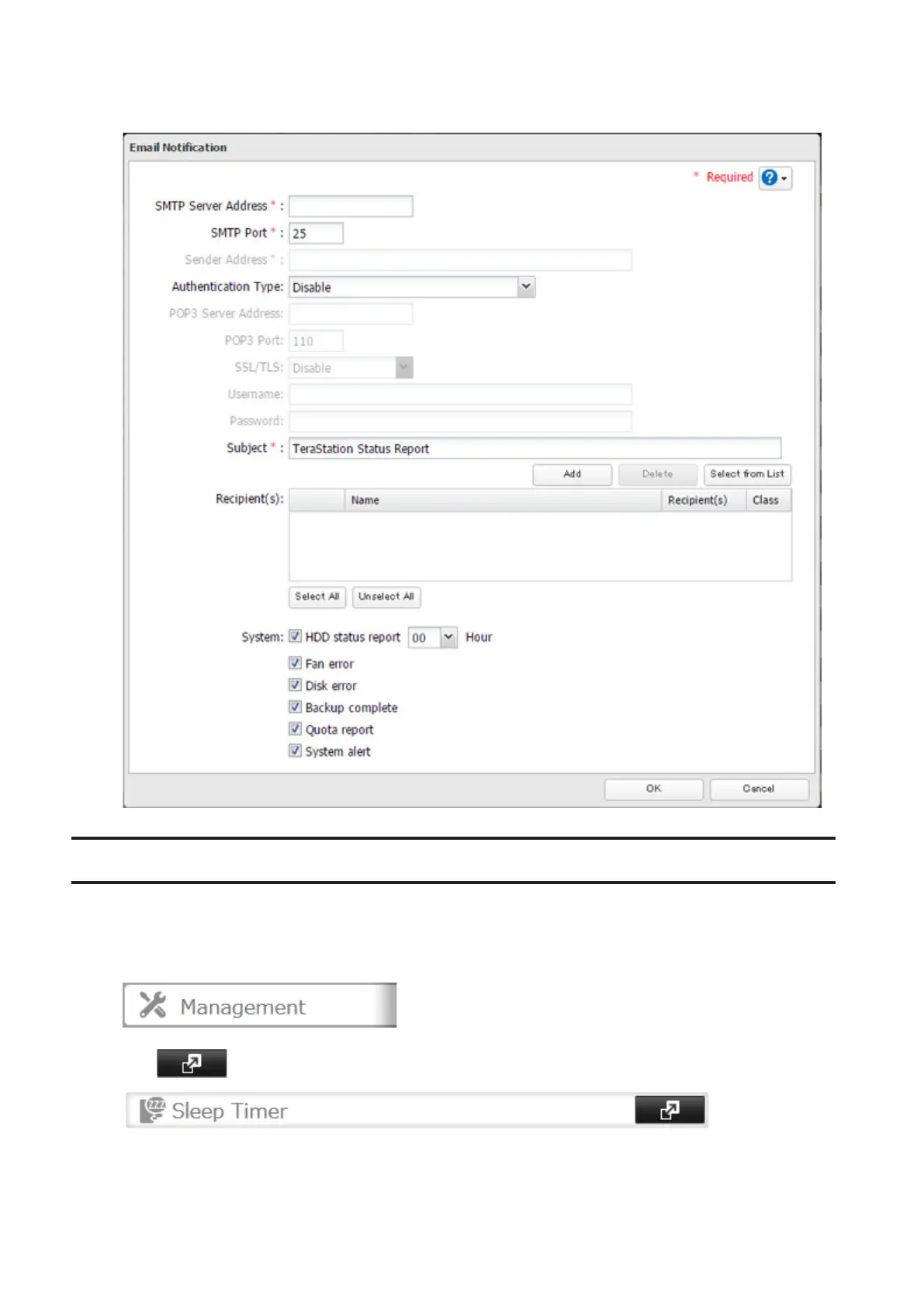
5 Enter your email server settings and choose which events will trigger notifications. Click OK to send a test
email.
Sleep Mode
To save energy, you can specify times to put the TeraStation into sleep (standby) mode, during which the hard drive
and LEDs are turned off.
1 In Settings, click Management.
2 Click to the right of "Sleep Timer".
3 Click Edit.
87



 To Next Page