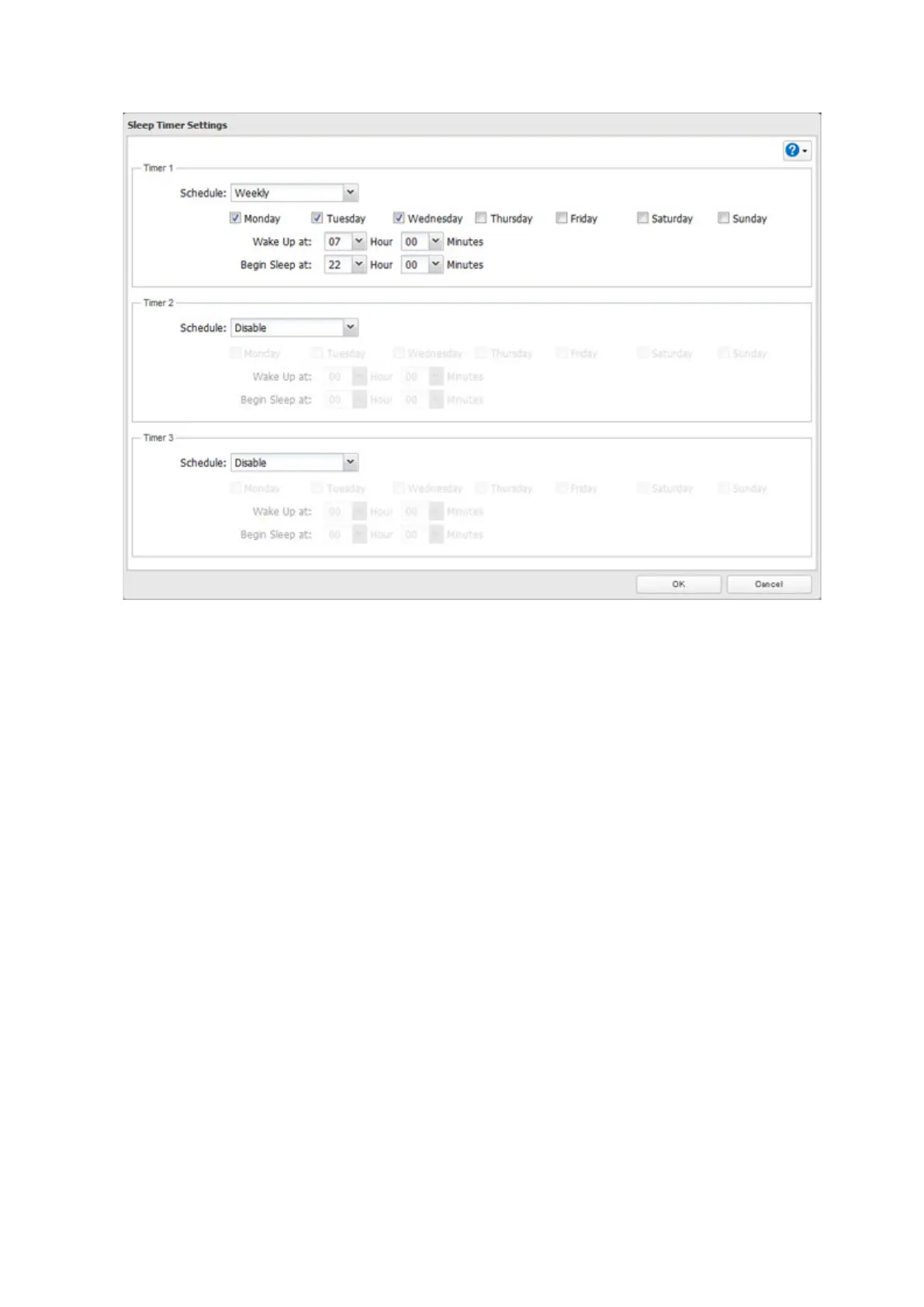
4 Specify the timer interval, wake-up time, and time to go into sleep mode, then click OK.
Notes:
• Up to three timers can be set.
• The time to enter sleep mode can be set from 12:00 a.m. to 3:45 a.m. of the next day.
The time to wake from sleep mode can be set from 12:00 a.m. to 11:45 p.m.
If the time to enter sleep mode is after 12:00 a.m., the wake-up time setting may be from 4:00 a.m. to 11:45 p.m.
• The time to enter sleep mode should not be set at the same time as or before the start time.
• If a timer is scheduled during a drive check, drive format, backup process, and backup job, or within 5 minutes of
the current time, the TeraStation will not change to standby mode when the configured time is reached.
• If scheduled times in the timer overlap, operation is performed using the widest time interval.
• Examples of multiple timer settings are shown below.
Example 1:
If running at a current time of 10:00 a.m. Wednesday
Timer 1: Daily 12:00–24:00
Timer 2: Not used
Timer 3: Not used
No operation is performed at 12:00 p.m. and the unit goes int sleep mode at 12:00 a.m.
Example 2:
If running at a current time of 10:00 a.m. Wednesday
Timer 1: Daily 9:00–18:00
Timer 2: Wednesday 10:00–20:00
Timer 3: Not used
On days other than Wednesday, normal operation begins at 9:00 a.m. and the unit goes into sleep mode at 6:00
p.m. On Wednesday, the unit goes into sleep mode at 8:00 p.m.
Example 3:
If running at the current time of 10:00 a.m. Wednesday
Timer 1: Daily 9:00–18:00
Timer 2: Wednesday 10:00–1:00 a.m. of the next day
Timer 3: Not used
88



 To Next Page