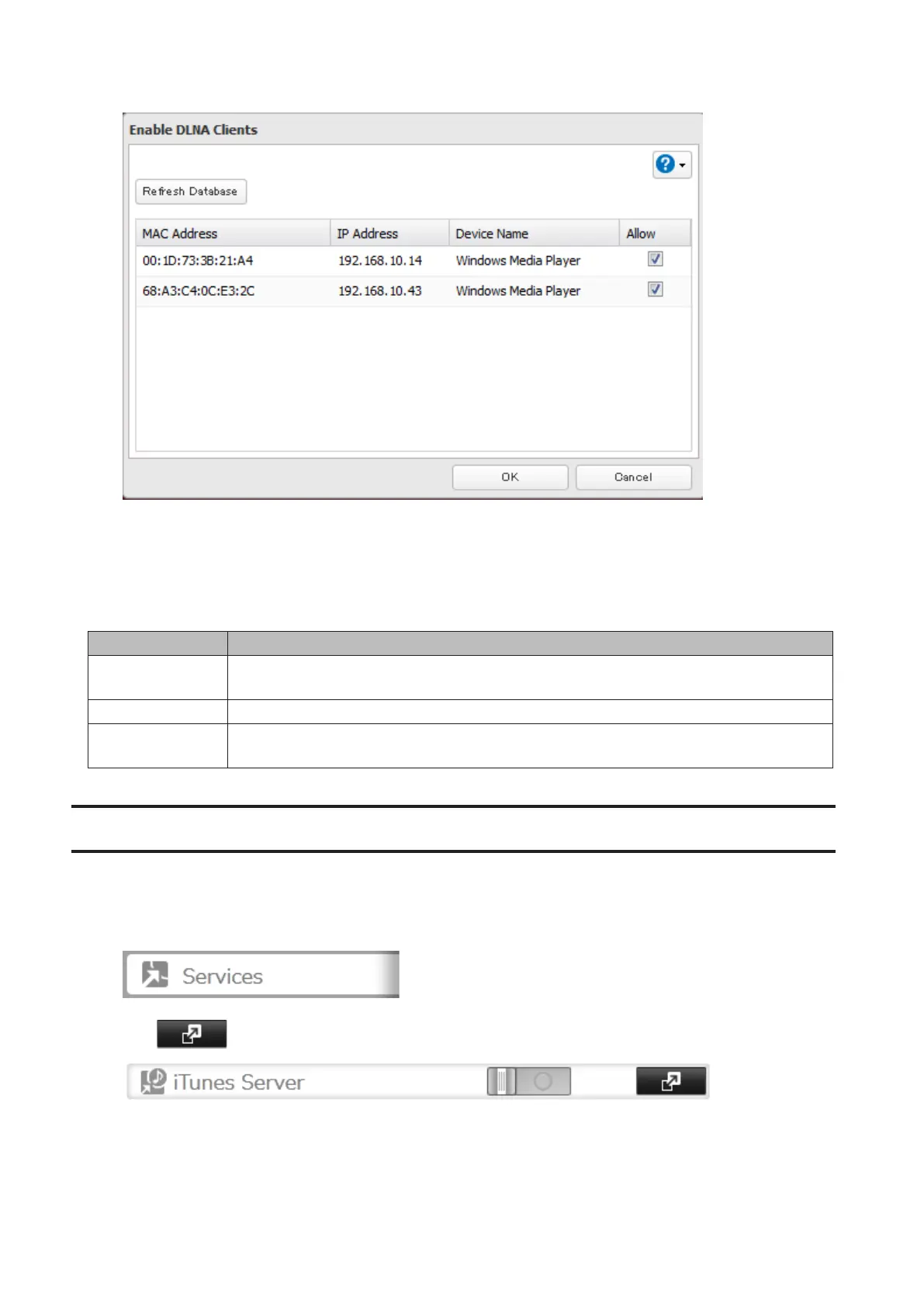
4 Uncheck the devices you do not want to allow to play media and click OK.
5 Click Restart to apply changes.
Supported File Types
The TeraStation supports DLNA streaming of files with the extensions below.
Type File Extensions
Video files
.avi, .divx, .asf, .mpg, .mpe, .m1v, .vob, .mts, .m2ts, .m2t, .mpeg, .mpeg2, .vdr, .spts, .tp, .ts,
.3gp, .mov, .m4v, .wmv, .dvr-ms, .xvid, .mp4, .m4v
Picture files .jpg, .jpeg, .gif, .png, .tif, .tiff, .yuv, .bmp
Music files
.mp3, .mpa, .wma, .aac, .apl, .ac3, .lpcm, .pcm, .wav, .m3u, .m4a, .mp4, .3gp, .m4b, .aif, .aiff,
.flac, .ogg, .mp2, .mp1, .mp4
iTunes Server
If iTunes server is enabled, computers on your network with iTunes can play music files stored on the TeraStation
and transfer them to iPod, iPhone, and iPad devices. iTunes server supports playback from up to five computers.
1 In Settings, click Services.
2 Click to the right of "iTunes Server".
81



 To Next Page