Notes:
• Names may contain up to 27 alphanumeric characters, hyphens (-), and underscores (_). Do not use a symbol as
the first character in a name.
• The description may contain up to 75 alphanumeric characters, hyphens (-), underscores (_), and spaces. Do not
use a symbol or space as the first character.
• You may create up to 400 shared folders.
• The names of shared folders should not use characters from more than one language. For example, mixing
Japanese and Korean characters in names is not supported.
• If the names of shared folders contain multibyte characters, configure the client language in Management -
Name/Time/Language to match the characters. If the setting does not match, the shared folder name will not be
displayed correctly.
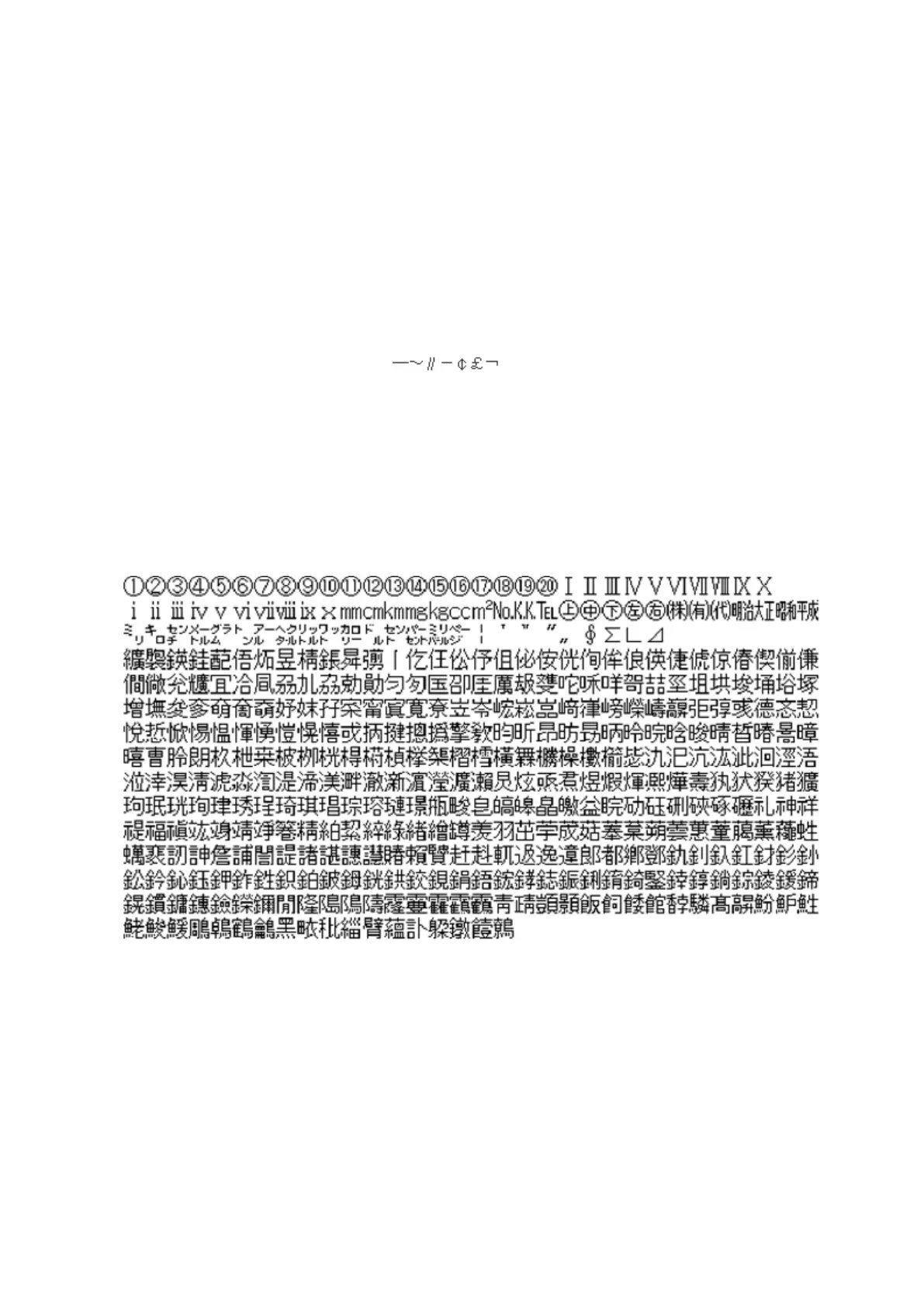
• The following characters are handled differently by macOS and Windows. Avoid using these characters when
sharing data between macOS and Windows:
• Windows does not support some characters that macOS and the TeraStation allow. If you create a filename on
a Mac with any of the following characters, it will not display correctly on a Windows computer. With macOS
10.2 or later, you may have to connect to the TeraStation via AFP in order to display or copy any of the following
characters:
? [ ] / \ = + < > ; : " , | *
• Do not use any of the following words for the name of a shared folder as these words are reserved for internal
use by the TeraStation: info, spool, lost+found, global, printers, homes, lp, authtest, ram, msdfs_root, mt-daapd,
usbdisk x (where "x" is a number, for example: usbdisk1)
• Don't use the following unsupported characters in shared folder names, workgroup names, or filenames:
• File and folder names may contain up to 255 single-byte characters.
• Folder and workgroup names whose names contain non-Roman characters may not be displayed correctly.
• If shared folders are accessed from a Mac, information files for the Mac may be generated automatically. Do not
delete these files. If they are deleted using Windows, this may prevent further access from a Mac.
• The TeraStation belongs to the default zone in AppleShare; the zone cannot be specified.
• When files are copied to the TeraStation or to a USB drive connected to the TeraStation, file information such as
date created, date modified, and other date information may be updated or changed.
• During a file transfer, if settings are changed, the file transfer operation may be aborted.
• File copying to the TeraStation is protected by a journaling file system. If the Ethernet cable is disconnected or a
power outage occurs while copying data, the following may occur:
- Preset data such as the TeraStation name, users, and groups may be erased.
17



 To Next Page