WZR-HP-AG300H User Manual 70
Chapter 4 Conguration
NAS
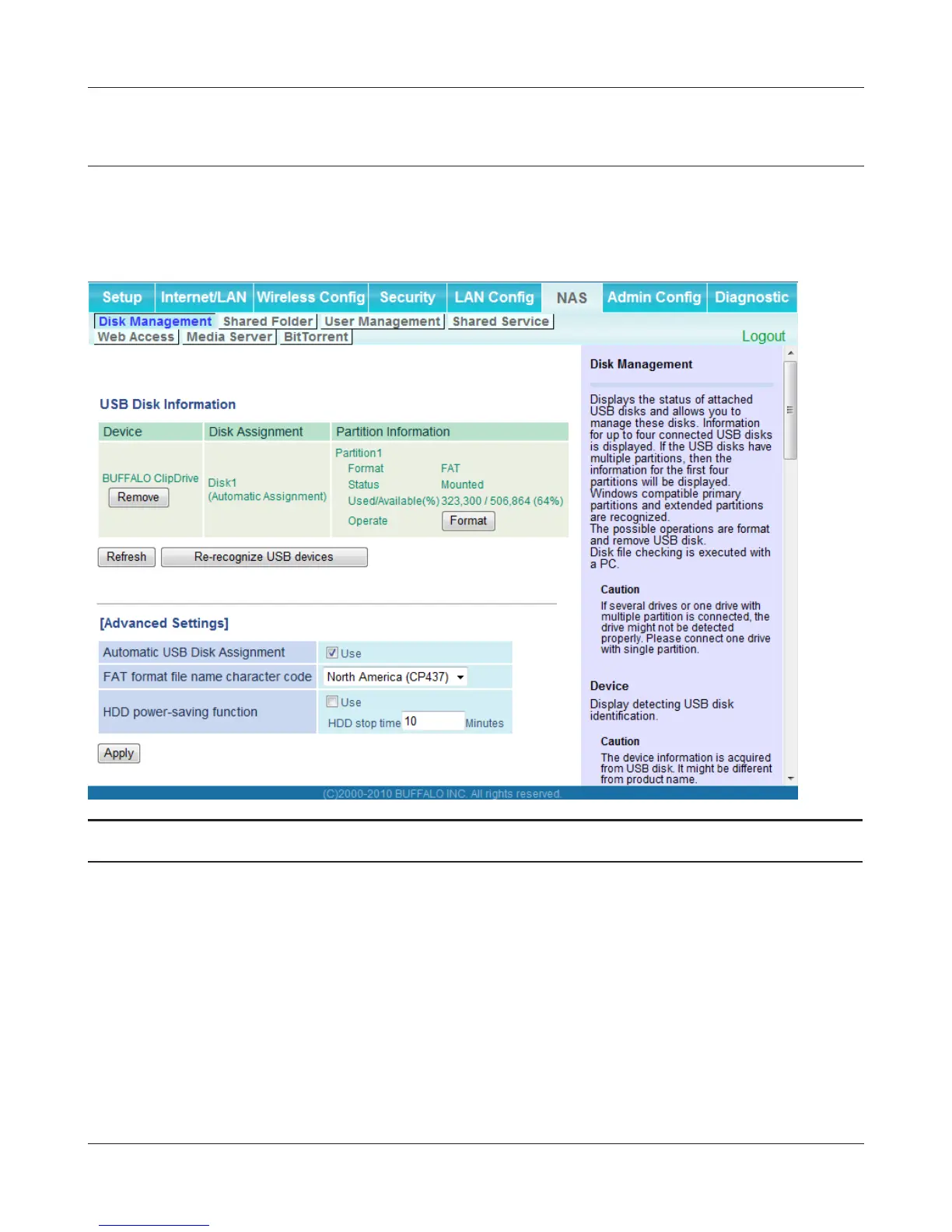
Disk management
View the status of and congure attached USB hard disks.
Parameter Meaning
Device Displays information for attached USB disks. Disks are removed
when [Remove] in the Device column is clicked.
Disk Assignment A disk number will be automatically assigned to the disk or you can
choose a number. Select a disk number, or select [Do not assign],
then click [Apply].
Partition Information Displays the partition information for the selected USB disk. Click
[Format] to format the disk. Note: formatting a disk will erase all
information on it.
Re-recognize USB devices Click this to re-scan for connected USB disks.


 To Next Page
 Loading...








