Chapter 5 Connect to a Wireless Network
WZR-HP-AG300H User Manual
101
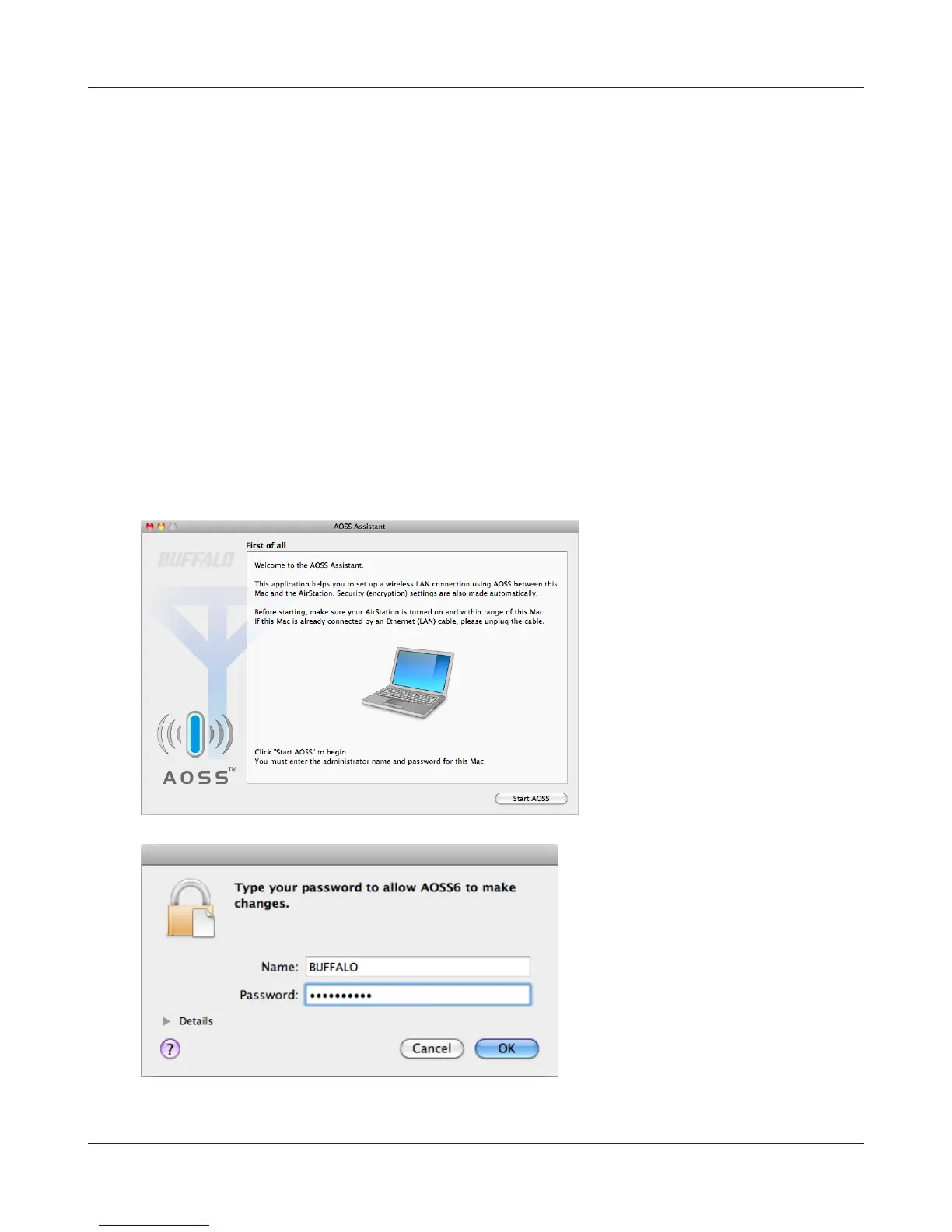
Mac OS X (AOSS Assistant)
If you are using Mac OS X 10.6 / 10.5 / 10.4, use the included AOSS Assistant software to connect
wirelessly with AOSS.
1
Load the AirNavigator CD in your Macintosh.
2
Double-click the Mac folder in the AirNavigator CD.
3
Double-click [AOSS Assistant].
4
The software license screen is displayed. Click [Agree] to proceed.
5
Click [Start AOSS ].
6
Enter the Mac’s username and
password and click [OK].
It will take several seconds for your wireless connection to be congured. When the 2.4 GHz and 5
GHz LEDs on the front of the AirStation stop ashing and glow steadily, the connection is complete.


 To Next Page
 Loading...








