WZR-HP-AG300H User Manual
106
Chapter 5 Connect to a Wireless Network
Windows XP (Wireless Zero Conguration)
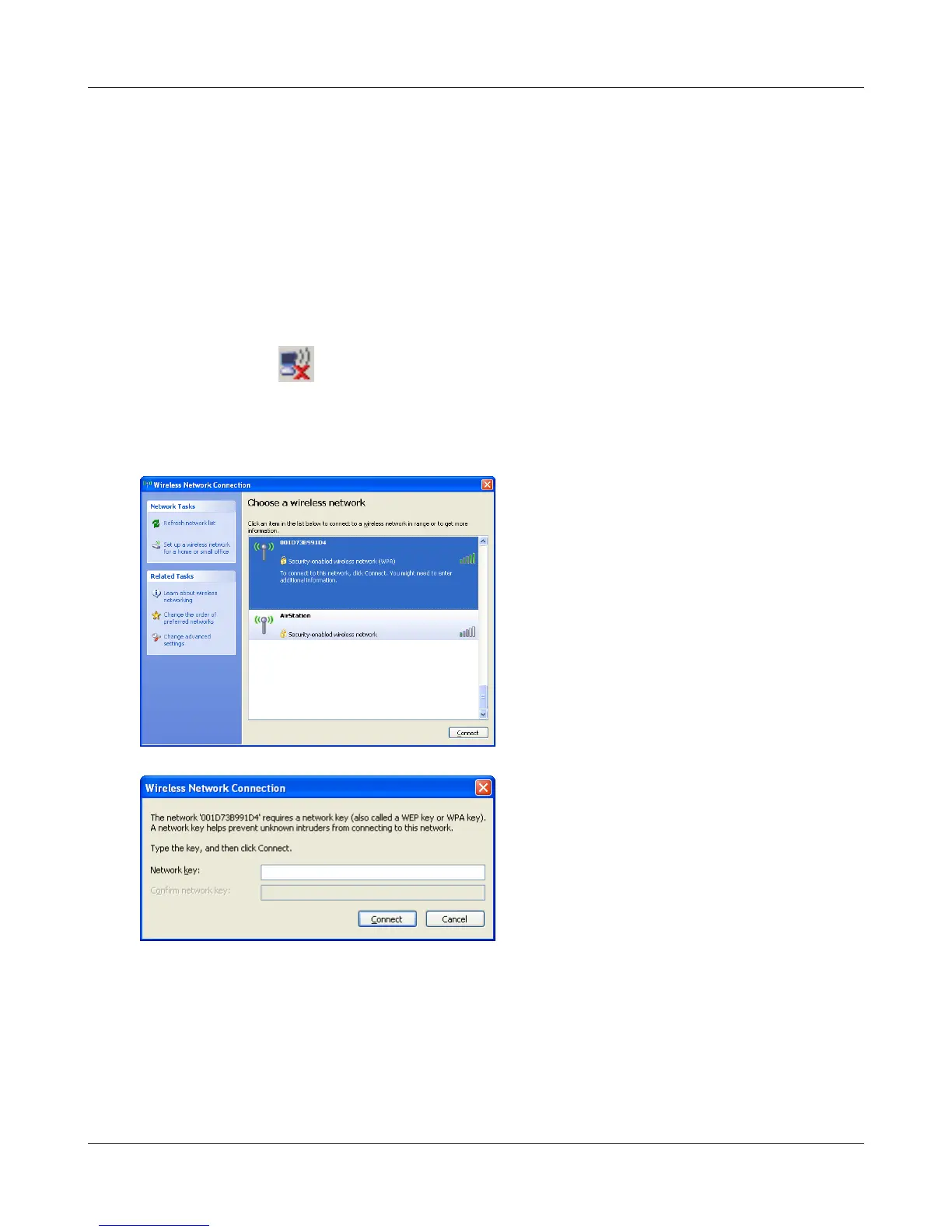
Windows XP includes Wireless Zero Cong, a built-in utility to connect to your AirStation.
Note: If Client Manager 3 is installed on your computer, Wireless Zero Cong is disabled. Uninstall Client
Manager 3 to use Wireless Zero Cong, or just use Client Manager 3 to connect to the AirStation.
1
Right click on the wireless network icon in the system tray.
2
Click [View Available Wireless Networks].
3
4
It will take several seconds for conguration to complete.
Select the network to connect to and click
[Connect].
Enter the encryption key (twice) and click
[Connect].


 To Next Page
 Loading...








