WZR-HP-AG300H User Manual 74
Chapter 4 Conguration
User Management
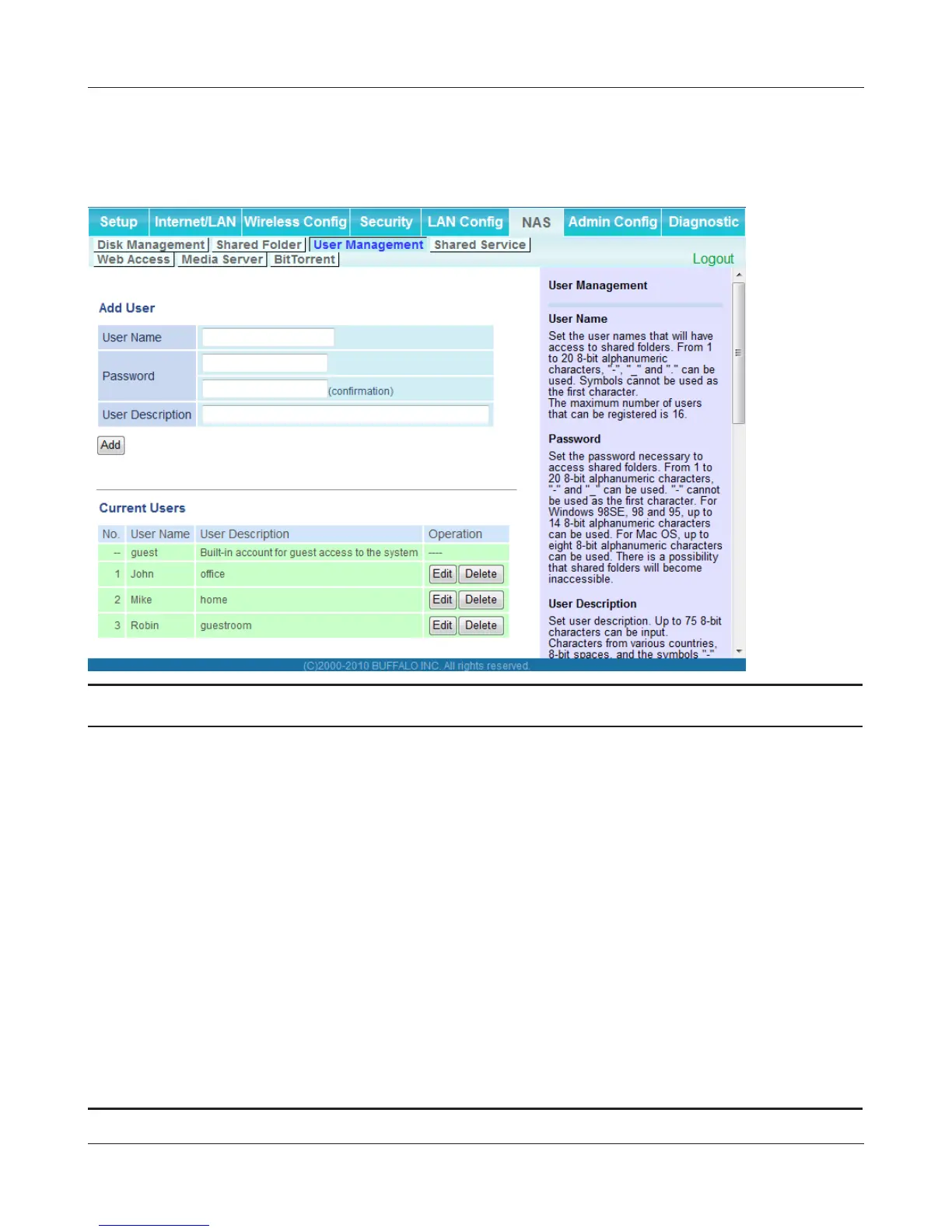
This screen lets you add users to the access list with the ability to access shared folders.
Parameter Meaning
Username Enter the name of a user to be given access to the shared folder. Up
to 20 alphanumeric characters, space, hyphens (-), and underscores
(_) may be used for each user. Up to 16 users may be entered.
Password Enter the user’s password. Use of the same password that
they use to log into their computer is recommended. Up to 20
alphanumeric characters, spaces, hyphens (-), and underscores
(_) may be used. For Windows 98SE/98/95 users, up to 14
alphanumeric characters may be used. Mac OS users may use up
to 8 alphanumeric characters. If you enter a longer password than
your users can use, then they will not be able to access the share.
User Description Describe the user (optional). Up to 75 alphanumeric characters,
spaces, hyphens (-), and underscores (_) may be used.
Current Users Lists current users, including “guest”. Guest is a built-in account
that cannot be changed or deleted.


 To Next Page
 Loading...








