WZR-HP-AG300H User Manual 48
Chapter 4 Conguration
Wireless Cong
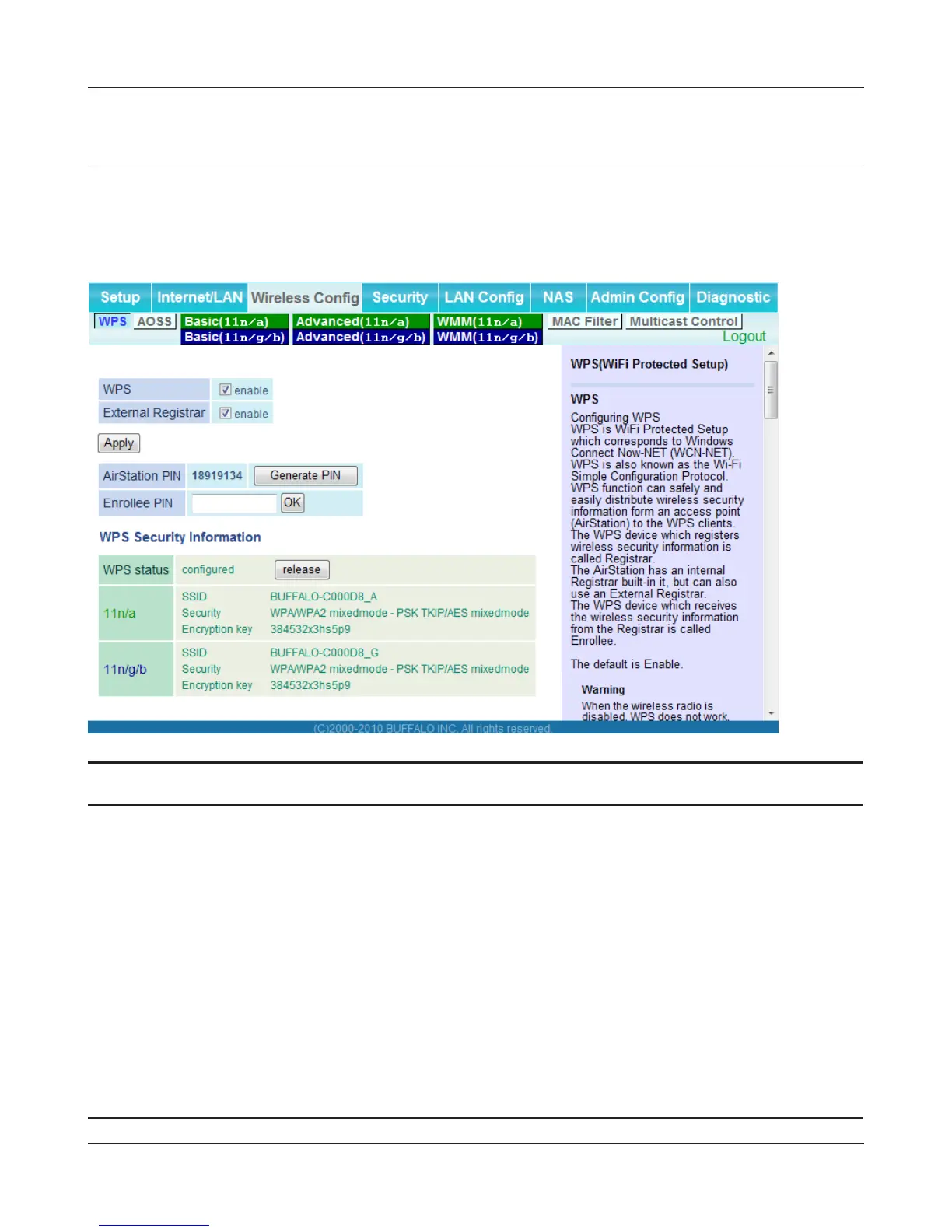
WPS
WPS Status and Settings.
Parameter Meaning
WPS Enable to use WPS automatic conguration.
External Registrar Enable to accept congure requests from other WPS devices.
Note: Congure requests will not be accepted if AOSS is in use.
AirStation PIN Displays the PIN code of the AirStation. Clicking [Generate PIN]
will generate a new PIN code. This code can be entered into other
wireless devices that support WPS.
Enrollee PIN Enter the PIN code for the other wireless device and click [OK].
WPS status Displays “congured” if all available wireless bands are
congured. Displays “uncongured” if at least one wireless band is
uncongured.


 To Next Page
 Loading...








