WZR-HP-AG300H User Manual 72
Chapter 4 Conguration
Shared Folder
Congure a USB hard disk for use with shared folders.
Parameter Meaning
Shared Folder Name* Enter a name for the shared folder. Up to 18 alphanumeric
characters, spaces, hyphens (-), and underscores (_) may be used.
Shared Folder Description* Enter a description of the shared folder (optional). Up to 75
alphanumeric characters, spaces, hyphens (-), and underscores (_)
may be used.
Disk Partition Area* Displays the partition area, format type, and the capacity of the USB
disk.
Disclosed to* Check the functionality that you want to support. Win/Mac OS
(Samba NAS), Web Access, Media Server, and/or BitTorrent may be
checked. Only one folder may be chosen for either Media Server or
BitTorrent functionality.
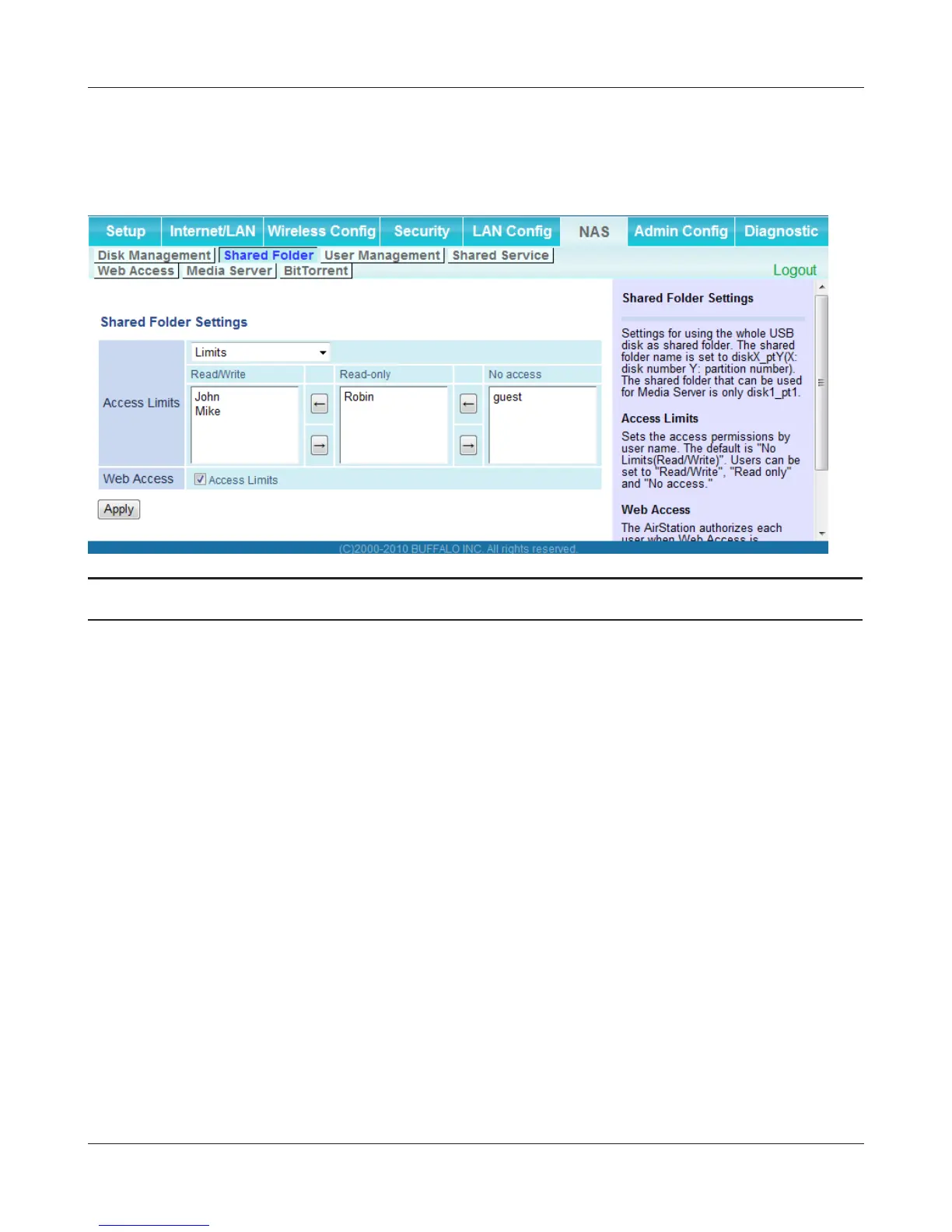
Access Limits If access limits are enabled, use the arrows to move highlighted
users between the columns for [Read/Write], [Read-only], or [No
access] privileges.


 To Next Page
 Loading...








