Chapter 5 Connect to a Wireless Network
WZR-HP-AG300H User Manual
99
1
2
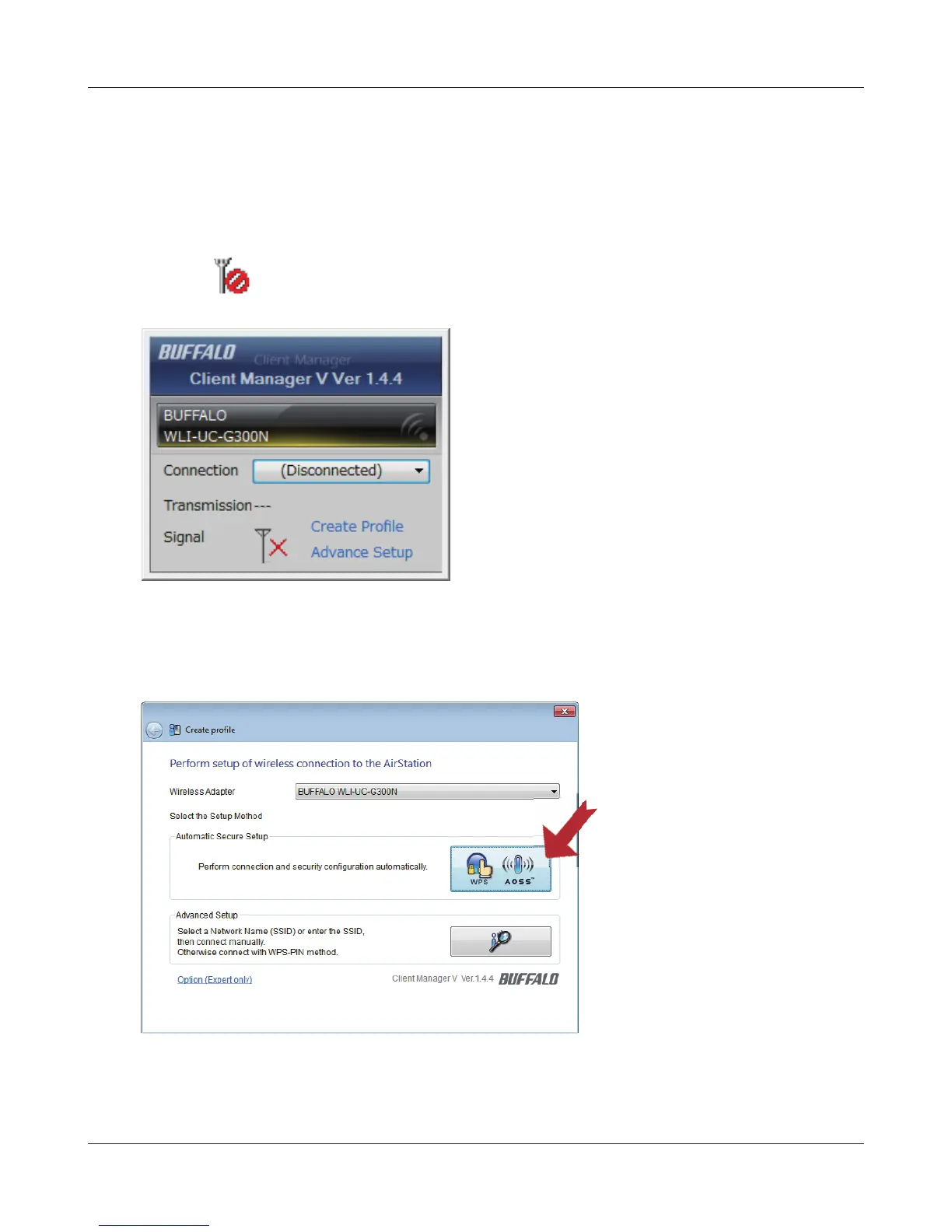
Click the icon in the system tray.
Windows 7/Vista (Client Manager V)
If you are using Windows 7 or Vista, use the included Client Manager V software to connect
wirelessly with AOSS/WPS.
Click [Create Pro le].
3
If the User Account Control screen opens, click [Yes] or [Continue].
4
Click the [WPS AOSS ] button.
Follow any instructions displayed on the screen. When the 2.4 GHz and 5 GHz LEDs on the front of
the AirStation stop ashing and is lit steadily, the connection is complete.


 To Next Page
 Loading...








