25
Display Overview
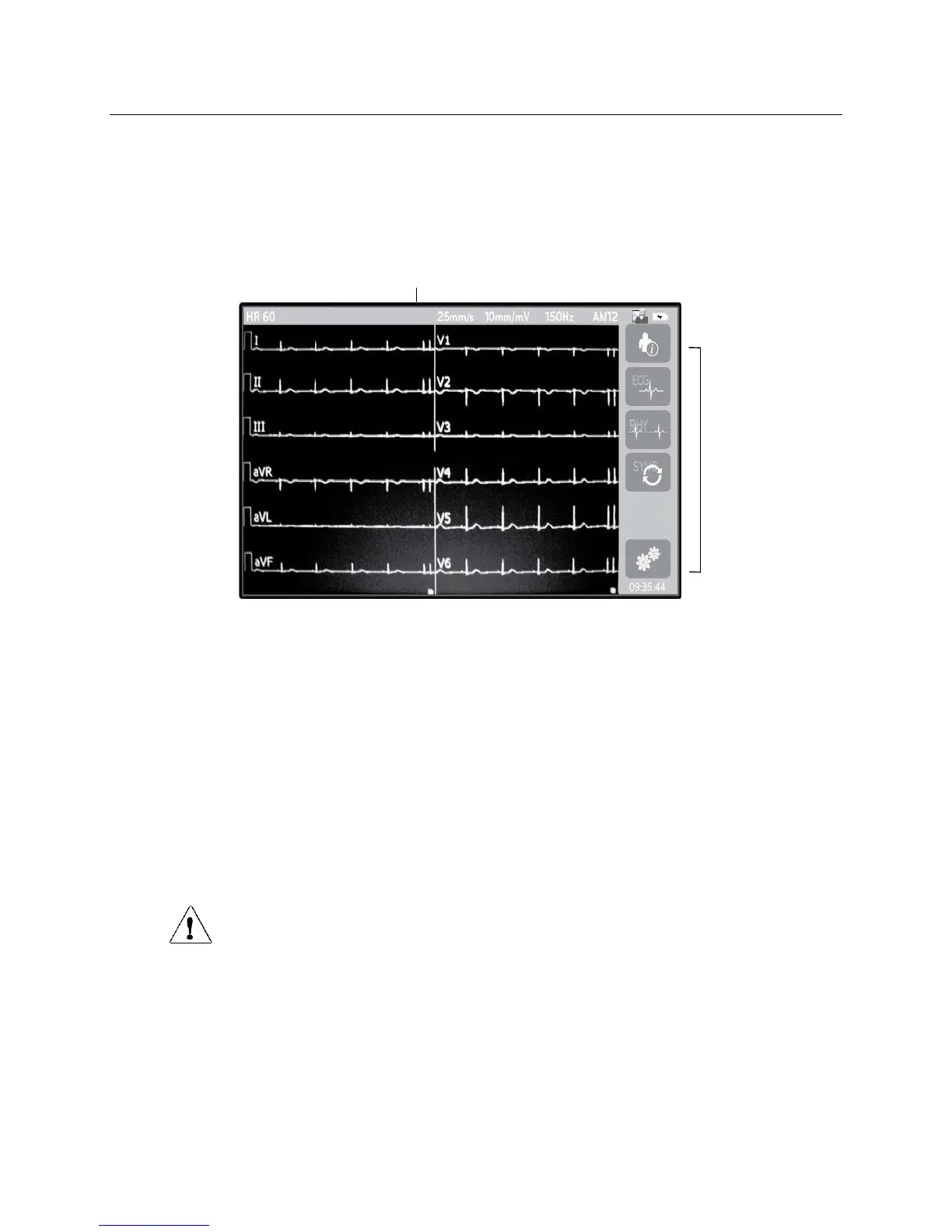
The ELI 280 features a 10.1” diagonal LCD color display to preview the ECG waveform and other parameters as
explained below. During ECG acquisition, notification messages will also appear on the display.
Figure 1-5
Patient Heart Rate
12-
lead Real-time
ECG View
User Role
Battery Status
Function Control
Icons
Clock
Display Parameters
Patient Heart Rate (HR):
When a patient is connected to the device, the HR displays in real time in the upper left corner.
NOTE: If a lead fail occurs, an indicator flashes in the center of the display and the HR number displays
dashes until the lead failure is corrected.
Patient Demographics:
The patients first and last name will be presented in the upper left corner of the display.
Display Speed/ECG Gain/ECG Filter:
The current settings for sweep speed, ECG gain, and ECG filter display along the top center.
WAM/AM12:
The acquisition module currently in use will be presented in the upper right corner of the display.
WARNING: If your device is equipped with a receiver for a Wireless Acquisition Module, always
make sure that you are receiving data from the expected module.



 To Next Page