64
Operating and functions
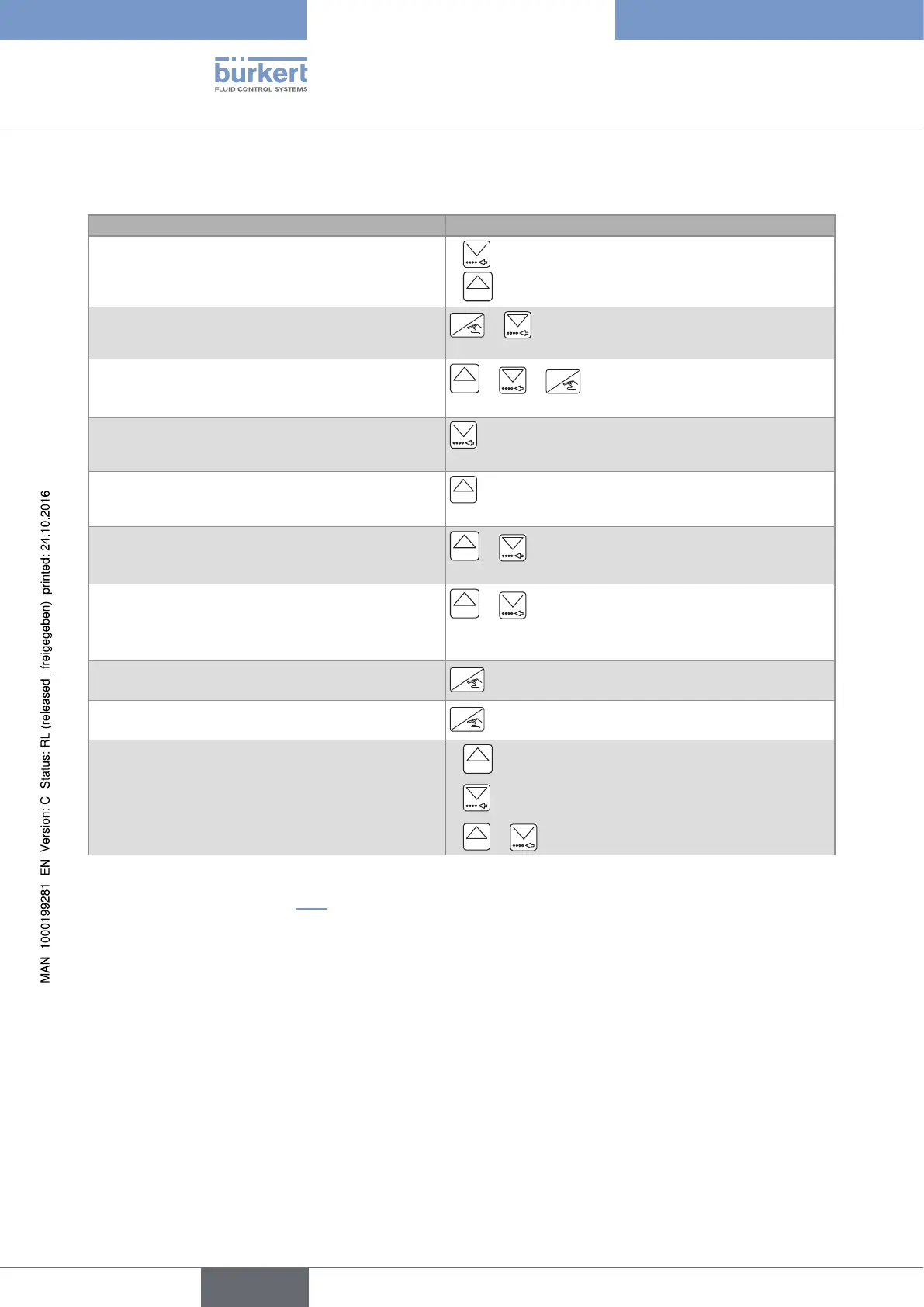
10.4 Using the navigation keys
You want to... Press...
move between parameters within a level or a menu.
•
to go to the next parameter.
•
0......9
to go to the previous parameter.
access the Parameters menu.
ENTER
+ simultaneously for 5 s, in the Process level, if
no dosing has been started.
access the Test menu.
0......9
+ +
ENTER
simultaneously for 5 s, in the
Process level, if no dosing has been started.
access the Information menu.
for 2 s, in the Process level, when the device state
LED is orange or red and no dosing has been started.
access the History menu.
0......9
for 2 s, in the Process level, if no dosing has been
started.
reset the daily volume or mass totalizer, from the
Process level.
0......9
+ simultaneously for 2 s, when the daily volume
or mass totalizer is displayed in the Process level
reset the daily totalizer of the done dosings, from the
Process level.
0......9
+ simultaneously for 2 s, when the daily
totalizer of the done dosings is displayed in the Process
level
select the displayed parameter.
ENTER
confirm the displayed value.
ENTER
modify a numerical value.
•
0......9
to increase the blinking digit.
•
to select the digit at the left of the blinking digit.
•
0......9
+ to move the decimal point.
→ To start a dosing, see chap. 10.6.
English
Type 8025 - 8035 - SE35 BATCH



 To Next Page