Home
CAE
Medical Equipment
Ares
Page 23 (Tools and Supplies)
CAE Ares - Tools and Supplies
103 pages
Manual
Save Page as PDF
To Next Page
To Next Page
To Previous Page
To Previous Page
Loading...
©2020 CAE 90
5K640152 v1.1
17
Equipment Overview
Tools and Supplies
Additional supplies are included with
the simulator.
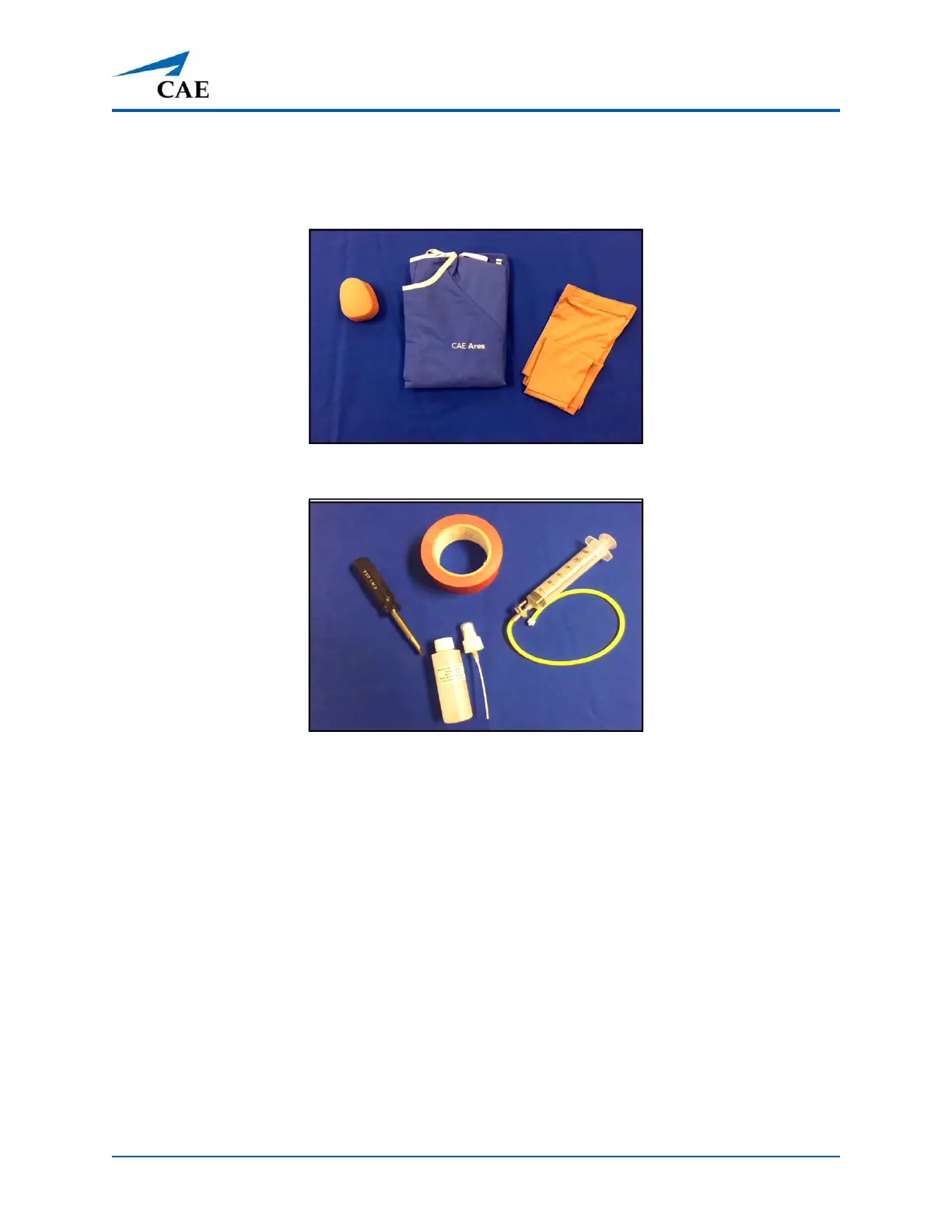
IO Pad, Gown, and Arm
Sleeves
Screwdriver, Tape, Laryngospasm Assembly, and Lubrica
nt
22
24
Table of Contents
Main Page
Default Chapter
3
Table of Contents
3
Cautions and Warnings
7
Electrical Safety
7
Product Use Warnings
8
Manikin
8
Fluids System
8
Battery
9
Simulator Batteries
9
Battery Safety Information
9
Precautions for Handling
10
Potential Health Effects
11
First Aid Measures
11
Fire Fighting Measures
11
Transport Information
12
Specifications
15
Size and Weight
15
Ambient Temperature Range
15
Maximum Altitude
15
Battery
16
Power
16
Communications
16
System Requirements
17
Software and Hardware
17
Caemaestro Software
17
Windows® Operating System
17
Approved Devices
18
Tablets
18
Equipment Overview
19
Standard Equipment
19
IV/IO Arm
20
NIBP and Pulse Arm
20
Male and Female Genitalia, and Chest Skins
21
Stethosym
22
Tools and Supplies
23
Surface Go Tablet
24
CAE Maestro Command and Control Software
24
Advanced and Complete Configuration
25
Symdefib
25
Optional/Additional Equipment
26
Articulated Arms
26
Symdefib
26
Breast Examination Module
27
Wound Care Kits
28
Complete Wound Kit
28
Post-Mastectomy Module
31
Meet Ares
33
Simulator Configurations
34
Setup
37
Unpack and Assemble Manikin
37
Set up the Simulator
38
Step 1: Place the Manikin in the Work Area
38
Step 2: Prepare Ares for Legs
38
Step 3: Attach Ares' Legs
39
Step 4: Prepare Ares for Arms
41
Step 5: Attach Ares' IV Arm
42
Step 6: Attach the NIBP Arm
43
Step 7: Modify a Blood Pressure Cuff
44
Step 8: Place Ares' Wig
45
Step 9: Power on Ares
46
Step 10: Power on the Instructor Tablet
46
Step 11: Connect to Simulator's Network (Optional)
46
Step 12: Launch Maestro
51
Ares Features
53
Physiological and Pharmacological Features
54
Articulation
54
Neurologic System
54
Respiratory System
54
Cardiovascular System
55
Gastrointestinal System
56
Genitourinary System
56
Reproductive System
56
Medication Administration
56
Simulated Clinical Experiences
57
Scenarios
58
System Controls
59
Application Software
59
System Tools
59
Using Ares
61
Neurologic System
61
Neurologic System Controls
62
Eyes
62
Respiratory System
64
Respiratory System Controls
64
Nasal Packing
65
Airway Management
66
Intubation
66
Laryngospasm
66
Gastric Distention
67
Tracheostomy Tube Placement
67
Chest Excursion
68
Ventilation
68
Pneumothorax (Needle Decompression)
69
Cardiovascular System
69
Cardiovascular System Controls
70
Pulses
71
IV Cannulation
71
IV Administration
72
Intramuscular (IM) Injection
74
Intraosseous (IO) Cannulation
75
Chest Compressions
75
Ecg
77
Cardioversion, Defibrillation, and Pacing
77
Blood Pressure
81
Gastrointestinal System
83
Genitourinary System
83
Changing the Simulator's Genitalia
83
Urinary Catheterization
87
Reproductive System
87
Breast Examination
87
Wound Care
88
Burnt Skin
88
Leg and Foot Wounds
89
Post-Mastectomy Care
90
Medication Administration
91
Simulated Medication
91
Intravenous, Intramuscular, and Intraosseous Medication
91
Care and Maintenance
93
General Simulator Care
93
Breakdown
93
Step 1: Clean the Manikin
94
Step 2: Draining and Flushing the IV
94
Step 3: Maintaining IM Injection Sites
95
Step 4: Power off the Instructor Tablet
96
Step 5: Power off the Manikin
97
Storage
97
Short-Term Storage
98
Long-Term Storage
99
Appendix A - Recommended Clinical Supplies
101
Related product manuals
CAE Aria
102 pages
CAE Apollo
97 pages
CAE Athena
284 pages
CAE CathLabVR Simulator
95 pages
CAE Juno
101 pages
Blue Phantom FAST Exam Ultrasound Training Model
21 pages
CAE SimEquip
62 pages



 To Next Page