©2020 CAE 905K640152 v1.1 37
Setup
Step 6: Attach the NIBP Arm
The following tools and hardware are included:
• One (1) #2 Phillips screwdriver
• NIPB Arm
To attach the NIBP arm:
a. Align the NIBP arm with the torso so the mounting screw is inserted into the joint sphere
(shoulder mount).
b. Use the screwdriver to tighten the mounting screw until it is snug and the arm moves
freely.
c. Reinsert the IM pad into the NIBP arm.
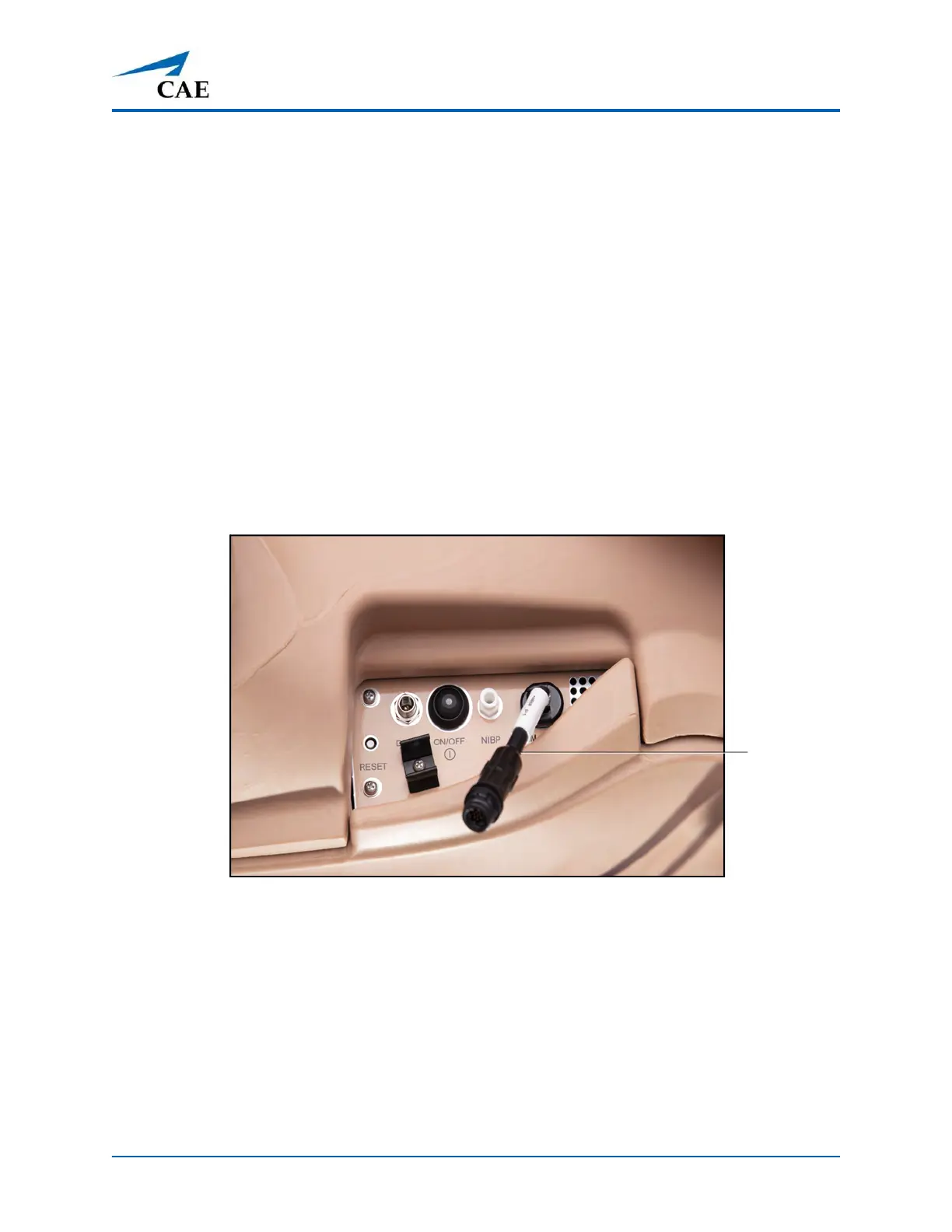
d. Connect the electronics tether from the NIBP arm to the arm connection on Ares’ right
side.
Ares Right Side Connection Ports
Electronics
tether



 To Next Page