cnPilot Enterprise AP User Guide CAMBIUM NETWORKS
Each message has a mnemonic indicating the type of message, a severity from 0-7 (see the syslog
wikipedia page for details of this. 0-emergency, 7-debugging etc), as well as a text indicating
details of the event.
Table 4: Configuration: System > Event logging parameters
IP address of syslog server 1.
IP address of syslog server 2.
You can configure the above parameters through the UI or CLI.
In the UI
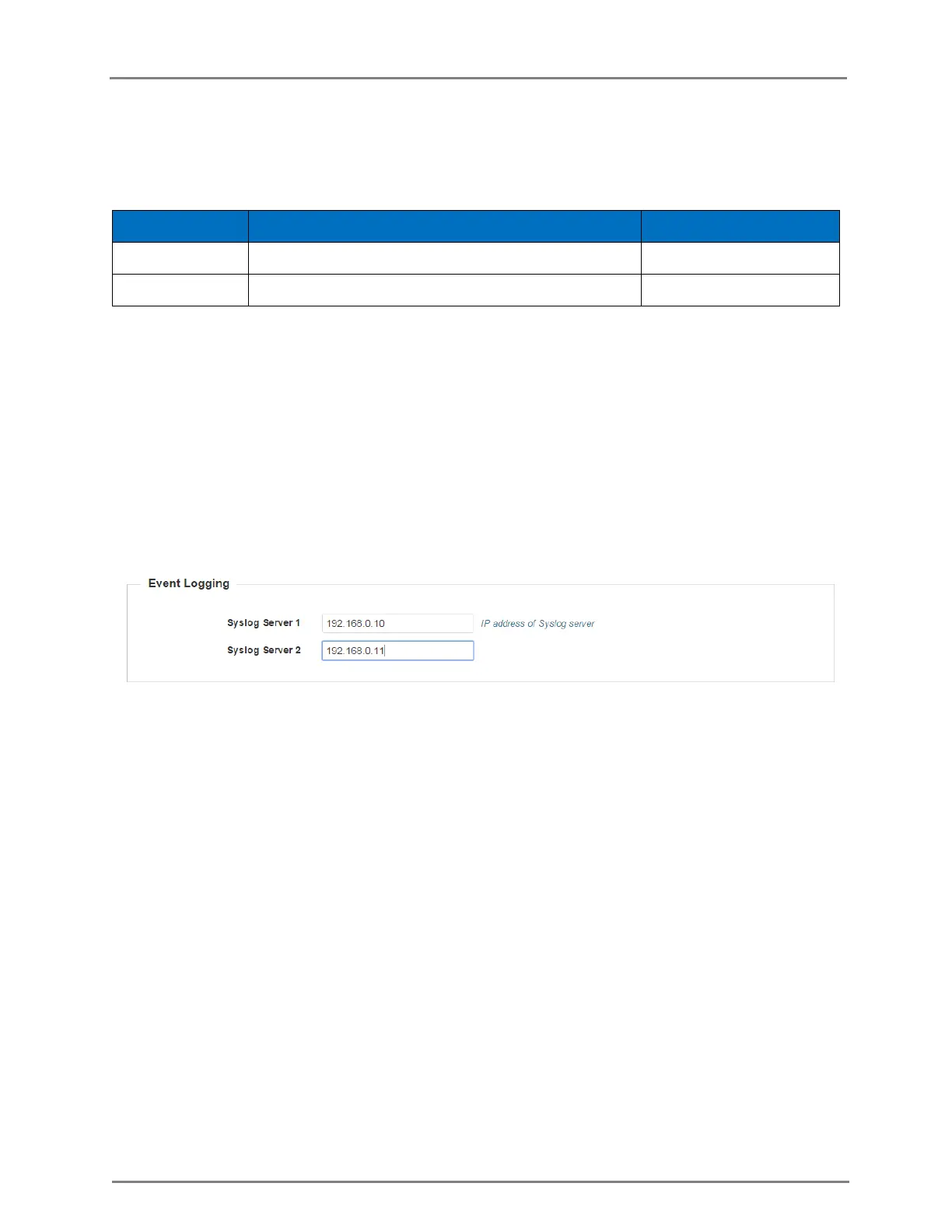
1. Navigate to the Configuration > System tab. The following fields are displayed in Event
Logging:
a. Enter the IP address of the syslog server 1 in the Syslog Server 1 text box.
b. Enter the IP address of the NTP server 2 in the Syslog Server 2 text box.
2. Click Save.
Figure 4: Configuration: Event logging page
In the CLI
To configure Event Logging:
(cnPilot Enterprise AP) (configure)# logging host <ipaddr>
To delete a previous entry of the event logging:
(cnPilot Enterprise AP) (configure)# no logging host <ipaddr>
To view a previous entry of the event logging:
(cnPilot Enterprise AP) # show logging



 To Next Page