cnPilot Enterprise AP User Guide CAMBIUM NETWORKS
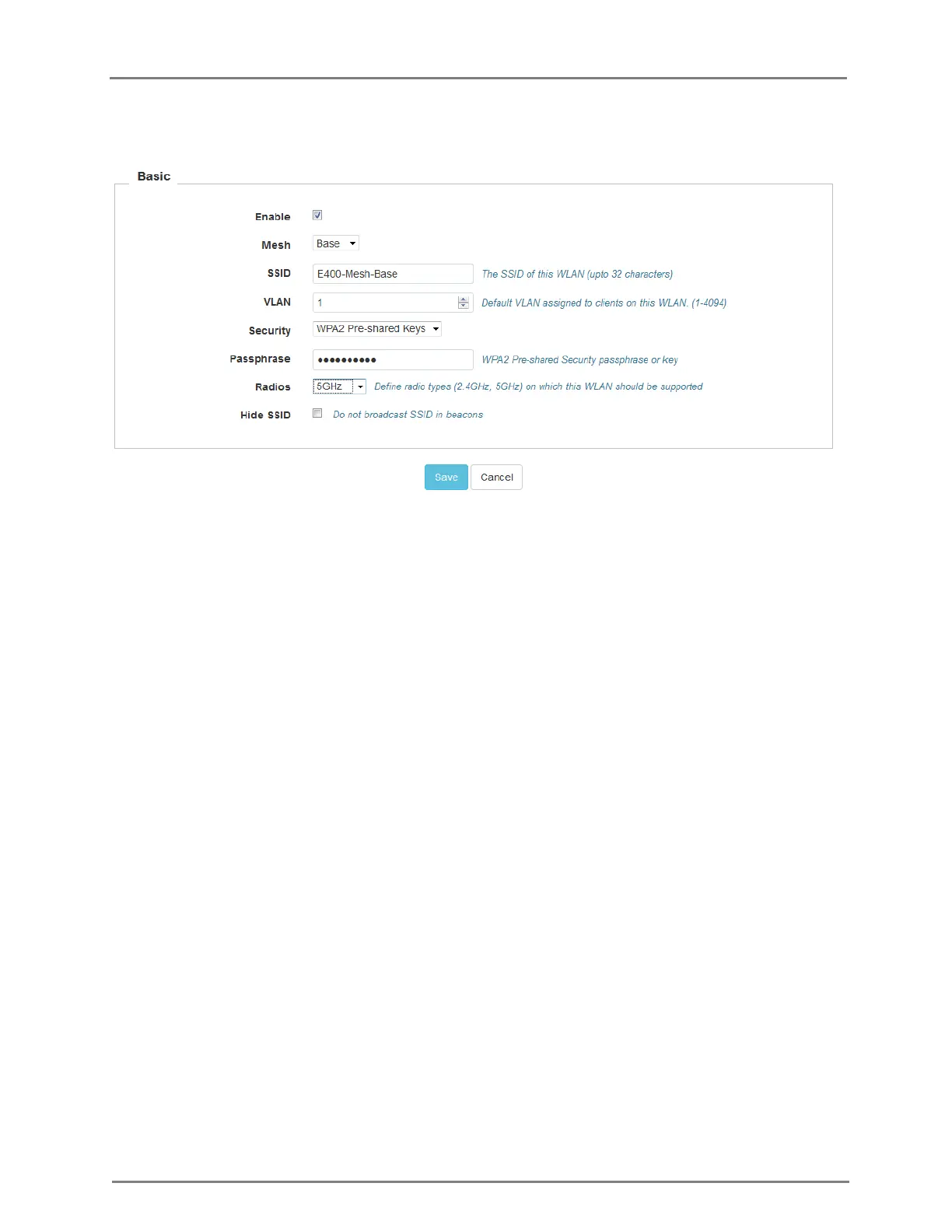
Figure 11: Configure: WLAN > Basic page
In the CLI
To configure Mesh:
(cnPilot Enterprise AP) (configure)# wireless wlan 1
(cnPilot Enterprise AP) (config-wlan-1)# {base,client}
Notes
1. In SW release 2.0, a single mesh hop is supported, multiple hops can be configured but
support is experimental.
2. There is a large throughput drop when using a radio for client access as well as mesh link
(over 50%) since each packet would traverse the air twice, once from the client to the AP,
then from the AP to its mesh peer.
3. Access Points have to be configured independently for mesh, a new AP will not connect out-of-
the-box with an existing mesh network. Mesh mode (client/base), the SSID and the security
configuration has to be done from the device GUI or CLI.
Usage Limit
Usage Limit is a WLAN feature that allows to configure the maximum threshold value of bandwidth
allowed either per client or per WLAN in both downlink and uplink traffic directions.



 To Next Page