cnPilot Enterprise AP User Guide CAMBIUM NETWORKS
Firewall
Firewall options are used to configure options to protect form denial of service (DoS) attacks. By
configuring these options AP prevents attacks on its Ethernet and wireless interface so that it does
not enter in DoS state for its wireless clients.
Configuring Firewall
You can configure Firewall using the UI or CLI:
In the UI
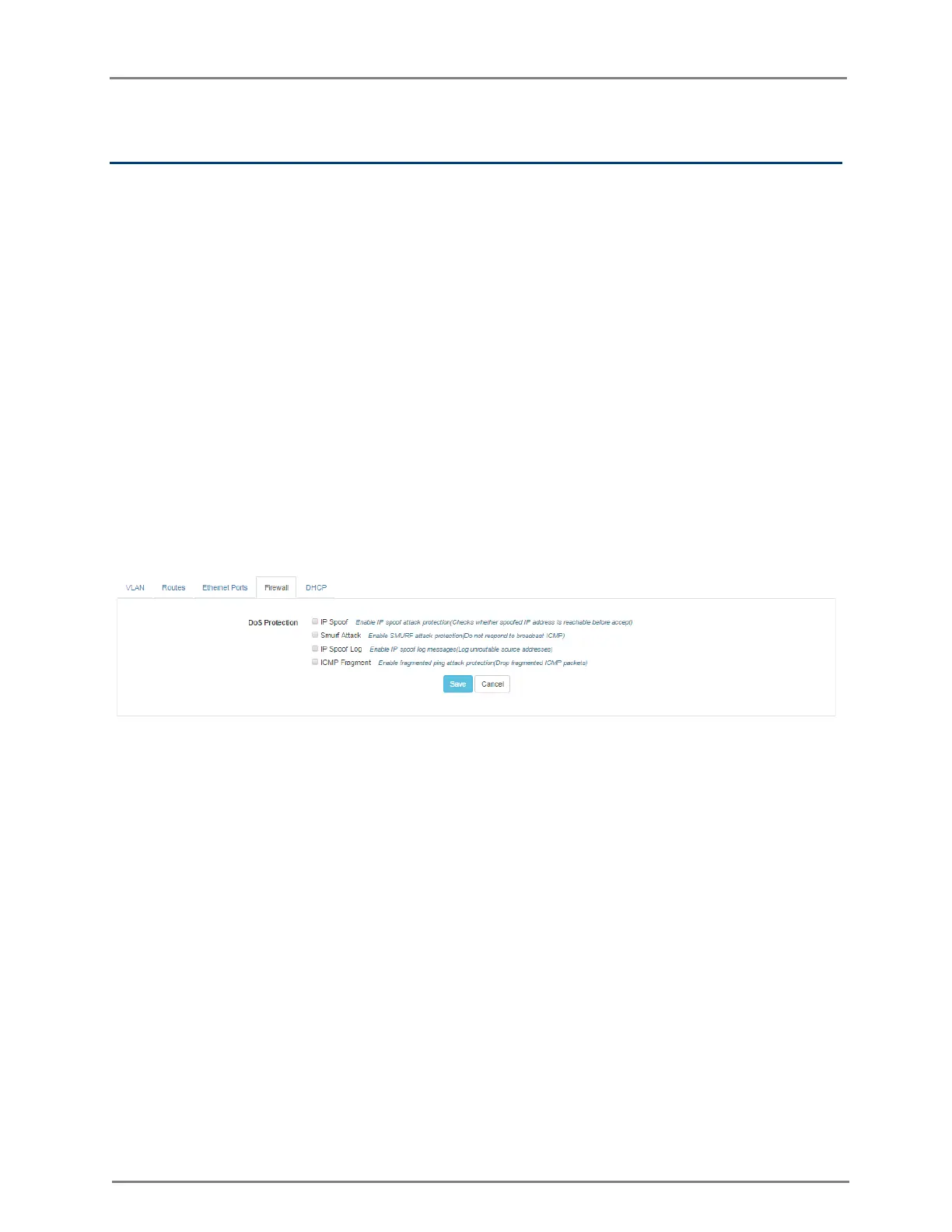
1. Navigate to the Configure > Network tab. The following fields are displayed:
a. To enable IP spoof, select IP Spoof checkbox.
b. To enable smurf attack protection, select Smurf Attack checkbox.
c. To enable IP spoof log, select IP Spoof Log checkbox.
d. To enable fragmented ping attack protection, select ICMP Fragment checkbox.
2. Click Save.
Figure 19: Configure: Network > Firewall page
In the CLI
(cnPilot Enterprise AP) (configure)# firewall dos-protection {icmp-frag, ip-spoof, ip-spoof-log, smurf-atttack}
ACL
ACL provides basic traffic filtering capabilities based on selected type of ACL, for example if user
configures an IP ACL then from A.B.C.D. IP address to M.N.O.P IP address traffic will be dropped.
The AP examines each packet to determine whether to forward or drop the packet, on the basis of
the criteria such as:
• Allow or Deny criterion
• Source or Destination IP address of the traffic
• Source or Destination MAC address of the traffic
• Upper-layer protocol types



 To Next Page